

Home / Ubiquiti / Camera Security / Alarm Hub Kit
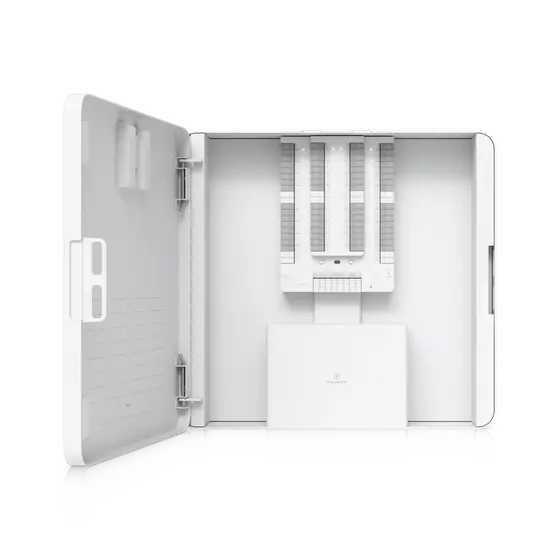
Protect Alarm Hub Kit
SKU UP-AlarmHub-Kit
32 input zone alarm control hub for hardwire intrusion sensors powered using PoE++ input and optional battery backup.
$399.00
$439.00 surcharge incl. (Memory surcharge), as the store shows it
In stock
Buy on the Ubiquiti Store (opens in a new tab)Price and stock as listed on the US Ubiquiti Store on Nov 24, 2026. Check the store for the current price.
Tech spec diagrams
Full specs
Overview
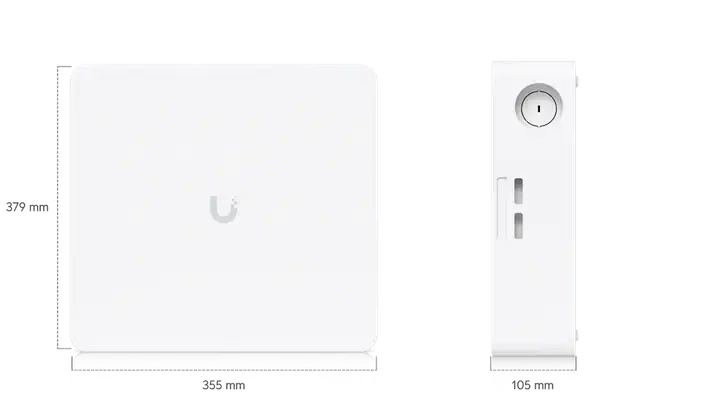
| Dimensions | 379 x 355 x 105 mm (15 x 14 x 4.1") |
|---|---|
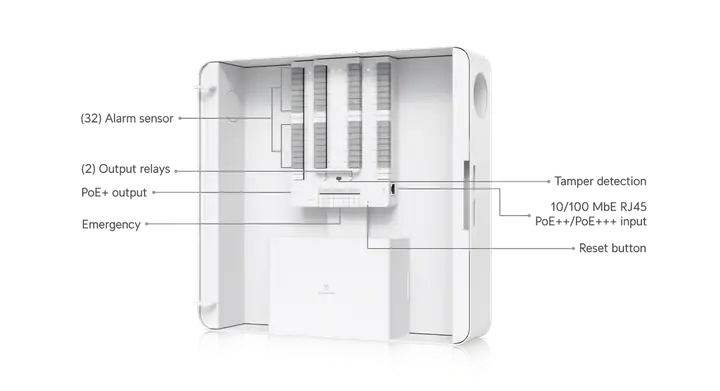
| Input Terminals | (32) Alarm sensor (1) Emergency |
| Power Method | PoE++/PoE+++ 12V SLA battery |
| Power Output Availability | PoE+++ input: 68W PoE++ input: 42W (Max. combined power from PoE+ output, 12V aux power outputs, and 12V relay outputs) |
| NDAA Compliant | Yes |
Mechanical
| Weight | Device: 8.3 kg (18.3 lb) Mount: 624 g (1.4 lb) |
|---|---|
| Enclosure Material | SGCC steel housing with polycarbonate cover |
| Mount Material | SGCC steel |
| Mounting | Wall |
Hardware
| Digital Input | (32) Inputs for alarm sensor (Compatible with EOL resistors: 1-5.6kΩ, 1kΩ included) (1) Emergency (End-of-line (EOL) resistors enable the detection of wiring faults between the Alarm Hub and the sensor) |
|---|---|
| Output Relay | (2) Wet/Dry Wet: 12V DC, 1A Dry: 30V DC, 1A |
| Aux Power Output | For sensor: (3) 12V DC, 1A right side total, (3) 12V DC, 1A left side total |
| Indoor and Outdoor Use | Indoor only |
| Ambient Operating Temperature | -10 to 40° C (14 to 104° F) |
| Ambient Operating Humidity | 5 to 95% noncondensing |
| Networking Interface | (1) 10/100 MbE RJ45 port |
| PoE Interface | (1) PoE++/PoE+++ input, 54V DC, 60W/90W (1) PoE+ output, 54V DC, 30W |
| Max. Power Consumption | 90W |
| Battery Charge | SLA backup battery, 12V, 0.3A |
| LEDs | W/B <a href="https://help.ui.com/hc/en-us/articles/25738084762775-UniFi-Access-Understand-Access-Device-LED-Status-Indicators" target="_blank" rel="noopener noreferrer">Learn More</a> |
| Buttons | (1) Factory reset (2) Dry/Wet switch |
| Certifications | CE, FCC, IC |
Software
| Application Requirements: UniFi Protect | Version 7.0.88 and later |
|---|---|
| Application Requirements: Mobile App | UniFi Protect iOS™ version 3.3.0 and later UniFi Protect Android™ version 3.2.0 and later |
Specs as published on the official Ubiquiti Store product page. A spec the store doesn't print is left out.
Product name, photos and specs are from the official Ubiquiti Store. TABGEEKS is not affiliated with Ubiquiti. Store links are affiliate links. Affiliate disclosure