

MacBook Neo unboxing and stress test: Apple's $600 laptop with an iPhone chip
Apple's most affordable laptop runs full macOS on the A18 Pro from the iPhone 16 Pro and starts at $600. I bought the base model, unboxed it, found the compromises and opened 57 apps at once to see if 8 GB of RAM is enough.

Jesse Nowlin
Founder, TABGEEKS · · 5 min read
Apple just dropped off the new MacBook Neo, and I bought it with my own money. When I told the UPS driver what was in the box, he said he might get one for his kid. That pretty much frames one of the big audiences for this machine.
I have been a massive Chromebook fan for years. I still have an original Google CR-48. Chromebooks have kept winning students, and it looks like Apple is ready to run its education playbook again. The other audience is professional knowledge workers who live in a browser, Google Workspace, Notion and Slack and need something solid and portable that doesn't cost over $1,000. I bought the base model to see what $600 really gets you, and I came away impressed, with a few clear compromises.
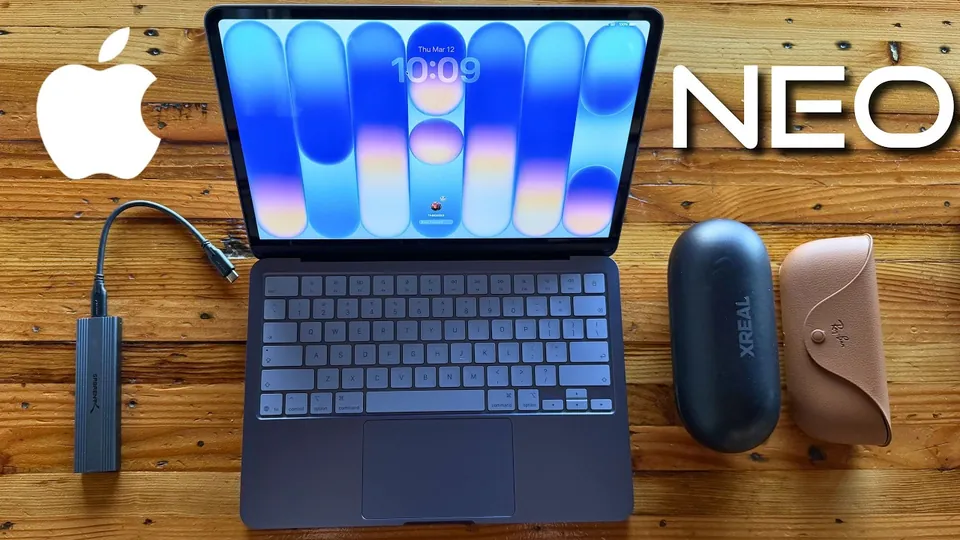
Prefer to watch? The full video is right here. 25:24 · Watch on YouTube
Jump to a section in the video
An iPhone chip running full macOS
Apple silicon has been killing it. Apple left Intel, came out with the M1, worked through its limitations, and now it is hard to find a Windows laptop that matches that power without being three inches thick or eating its battery in seconds. I still run an M3 Max MacBook Pro with 32 GB of RAM for my daily workflow.
The Neo is different. It runs last year's iPhone processor, the A18 Pro from the iPhone 16 Pro, and it runs full-blown macOS. That is mind-boggling. Apple has argued for years that the iPad can't run macOS. Well, the iPad has an M-series chip, and this is running macOS on an iPhone chip. Apple, your arguments are shot.
Unboxing and build
In the box: paperwork, a nice braided USB-C to USB-C cable just under 5 feet long, and a tiny 20 W charger. No MagSafe. That means almost any modern phone charger or battery pack you already carry will charge it.
I love the form factor. It is tiny and slim, and it passes the one-finger open test. It is aluminum, which immediately sets it apart from plasticky Chromebooks. Even pricier models like the HP Dragonfly aren't aluminum. I went with the darker blue, and the keyboard is tinted to match. Next to my MacBook Air, the Neo looks more modern, and the Air starts to look dated.
MacBook Neo, as I bought it
| Details | |
|---|---|
| Price | $600, or $500 with education discount |
| Chip | A18 Pro (from iPhone 16 Pro) |
| Memory | 8 GB |
| Storage | 256 GB base |
| Display | 500 nits, no True Tone |
| Ports | Two USB-C (one USB-C 3), headphone jack |
| Charger | 20 W USB-C, about 5 ft braided cable |
| Weight on my scale | 2 lb 11 oz (M1 MacBook Air: 2 lb 12 oz) |
From the video. Prices are at launch.
The compromises
There is no Touch ID on the power button. It is just a lock button. And the keyboard is not backlit, which disappoints me. Kids do homework in the dark on buses, trains and planes. Would it have really cost that much more? I suspect next year's model adds a faster SSD and a backlit keyboard.
The screen is 500 nits, the same as the MacBook Air, so if you need brighter, look at the MacBook Pro. There is no True Tone. Of the two USB-C ports, only one is USB-C 3, so plug fast drives and monitors into that one. It will warn you if you use the slower port. The screen itself is sharp, punchy and beautiful at the More Space setting, 1637 by 1024.
Keyboard and trackpad
Typing feels totally normal, like a Mac. The trackpad is the interesting part. Many competitors use a trackpad hinged on a shelf, so it clicks on one side and wobbles. Apple's usual Force Touch trackpad doesn't move at all and uses haptics. The Neo uses a mechanical trackpad with a contact point in the center, so you can click from any edge and it flexes only slightly. It feels natural, and it is a throwback to older Mac trackpads.
The stress test: 57 apps at once
With 8 GB of RAM, I wanted to see how far it would go. In Finder I selected every app and opened them all. Finder asked if I was sure I wanted to open 57 apps. Yes, I am insane.
Everything launched. There was jittering and bouncing as it fought to start them all at once, but it didn't crash. Right after launch it was using 6.5 GB of physical memory and just 700 MB of swap. Then I added Safari tabs, downloaded Chrome, opened more tabs without Chrome's memory saver, and played one of my YouTube videos in the background. That put it at 100% of the RAM plus 2.76 GB of swap. It stuttered, but I could still move windows around and switch apps. Occasionally it hesitated. For the most part, it kept cooking.
“But, the wild and crazy thing about this is it's cooking. It's still working.”
Swap is the reason. macOS uses SSD space as pretend RAM, and Apple is the best at it. The catch is that a 256 GB drive leaves limited room for swap as it fills up. If you buy the base model, keep files in the cloud or on an external drive so you leave space for swap. My video projects run about 100 GB each, which is a lot on this machine.
The speakers have a good balance for something this small and affordable, and I appreciate the headphone jack. Apple didn't have to include it, but students don't always have Bluetooth headphones.
Can I edit on it?
I edited this whole video on the Neo, and the editing worked. Rendering was another story. Half an hour into a 25-minute 4K render, it was only at 13%, so I stopped it. For shorter videos or 1080p, it would probably be doable. I covered a full unplugged workday on it in my follow-up.
Who it's for
I spent a lot of time on education, but this is also a great machine for field work, IT pros, marketers, executives and anyone who wants a lightweight, power-sipping Mac. It can even be a primary computer with a monitor, keyboard and mouse, if you don't do heavy video, photo or AI work. If I still ran an IT department, I would hand these out as field laptops instead of full rigs.
For $600, it is an incredible value. Buy it for your parents, your kids, the house, a spare work laptop or your nightstand. There are still $300 Chromebooks and Windows laptops, and I don't particularly recommend them. This is an extremely well-rounded, impressive, affordable machine.
Gear in this story
- Apple MacBook Neo (256 GB)
Ubiquiti Store links are affiliate links. If you buy through them, the channel may get a small commission at no extra cost to you. Affiliate disclosure
Related stories

Hands-on with the new Meta Ray-Ban Gen 3: Aviators, a camera-free option and a smaller camera
Sep 25, 2026 · 4 min read
Unboxing XREAL Aura: Android XR in a case that fits your backpack
Jun 24, 2026 · 5 min read

XREAL's Project Aura, X1S chip, Neo battery and Enterprise push: my interview with Ralph
Jun 12, 2025 · 4 min read
Jesse Nowlin
Founder of TABGEEKS, former IT Director and Google Developer Expert. I test networking and pro tech on real job sites, then write up what I find.
Join the community