

First look: the thinner, lighter touchscreen MacBook Pro 14 with M5 Pro
I unboxed Apple's touchscreen MacBook Pro 14 with the M5 Pro and nano-texture ProLED XDR display, then put it side by side with the M3 Max MacBook Pro that has run my business for three years.

Jesse Nowlin
Founder, TABGEEKS · · 5 min read
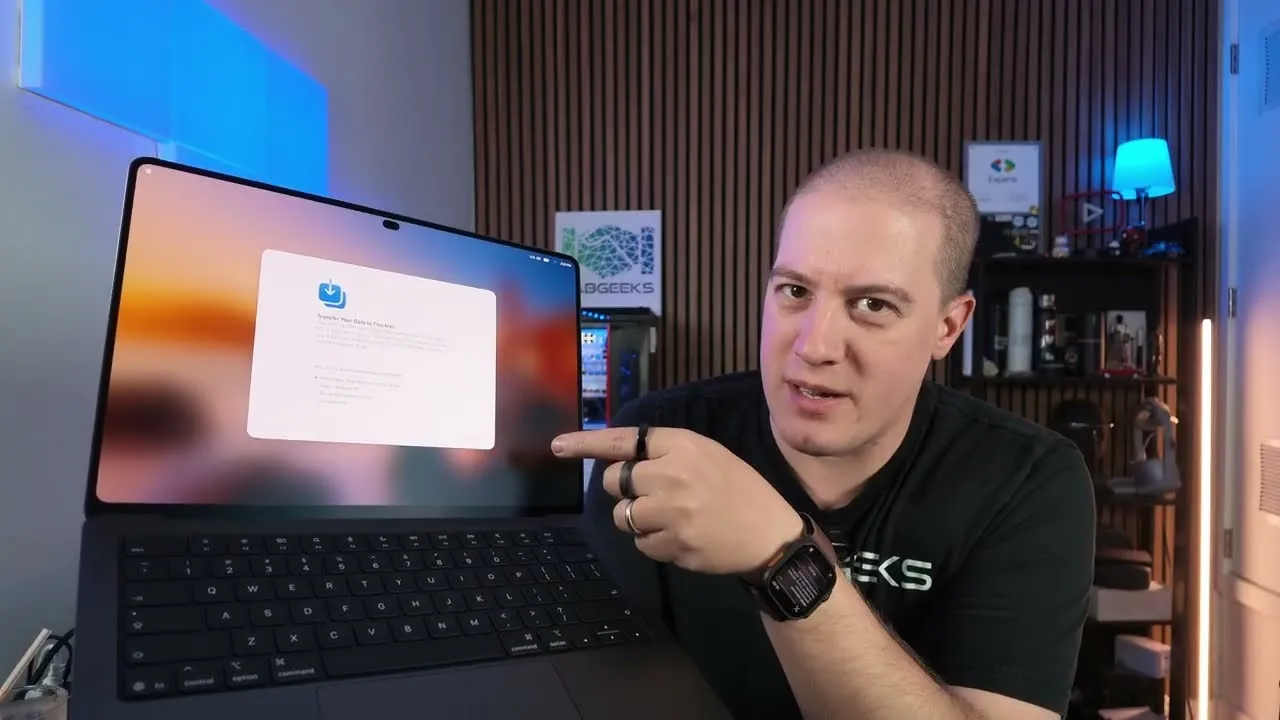
For the last three years, an M3 Max MacBook Pro 14 has run all of the production and the business behind this channel. It drives a 49 inch curved ultrawide, a 56 inch 4K TV on the wall, my speakers, a dock and a 10 gig NIC. Lately it has started to feel sluggish, so when Apple's new touchscreen MacBook Pro 14 with the M5 Pro landed on my desk, the question was simple: can a Pro chip finally replace my Max?
This is an unboxing and first impressions, not a performance review. I cover what's in the box, how it compares to my M3 Max in size and weight, what the touchscreen feels like, and the nano-texture ProLED XDR display. The short version: it is lighter, thinner and physically smaller, and it has the best screen I have seen on a Mac laptop so far.
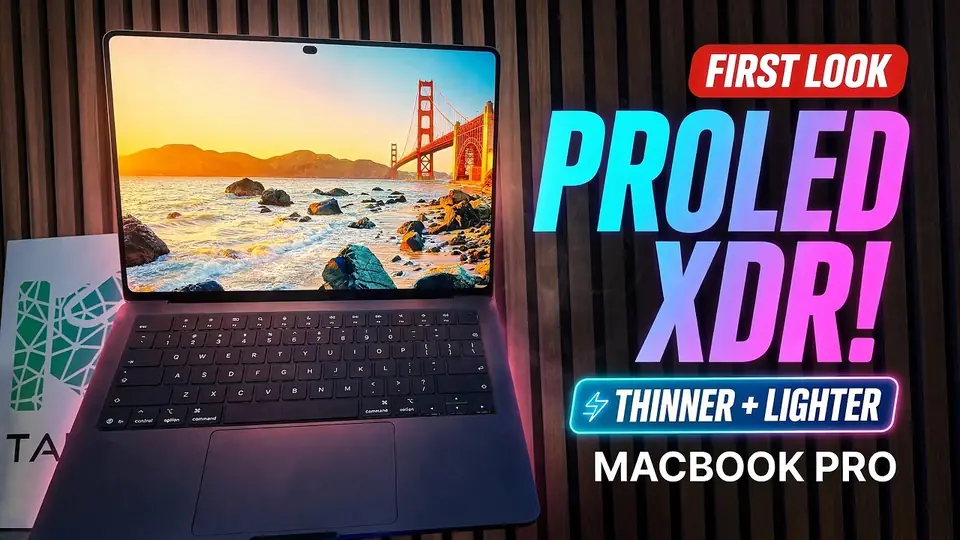
Prefer to watch? The full video is right here. 13:16 · Watch on YouTube
Jump to a section in the video
Why a Pro chip has to prove itself to me
I have been here before. When I bought into the M3 generation, I started with the M3 Pro and returned it quickly because it still stuttered editing 4K video in Final Cut Pro. That is why I ended up on the Max. A lot has changed in three years, but it is still a Pro versus a Max, and I want to see it with my own workload.
And my workload is not light. I run my agents for the business, around 150 Chrome tabs, Notion, Google Chat, Discord, Slack, WhatsApp and Spotify, all at once. I run my computers hot and hard. Any laptop that replaces my daily driver has to keep up with that and with 4K editing.
Unboxing and what's in the box
The first thing I noticed out of the box is that it feels closer to a MacBook Air than to my current Pro. It is shorter and smaller, and it is noticeably lighter in the hand. There is also a small notch at the top of the display instead of the chin I have been living with, and the Apple logo on the lid glows again.
In the box you get a MagSafe cable, a 96 W power adapter, a polishing cloth for the nano-texture display, and the usual getting started paperwork. No stickers anymore. Thunderbolt 5 is on the sides. Honestly, I will probably never use the cable or the brick. I dock my laptop almost everywhere and charge over USB-C on the road, and the multi-port chargers I carry go up to 140 W and charge everything at once. The 96 W brick only charges one thing.
Weight and footprint against my M3 Max
I put both on a scale. The new one read 3 lb 3 oz and my M3 Max read 3 lb 9 oz. You feel that difference immediately. My old machine feels like an old school laptop by comparison.
The footprint is the bigger surprise. Side by side, the designs look the same, but the new one is smaller. I could run my finger along a lip all the way around where the old one sticks out. It is shorter in depth and in height. That also means any skin you planned to carry over from the old model won't fit, and I haven't seen anyone with designs for the new size yet.
New vs. old, by my scale and my eyes
| MacBook Pro 14, M5 Pro (touch) | MacBook Pro 14, M3 Max | |
|---|---|---|
| Weight on my scale | 3 lb 3 oz | 3 lb 9 oz |
| Footprint | Smaller, shorter in depth and height | Larger |
| Top of display | Small notch | Chin |
| Display | ProLED XDR, nano-texture | Previous generation |
Measured and observed during my unboxing, not official specs.
Setting it up with the touchscreen
Yes, it is a touchscreen. No, I don't care that much about it. I made myself use it during setup anyway, and touching the screen actually didn't feel as bad as I expected. The hinges are really tight, which you need on a touchscreen laptop, and it still opens with one finger.
Once it booted, changing the brightness showed the new Dynamic Island style animation at the top of the screen, which is much better than the chin I have had for all these years.
The display is the real story
I set both machines to the same wallpaper and the difference was stark. The old one looks like a picture. The new one looks like I am there, like I could reach out and touch the rocks. The matte nano-texture finish is gorgeous, and the closest comparison I can make is looking at a Pro XDR display, so I understand where the name comes from.
“It's the best screen that I have seen on a laptop thus far.”
The glowing Apple logo on the lid follows the screen brightness. At the lowest setting it is barely lit, at full brightness it is bright, and when the Mac sleeps or the brightness goes all the way down, it turns off entirely.
Fingerprints are still a thing. The base picks them up like before, and after touching the screen a bunch I could see a few under bright studio lights. That will get worse over time, which is exactly why Apple includes the polishing cloth. The old one also tilts back maybe a millimeter or two further, which could be by design or could just be three years of abuse on that hinge.
Bottom line so far
It feels great in the hand. It is thinner, lighter and slightly smaller, and the screen is so sharp and bright that it is a pleasure to look at. As a first impression, I am super happy with it.
Now it has to earn the spot. This is about to become my primary machine, which is more than I can say for any other laptop I have tested. I have a production-heavy week coming up, so I am setting it up with all of my apps and doing all of my editing and production on it. If the M5 Pro can handle that without stuttering, it replaces my M3 Max. I will report back in the follow-up.
Gear in this story
- Apple MacBook Pro 14 with M5 Pro (touchscreen, nano-texture)
- Apple MacBook Pro 14 with M3 Max
Ubiquiti Store links are affiliate links. If you buy through them, the channel may get a small commission at no extra cost to you. Affiliate disclosure
Related stories
Hands-on with the new Meta Ray-Ban Gen 3: Aviators, a camera-free option and a smaller camera
Sep 25, 2026 · 4 min read
Unboxing XREAL Aura: Android XR in a case that fits your backpack
Jun 24, 2026 · 5 min read

XREAL's Project Aura, X1S chip, Neo battery and Enterprise push: my interview with Ralph
Jun 12, 2025 · 4 min read
Jesse Nowlin
Founder of TABGEEKS, former IT Director and Google Developer Expert. I test networking and pro tech on real job sites, then write up what I find.
Join the community