

Meta Ray-Ban Display first look: phenomenal tech, but Meta rushed it
Getting Meta Ray-Ban Display glasses meant a month-long wait and a trip to a Las Vegas pop-up. Here is the in-store demo, the unboxing, how the Neural Band gestures work and why I think Meta shipped these too early.

Jesse Nowlin
Founder, TABGEEKS · · 5 min read
This is the hardest I have ever had to work to get a product to review. During the Meta keynote, they mentioned that buying Meta Ray-Ban Display glasses requires booking a demo and a fitting first. I was at a conference in Utah and missed that detail. By the time I realized it, appointments were booked through the end of the year.
So I found a new pop-up store in Las Vegas, waited a month for an appointment, and flew out. Two states and six stores later, I had them. My first impression: they are amazing, they are the start of something new, and Meta rushed them out the door. At $800 with the Neural Band, they are for early adopters, and I am keeping mine.
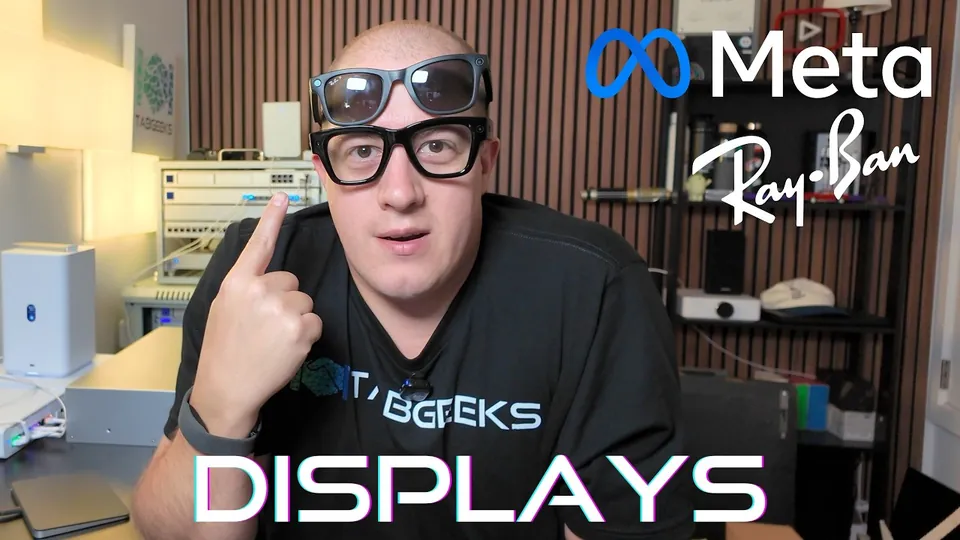
Prefer to watch? The full video is right here. 26:07 · Watch on YouTube
Jump to a section in the video
The in-store demo
The demo starts with a hardware tour: cameras on the front, a touchpad on the side, a capture button on top, speakers at the back and the display in the right lens. The power switch is on the bottom. I went with black frames in the standard size. I had tried the larger size and it was way too big for my head.
Then the Neural Band. Even though I am ambidextrous, I went right-handed since my Apple Watch lives on my left wrist. I wear a size three. The silver strip faces your body, and the band sits snug just above the wrist bone. It needs to be tight to read your gestures, tight enough that it left marks on my arm after a day of wearing it.
How the gestures work
Double tap your middle finger and thumb to bring the display up or put it away. It took a retry after we snugged the band. You feel a very faint haptic tap when you select or scroll. To scroll, you make a loose fist, turn it sideways and slide your thumb across the top of your index finger like a D-pad. Pinch your index finger and thumb to select. To zoom the camera, pinch and twist like you are turning a dial, then pinch shut to take the photo.
The home screen showed the time, Spotify and Ask Meta AI, and the app menu included WhatsApp, Instagram, Messenger, calls, camera, music and photos. As a Gen 2 owner, a live viewfinder for photos is the feature I was most excited about. In a mirror at maximum brightness I could see a little light bleed from the display. Turned down a bit, I basically couldn't see it at all.
Unboxing
The Neural Band box includes a proprietary magnetic charging puck on a USB-C cable that reminded me of a Fitbit charger, plus a gesture guide and safety papers. The glasses box has the glasses, the charging case, a USB-C to USB-C cable about 3 feet long, a reference guide and a free cleaning cloth.
The best part is the case. It folds completely flat, and magnets and springs snap it back into shape when you open it. I wish my old Ray-Ban Meta case did that. Glasses go in lens side toward the back and charge over USB-C. There is no cross compatibility, so the new glasses won't fit the old case.
Meta Ray-Ban Display, as I found it
| Details | |
|---|---|
| Price | $800, glasses and Neural Band together |
| Display | Right lens |
| Control | Neural Band wrist gestures, side touchpad |
| Charging | About 45 minutes from dead to full |
| Video recording | 1080p only for now, no 3K yet |
| Lenses | Transition, but barely darkened in my use |
| Case | Folds flat, USB-C charging |
Based on my first days with them.
Chunky, but nobody noticed
They are chunky. Next to my regular Ray-Ban Metas, which are already thick for glasses, these are bigger in every way, maybe one and a half to twice as thick in the frame. I think they look nerdy. But I wore them through the Las Vegas airport, fiddling with gestures while waiting for my flight, and nobody looked twice.
I tried hard to kill the battery in the airport, including 25 levels of a built-in maze game that teaches you the Neural Band, the way Solitaire taught people to use a mouse. It is surprisingly entertaining. Then I put them in the case and they were full again in about 45 minutes. That is phenomenal for a battery this size.
“This is the start of something new. This is the worst they're ever going to be but they rushed them.”
What feels rushed
The transition lenses barely transition. I drove straight into a Southern California sunset and they didn't get any darker. I like dark sunglasses, and for defensive driving in LA I need them. That is my number one issue.
The Neural Band didn't pick up all of my inputs, even worn tight. Maybe I need practice, and firmware updates should improve recognition on this same hardware. The handwriting reply feature shown at Meta Connect isn't here yet. And there is no 3K recording, only 1080p, which bugs me because 3K is why I bought my Gen 2s. Put up a battery warning if you have to, Meta, but give me the option.
I suspect Meta pushed these out to get ahead of Samsung's Android XR headset and XREAL's Project Aura, which were coming soon. The hardware is remarkable. At $800 including a neural interface band, Meta is likely losing money. The software just needs time to catch up.
Two things that impressed me
First, a correction to something I have seen reported. Store staff told me, and showed me, that multiple bands can pair with multiple pairs of glasses. You can't buy the glasses or the band separately yet, so losing one means buying a set, but the new band will work with your old glasses.
Second, Maps. The data comes from open map sources, not Google or Apple Maps. It is built for walking, not driving, and you shouldn't use it while driving anyway. But in the airport I asked Meta AI to find a Starbucks, picked the closest one, and it walked me right to it.
Bottom line
If you have $800 burning a hole in your pocket and you want bleeding edge tech, buy them. Otherwise, wait a few months, or maybe for the next generation. Either way, go try a demo. It is a really cool piece of tech. Without real sunglass tinting I am not sure it is worthwhile for everyone, but they are phenomenal, and I will be keeping and using mine.
Gear in this story
- Meta Ray-Ban Display with Meta Neural Band
Ubiquiti Store links are affiliate links. If you buy through them, the channel may get a small commission at no extra cost to you. Affiliate disclosure
Related stories
Hands-on with the new Meta Ray-Ban Gen 3: Aviators, a camera-free option and a smaller camera
Sep 25, 2026 · 4 min read
Unboxing XREAL Aura: Android XR in a case that fits your backpack
Jun 24, 2026 · 5 min read

XREAL's Project Aura, X1S chip, Neo battery and Enterprise push: my interview with Ralph
Jun 12, 2025 · 4 min read
Jesse Nowlin
Founder of TABGEEKS, former IT Director and Google Developer Expert. I test networking and pro tech on real job sites, then write up what I find.
Join the community