

Mac mini M4 Pro review for IT departments: tiny, mighty, and that power button
The Mac mini has been a staple of IT departments for years. The 2024 redesign is the first since 2010, and it is tiny, insanely fast and has one very weird power button. Here is my take and the configurations I recommend.

Jesse Nowlin
Founder, TABGEEKS · · 4 min read
This is the stunning all-new Mac mini, the first design update since 2010. Look how tiny it is: five by five. The previous Mac mini has been a staple of IT departments around the world, used for Zoom stations, conference room setups, digital signage and desktops. I have used it for all of those, plus as a rackable, portable, storable desktop. I loved the previous design, and I love this one even more.
We have the Mac Studio and plenty of other Macs, but the Mac mini has always been the most versatile. It is now smaller than its predecessor, though quite a bit taller. Think of it as a miniaturized Mac Studio, minus the front SD card slot, which, as a creator, I will miss.
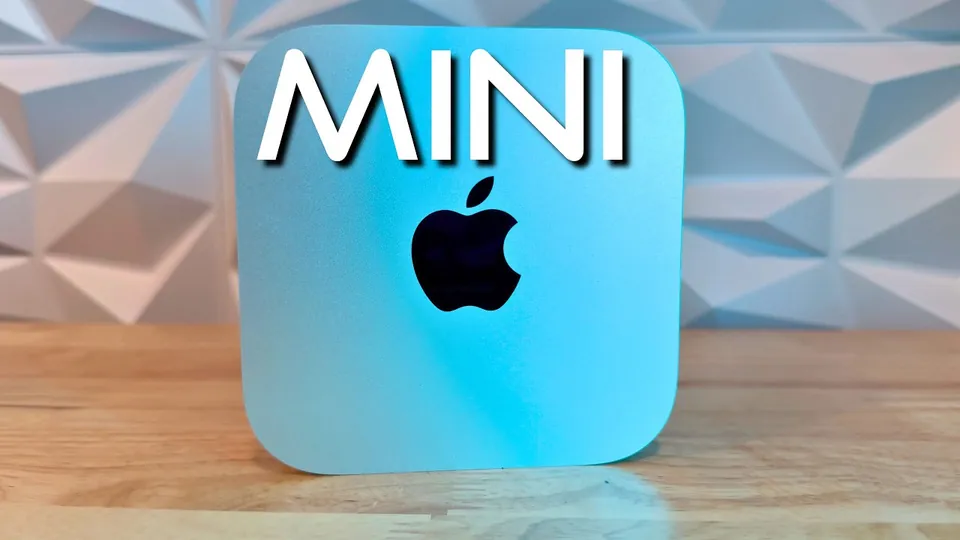
Prefer to watch? The full video is right here. 5:53 · Watch on YouTube
Jump to a section in the video
Design, ports and that power button
On the back are three Thunderbolt 5 ports, a first, plus HDMI and Ethernet at 1 or 10 gigabit depending on what you select. On the front, at least we get two USB-C ports, an indicator light and a headphone jack. The Thunderbolt 5 ports are so new I do not have anything that supports them. Thunderbolt 4 devices work at Thunderbolt 4 speeds, and more Thunderbolt 5 gear will come over time. You can drive up to three displays at once on the Pro chip, at up to 4K and 144 Hz, or go up to 8K with fewer monitors.
The wacky part: the power button is on the bottom. On a desk, you lift the unit, get your finger under there and find the nicely indented, nice and clicky button. But how often do we fully turn off our Macs? A reboot does not need the button, and the Mac can bring itself back online after a power loss. Still, it is almost like the person who designed the Magic Mouse had a hand in it. Worst case, stand it on its side so the button is on top. I am pretty sure people at Apple are cringing.
Repairability, for IT
From the teardowns I have seen, it opens relatively easily with a little spudger action on the sides, and directly underneath in the center is a removable CMOS battery. If you run these long enough for that battery to start dying, which I imagine you will, it looks easy to replace.
It is also the first time this form factor has a removable SSD, I believe. But it is a custom Apple SSD, so you either have to severely hack something to fit or use an Apple module, from another computer or from Apple directly.
Performance
This thing is insanely fast. If you are on anything older than M2, especially M1 or an Intel Mac, stop this video, go to the store and buy one, because it is that much of a drastic increase. Personally, I am on a 14 inch MacBook Pro with an M3 Max and do not feel the need to upgrade, even to M4 Max. I am tempted, but I will wait a year, since it does not even stutter editing multiple 4K streams in Final Cut Pro. I will leave the nuanced benchmarks to other videos.
Compared to the M1 Mac mini, you get a footprint less than half the size, Wi-Fi 6E and Thunderbolt 5, at up to 120 gigabits per second. My complaint: why is this not Wi-Fi 7? It is not a Pro model, I get it, but in 2024 lots of devices support Wi-Fi 7, including the new iPhones.
The configurations I recommend
Mac mini configurations and prices from the video
| Configuration | Price as stated |
|---|---|
| Base Mac mini (M4) | From $600, less with education pricing |
| Base plus 24 GB RAM and 512 GB SSD | About $1,000 (each upgrade $200) |
| M4 Pro, 12-core CPU, 16-core GPU, 24 GB RAM | $1,600, my best value pick |
| Fully loaded M4 Pro, 14-core CPU, 20-core GPU, 64 GB, 8 TB | $4,700 |
| Fully loaded but 1 TB SSD | $2,500 |
Launch pricing in the US as stated in the video. Prices change.
For the Pro, I recommend the M4 Pro with a 12-core CPU, 16-core GPU and 16-core Neural Engine, 24 or 48 GB of RAM and a 512 GB or 1 TB SSD. With fast Thunderbolt drives, you can always add external storage. With 24 GB, that came to $1,600, and I think it is the best value for the money today. Dropping a fully loaded machine from 8 TB to 1 TB saves $2,200, which for a production machine is really not that bad.
“Apple, you've hit it out of the park. Well done. Next time, fix the button and Wi-Fi 7.”
Bottom line
Most people can get away with the base model, not even the Pro. To future-proof it a little, add RAM to 24 GB and double the storage to 512 GB for a cool grand. Whether you get the base or the Pro, this is an excellent offering for conference rooms, signage, desktops and production work alike.
Gear in this story
- Apple Mac mini (2024)Amazon (opens in a new tab)
Some of these store links are affiliate links. If you buy through them, the channel may get a small commission at no extra cost to you. Affiliate disclosure
Related stories
XREAL Air 2 Pro vs XREAL One: which display glasses should you buy?
Jan 17, 2025 · 4 min read
Anker Nano 7-in-1 charging station review: retractable cables clean up my desk
Jul 21, 2025 · 3 min read

Google I/O 2025 recap: Beam, Gemini Live, Android XR and everything I cared about
May 28, 2025 · 5 min read
Jesse Nowlin
Founder of TABGEEKS, former IT Director and Google Developer Expert. I test networking and pro tech on real job sites, then write up what I find.
Join the community