

Anker Nano 7-in-1 charging station review: retractable cables clean up my desk
Anker's Nano 7-in-1 charging station has two built-in retractable USB-C cables, so nothing dangles off your desk. I bought one with my own money. Here is what I like and the one design flaw.

Jesse Nowlin
Founder, TABGEEKS · · 3 min read
The Anker Nano charging station 7-in-1 has one headline feature: retractable cables. Anker has done this before on its 25,000 mAh power bank, which has a retractable USB-C cable up top plus a second built-in cable in the handle. That power bank has become my number one go-to charger, simply because I never have to remember which cables are in my backpack.
Back at my desk, though, I still had cables dangling off the side, even with clips holding them in place. The same goes for the nightstand. This charging station solves that. I bought it myself, and it has been an excellent addition to my desk, with one design flaw worth knowing about.
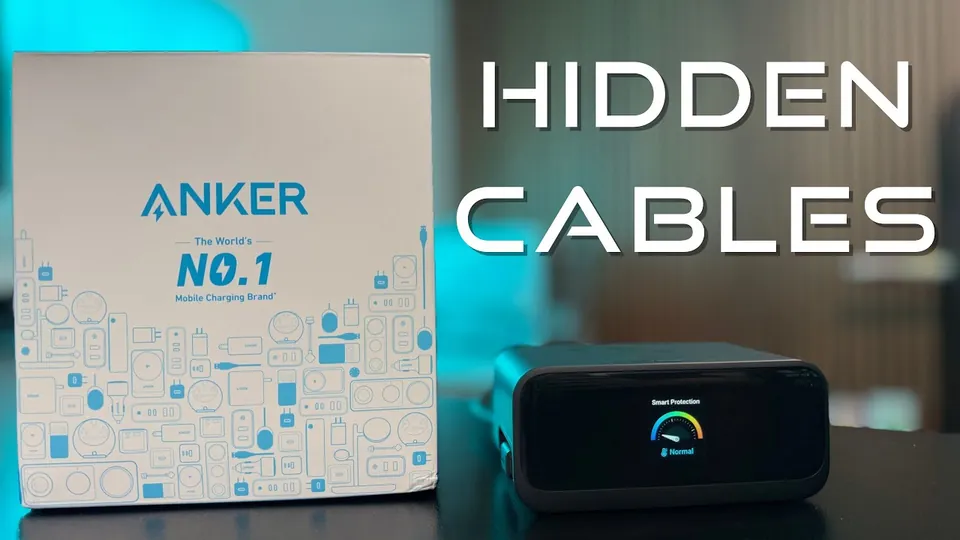
Prefer to watch? The full video is right here. 4:42 · Watch on YouTube
Jump to a section in the video
Ports and features
When I get back from a shoot and want to top up a phone or camera, I pull a cable out, plug it in, and when I am done, give it a little tug and it slides back inside. Each side has a retractable USB-C cable, 2.3 ft long.
Anker Nano 7-in-1 at a glance
| Feature | Details |
|---|---|
| Retractable cables | Two USB-C, 2.3 ft each, one per side |
| USB-C port | 100 W |
| USB-A port | 12 W |
| AC outlets | Three, on the back |
| Display | Per-port wattage and internal temperature |
As stated in the video and description.
On one side, next to a retractable cable, there is a 12 W USB-A port and a 100 W USB-C port for when you want really high-speed charging. That cable will still sit on your desk since it does not retract, but it is an extra port. Around back are three regular AC outlets.
The screen on the front lights up when you power it on. A button on top switches the display to show the charging wattage of each port, and a second press shows the temperature sensor so you know it is not overheating. That will be familiar if you have used other Anker devices with screens.
The one downside: that third outlet
The station's own power plug comes out the back right at the bottom, next to the third AC outlet. If you plug in anything with a chunky charging brick that hangs down, you are going to have a problem. That severely limits what you can put in that port. Anker, next time maybe route the cord out the side. Maybe it got in the way of the retracting mechanism. I do not know. But that is really the only negative I have.
Size compared to the Anker Prime 250 W
Next to Anker's Prime 250 W charger, the 250 W is a little longer but definitely thinner. The Prime is also significantly lighter, while this is a very heavy device. Of course, the Prime handles an enormous amount of wattage throughput, while this one is limited to 100 W. In the box, you just get quick steps for pulling out and retracting the cables plus the user guide. It is pretty plug and play.
Bottom line
For the price, this has been fantastic. It cleans up my desk in exactly the way I wanted, I just did not know it would show up in this form factor. Whether I am quick-charging the camera I am recording on, which should have been charged but was not, or topping up a phone, the cables stay out of the way until I need them. I am a huge fan of all things USB-C, and I love this trend. Anker, please keep putting retractable cables into more devices.
Gear in this story
- Anker Nano 7-in-1 Charging StationAmazon (opens in a new tab)
- Anker 25,000 mAh power bank
- Anker Prime 250 W charger
Some of these store links are affiliate links. If you buy through them, the channel may get a small commission at no extra cost to you. Affiliate disclosure
Related stories
DJI Osmo Nano unboxing and first look: a tiny camera with a lot in the box
Oct 1, 2025 · 4 min read
Aohi Starship 240W power bank review: laptop power in a soda can
Apr 2, 2025 · 3 min read

Don't film everything: my framework for covering tech conferences
Jun 12, 2026 · 6 min read
Jesse Nowlin
Founder of TABGEEKS, former IT Director and Google Developer Expert. I test networking and pro tech on real job sites, then write up what I find.
Join the community