

Flexispot E7 Pro L review: the standing desk at the center of my new studio
The Flexispot E7 Pro L is the new centerpiece of my studio. I assembled it solo, treated it like a tech review, and tested stability, height and lift capacity, including riding it to the top.

Jesse Nowlin
Founder, TABGEEKS · · 4 min read
The walls are up in the new studio, and this is going to be the background of pretty much all my videos going forward: a desk in front of the rack, so I can reach over, plug things in and review gear without setting up and tearing down a studio every time. The most important piece of that setup is the desk.
This is the Flexispot E7 Pro L-shaped sit-stand desk. Flexispot sponsored this video and sent the desk over. Since it's full of motors, presets and controls, I'm treating it like a tech review: assembly, stability, height, lifting power and the features I actually use.
The verdict: it's rock solid, it goes higher than I'll ever need, and the extra space has already fixed the thing that bugged me most about my old setup.
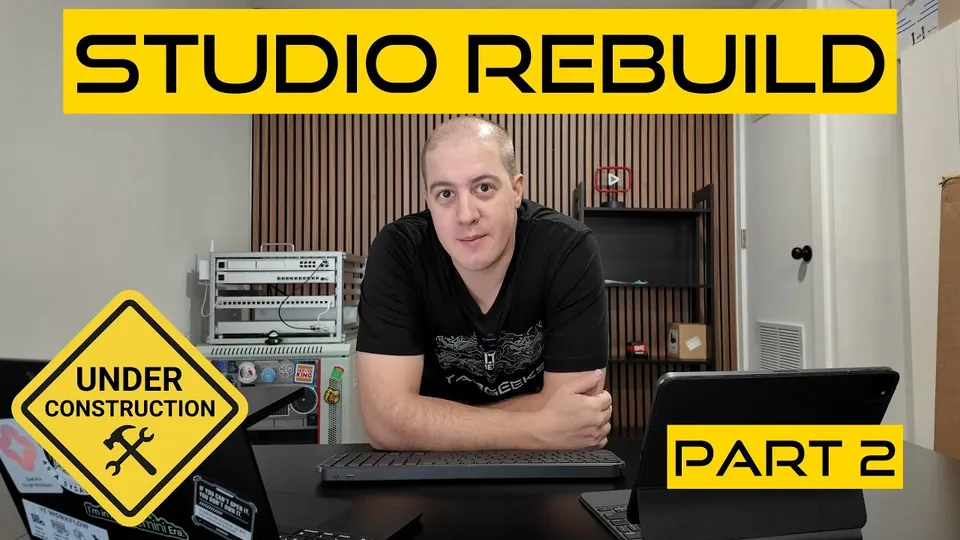
Prefer to watch? The full video is right here. 17:34 · Watch on YouTube
Jump to a section in the video
Assembly, solo
Because it's an L-shaped desk, it came in three boxes: legs, more leg hardware and the two desktop pieces. The pre-installation guide says to build on carpet to prevent scratches, have a screwdriver or drill ready (not included) and get a friend to help. I did it solo with my Milwaukee drill.
The steel is really solid and well built. Heavy, too. The one part that took some figuring is that the instructions are one-size-fits-all, since you can mix and match tops on the site. With an L, you have to decide up front which side gets the long run. I wanted the long side against the wall in front of the rack, with the open side free so I can walk around the desk. The brackets slide wider and shorter, so line them up with the right holes on the desktops. There are a ton of pre-drilled holes, plus more for the wire guides.
Stability and height
To test wobble, I set a hex bit on the desk and gave the table a good shake. Once it settled, I ran the desk from its lowest position all the way to the top. It was steady as a rock the whole way, with no wobble as it moved. That matters on a desk this size, where you'll have a lot of stuff and likely multiple monitors.
It's a three-leg design: one leg on each end and a third holding the L together. By tape measure, the max height was about 51 and a half inches, almost 4 and a half feet. I'm a big guy, and on my knees I could almost fit underneath it.
The lift test: me on the desk
Every desk review does this, so I did too. I lowered it all the way down until I was practically sitting on the floor, sat on it, and hit the preset for the top. I'm over 200 lb, plus my laptop, iPad, keyboard and mouse. It climbed the whole way, slowing near the top, and the display read 50.6 at full height. That was a fun ride.
“My main desk isn't a sit-stand desk, and I might have to make this my main desk because this is really nice.”
For comparison, I believe the Uplift desk's max is 50.1, so this one goes a bit higher, though you'd have to be really tall for that to matter. For me, a comfortable standing height was about 42.3 in. The general guideline is elbows at about 90 degrees, like when you're typing in a chair.
Cable management and controls
Directly underneath is a wire tray that hides the motor cables inside the brace, so you basically can't see them. A little Velcro tidies the rest. There's also a removable tray with slots, so you can strap your dock power brick and connections to it, and nothing gets tangled or disorganized when the desk moves.
The single power cord runs through the inside channels and pops out the bottom, so it won't snag when you raise or lower the desk. Bundle your Ethernet or extra power along it to keep things clean. The keypad has sit and stand presets plus two more memory positions, handy if you share the desk. Tap once and it moves to the saved position.
It isn't as deep as some desks I've used, but with monitors on arms at the back, there's plenty of room for peripherals.
Why L-shaped
My old desk was a Home Depot workbench, and I was always running out of space. Reviewing network gear meant moving the rack onto the desk, and then that was it, no room for anything else. I'd shuffle things around trying to stay in frame and end up off camera, buried in packaging.
Now I can bring the rack forward and still have room for my computer, peripherals, cables and even a top-down camera. The other goal is keeping it clean, so I can sit down and hit record right away instead of clearing the desk first.
My configuration
| Spec | As stated |
|---|---|
| Desktop size | 71 in x 48 in x 24 in (regular size) |
| Top | Chipboard, black |
| Frame | Black |
| Legs | Three-leg design |
| Max height on the keypad | 50.6 in |
A smaller, narrower size and other top materials, including bamboo, are available. My black top contrasts with the white studio wall and is good for filming products.
Bottom line
The Flexispot E7 Pro L is stable, strong, easy to control and big enough for a real review workflow. I can choose to sit or stand while recording, or switch mid-video, with no problem. That's why it's my studio desk going forward.
Gear in this story
- Flexispot E7 Pro L-Shaped Standing Deskflexispot.com (opens in a new tab)
Some of these store links are affiliate links. If you buy through them, the channel may get a small commission at no extra cost to you. Affiliate disclosure
Related stories
My 10 by 10 YouTuber studio tour, before I tear it all down
May 28, 2025 · 5 min read
DJI Osmo Nano unboxing and first look: a tiny camera with a lot in the box
Oct 1, 2025 · 4 min read
Aohi Starship 240W power bank review: laptop power in a soda can
Apr 2, 2025 · 3 min read
Jesse Nowlin
Founder of TABGEEKS, former IT Director and Google Developer Expert. I test networking and pro tech on real job sites, then write up what I find.
Join the community