

Best Starlink Mini battery? PeakDo LinkPower 1 vs. LinkPower 2
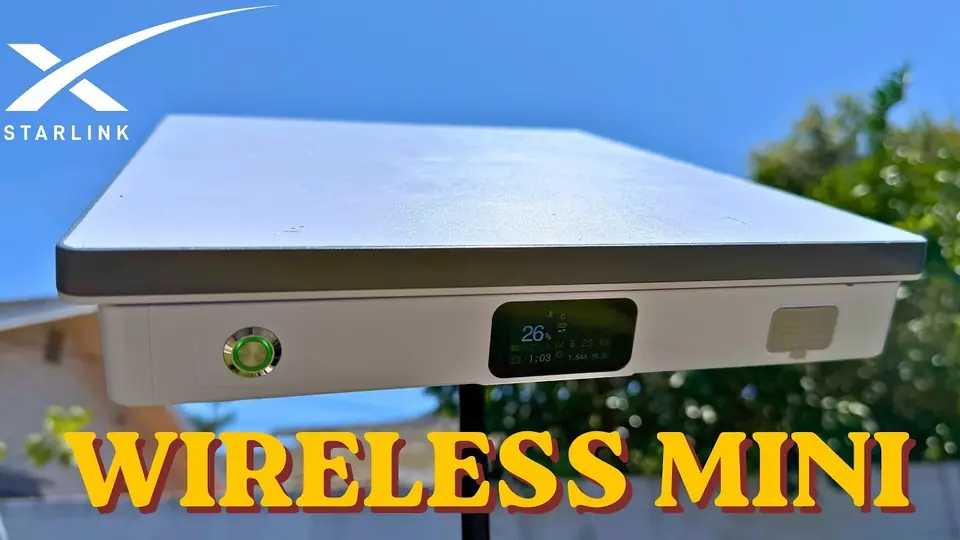
Both PeakDo batteries clip onto the back of a Starlink Mini for a fully wireless setup. I used them off-grid in the mountains and on the road to see which one is worth buying.

Jesse Nowlin
Founder, TABGEEKS · · 4 min read
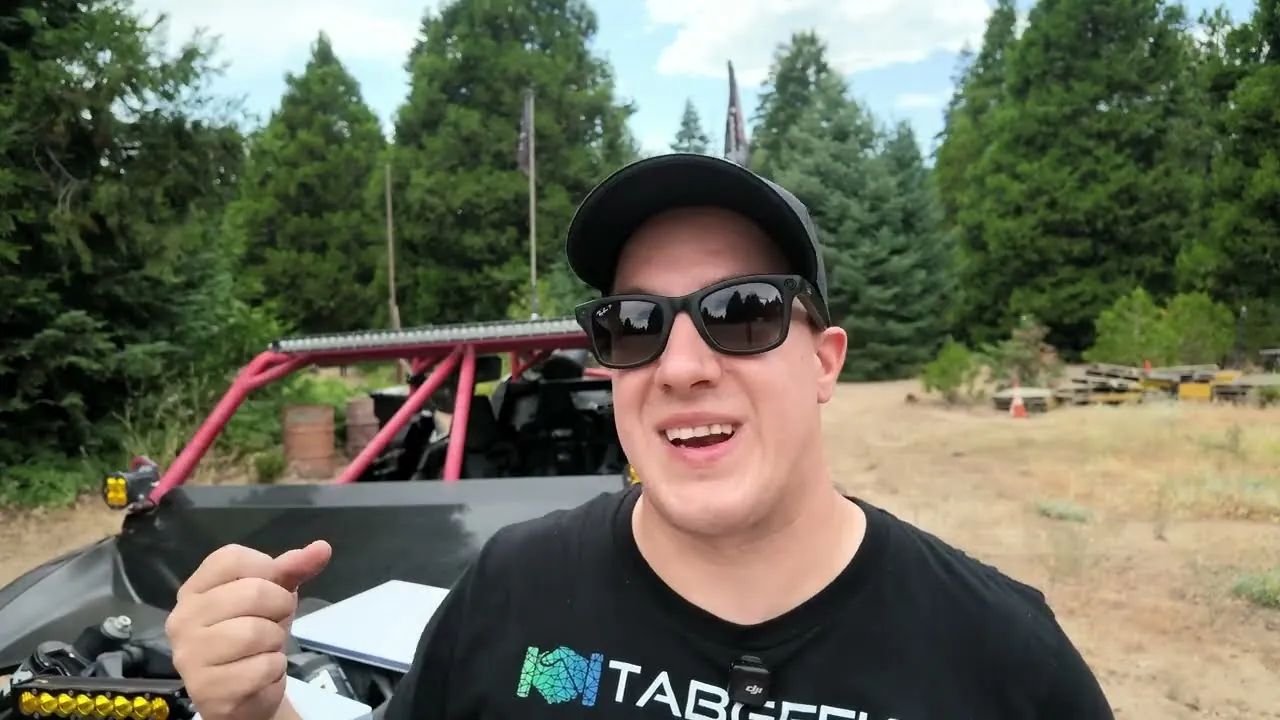
My work as a creator and consultant takes me to some fun places, sometimes a little off-road, and I always bring Starlink. Up in the mountains at about 5,500 feet with zero cell service, a Starlink Mini is my connection to everything. The weak link has always been power. PeakDo's LinkPower batteries fix that by slotting right onto the back of the Mini.
I have both the LinkPower 1 and the new LinkPower 2, and I have been using them in the field and on the dashboard while driving through the mountains. Slot the battery in, plug in the short included cable, power on, point the dish at the sky, and the Mini's built-in Wi-Fi router gives you internet with no wires. Here is how the two compare, and who should upgrade.
Prefer to watch? The full video is right here. 11:11 · Watch on YouTube
Jump to a section in the video
Why a battery that rides on the dish
The Starlink Mini's built-in router is what makes this work. I can plop it down, point it generally at the sky, and be online. With the battery attached it sat on the seat next to me, pointed up through a canopy of trees, and I stayed fully connected while driving. When we stopped, a speed test in the middle of nowhere came back with excellent speeds, completely wireless.
USB-C matters a lot to me because I travel constantly and test a lot of gear. Both LinkPower batteries charge over USB-C, so the same battery bank I carry for my laptop can top them up and keep the dish running for the rest of the day.
The numbers
LinkPower 1 vs. LinkPower 2
| LinkPower 1 | LinkPower 2 | |
|---|---|---|
| Price (at the time) | $169 | $229 |
| Battery | 27,500 mAh | 27,500 mAh |
| TSA compliant | Yes, under 100 Wh | Yes, under 100 Wh |
| Runtime on the Mini | About 4 to 4.5 hours | Over 5 hours |
| Back panel | Plastic | Metal, for heat dissipation |
| Ports | USB-C | USB-C plus front DC port |
| Magnetic breakaway charging | No | Yes |
| Tripod mounts | Center plus two side mounts | Center mount only |
| Dimensions | Same | Same |
As stated in the video and description. Prices change.
Both have the same capacity rating, so where does the extra hour come from? PeakDo used denser batteries to fill the same space, which works out to about an extra hour of runtime.
Design differences
Both slot directly into the back of the Mini and stay attached. The LinkPower 1 has a power button, an LCD that shows remaining battery and stats like volts and wattage, a single USB-C port, and a short cable on the back with the same waterproof style connector Starlink uses, running into the Mini's DC plug.
The LinkPower 2 adds a DC power port on the front next to the USB-C and a new magnetic breakaway charging connector on the bottom. That is the upgrade I like most. If you run it in a car with a cable dangling, a yank just detaches it instead of pulling anything apart, and it is easy to connect and disconnect on the go. PeakDo dropped the two side tripod mounts and kept the center one, which is the one you actually need.
The back also changed from plastic on the LinkPower 1 to metal on the LinkPower 2, which acts as a heat sink. It sits on the side away from the dish, so it gets rid of heat much better. While driving, the screen showed the dish pulling 38 W with about an hour remaining.
The app, and one thing I didn't love
Both batteries have Bluetooth and connect to the LinkPower app for remote monitoring and control. Live monitoring, smart schedules and power limits require a subscription, $20 a year or $40 lifetime. I wouldn't expect to pay for an app to monitor a device I already paid for, so that made me a little unhappy. If you know roughly how long it runs, you don't really need it.
That said, after trying it I like having live power on screen. The app showed 32.5 Wh left at about 33%, with about 1.3 hours remaining. It also has an expert mode with DC scheduling and firmware info. I don't know that it is worth the yearly price, but if you use it regularly, the lifetime option could be valuable.
Charging tricks
You can run the LinkPower 2 in reverse and charge your phone or other devices from it over USB-C, which is handy when your phone matters more than extra dish runtime. And if the battery is completely dead, plug it into the wall and bypass charging powers the Starlink first, then uses the remaining wattage to charge the battery.
Your questions, answered
Can you fly with it? Yes. It is under the 100 Wh limit, so it can go in your carry-on. It is a bit bulky as a phone battery, but you can fly with it. Will the LinkPower 2 fit existing cases and third-party flat mounts? Yes. The two are identical in dimensions, with only a slight, not very noticeable weight difference. How fast does it charge? On a 100 W charger, the LinkPower 2 goes from 20% to 80% in roughly 45 minutes.
“Should you upgrade if you have the Link Power 1 to Link Power 2? Well, it depends on how you use it.”
Bottom line
If an extra hour of runtime matters to you, the LinkPower 2 is the one to get, and if you regularly run your dish in a vehicle, the magnetic breakaway port is a big deal too. If you already own a LinkPower 1 and mostly set up at camp, you are not missing much. Either way, these live in my Starlink Mini carry kit and go with me whenever I hit the road.
Gear in this story
- PeakDo LinkPower 2peakdo.com (opens in a new tab)
- PeakDo LinkPower 1peakdo.com (opens in a new tab)
- Starlink (referral, 1 month free)starlink.com (opens in a new tab)
- Starlink Mini
Some of these store links are affiliate links. If you buy through them, the channel may get a small commission at no extra cost to you. Affiliate disclosure
Related stories
DJI Osmo Nano unboxing and first look: a tiny camera with a lot in the box
Oct 1, 2025 · 4 min read
Aohi Starship 240W power bank review: laptop power in a soda can
Apr 2, 2025 · 3 min read
Don't film everything: my framework for covering tech conferences
Jun 12, 2026 · 6 min read
Jesse Nowlin
Founder of TABGEEKS, former IT Director and Google Developer Expert. I test networking and pro tech on real job sites, then write up what I find.
Join the community