

Home / Stories / UniFi + Networking
UniFi G6 Mini Dome and G3 Fingerprint Reader: hands-on and installed
Part one of Ubiquiti's big hardware wave: the tiny 4K G6 Mini Dome against a G5 Turret Ultra, and the new G3 biometric fingerprint reader installed on a real door.

Jesse Nowlin
Founder, TABGEEKS · · 4 min read
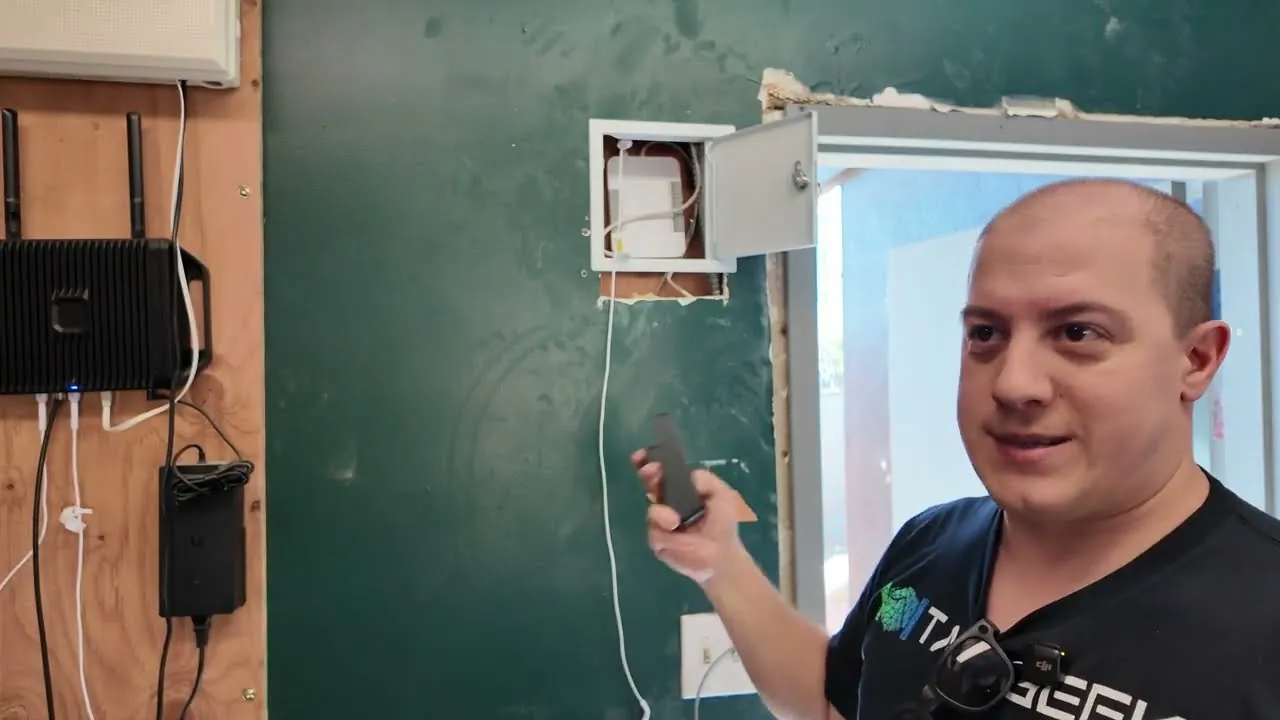
Ubiquiti took the wraps off a ton of new products at once, and I had almost all of them on my desk: the G3 biometric fingerprint reader, the air quality and vape detection sensor, the G6 Mini Dome and the AI Speaker. To keep this from being an obnoxiously long review, I split it into two parts.
This is part one: the G6 Mini Dome camera and the G3 fingerprint reader. I unboxed both, then took them to a building we're building out, replaced a G5 Turret Ultra with the Mini Dome for a side-by-side comparison, and installed the reader on a door.
Short version: the G6 Mini Dome is a much better camera than the G5 I compared it to, and the fingerprint reader took a few minutes to sync but then let me in without a key.
Prefer to watch? The full video is right here. 13:20 · Watch on YouTube
Jump to a section in the video
G6 Mini Dome: tiny, with a new mount
This camera is mini. Next to an Apple mouse, or even the G4 Instant, which is already tiny, you can see how small it is. The first thing I noticed out of the box is the new mounting system. Push the clips on the side and the top half comes right off, which is how you reposition the camera to point it up, down and around.
Cable entry is on the back, with a path around the side to the port. There's a second option out the back too, but you'll have to pop out a small tab for the cable to escape. Closing it up is a simple click. Also in the box is a second dome cap with an anti-tamper screw, plus the mounting template, a couple of screw options and reading materials.
G6 Mini Dome at a glance
| Spec | As stated |
|---|---|
| Resolution | 4K |
| Image sensor | 1/1.8 in |
| Size | 100 mm diameter |
| Impact rating | IK08 vandal resistance |
| Audio | Integrated two-way audio |
As stated in the video and description, June 2026.
The two-way audio is the practical one. If somebody starts attacking your camera, or is somewhere they shouldn't be, you can talk to them and hear what they say back.
G6 Mini Dome vs G5 Turret Ultra
On site, I matched the angle of the existing G5 Turret Ultra and put them side by side. Right out of the gate, the color on the G6 is much crisper and clearer. I just love how the whole G6 lineup looks. It's a much sharper image across the board.
The resolution bump is the bigger story. Zoomed in about 450% on a cable box in the room, the G5 was pretty fuzzy. On the G6 Mini Dome at 450%, I could actually read the box: Category 6, four pairs, outdoor PoE cable. That's a massive jump.
Is it justified for the price? I don't know yet. But just looking at the image, I'm a fan. The settings panel is the usual fare: pairing with a door, uptime, detections, crossing lines and general settings.
G3 Fingerprint Reader: what's in the box
The reader has a fingerprint pad and a keypad with light-up buttons that have a nice clicky feel. I believe it holds up to 300 fingerprints. On the back is a waterproof grommet for the Ethernet cable.
In the box you get mounting templates, a metal mounting bracket, screw options, a branded Allen key and a security screwdriver, plus the rest of the mounting hardware the reader clicks into and a face plate cover that makes the install look clean.
Authentication options include fingerprint, Apple and Android Touch Pass, PIN code and Bluetooth unlock. It comes in black and white. There's also a retrofit model for existing wiring, which you'd use with the UniFi retrofit hub.
Installing it on a real door
I put it on an older door hub, the original access controller we installed a year or two ago when it was the only one for sale. It's a temporary, slightly janky setup, and yes, I know there's nothing so permanent as temporary. This whole room is getting redone.
Thankfully, past me had already installed a gang box on the other side of the door with the cable run through, so I fed the cable through, lined it up and mounted the reader. Then I set up Access, enabled smartphone credentials, adopted the hub and saw the UA G3 Fingerprint reader appear as a connected device. The hub immediately started updating, which mattered since it had been sitting there for about a year.
Registering a fingerprint is done in the app under People, then your profile, then the fingerprint setting. Lift and rest your finger a few times and it uploads. My first tries still said invalid credential because the assignments hadn't synced. It took a few minutes, and then it worked.
“Love the way the G6 sensors look over the G5s. So much crisper.”
Bottom line
The G6 Mini Dome is a teeny camera with a very sharp 4K image, and it will look great on the ceiling in nice executive settings. The G3 fingerprint reader is easy to install if you already have a cable to the door, and once it syncs, you can open the door without a key. Part two covers the AI Speaker and the air quality and vape detection sensor.
Gear in this story
- Camera G6 Mini DomeSpecs and compare for Camera G6 Mini DomeUbiquiti Store (opens in a new tab)
- Access G3 Reader FingerprintSpecs and compare for Access G3 Reader FingerprintUbiquiti Store (opens in a new tab)
- Camera G5 Turret UltraSpecs and compare for Camera G5 Turret UltraUbiquiti Store (opens in a new tab)
- AI SpeakerSpecs and compare for AI SpeakerUbiquiti Store (opens in a new tab)
- Vape Detection and Air Quality SensorSpecs and compare for Vape Detection and Air Quality SensorUbiquiti Store (opens in a new tab)
- Access Retrofit Reader FingerprintSpecs and compare for Access Retrofit Reader FingerprintUbiquiti Store (opens in a new tab)
- Camera G4 InstantSpecs and compare for Camera G4 InstantUbiquiti Store (opens in a new tab)
- UniFi Access Retrofit HubSpecs and compare for UniFi Access Retrofit HubUbiquiti Store (opens in a new tab)
Ubiquiti Store links are affiliate links. If you buy through them, the channel may get a small commission at no extra cost to you. Affiliate disclosure
Related stories
Installing Ubiquiti's vape and air quality sensor and AI Speaker, and making them work together
Jun 8, 2026 · 4 min read
The easiest way to get started with UniFi Protect: the UNVR Instant
Sep 10, 2025 · 4 min read
UniFi G6 Bullet, Turret and Instant review: 4K across the board, tested against G5, G4 and AI Pro
Mar 24, 2025 · 6 min read
Jesse Nowlin
Founder of TABGEEKS, former IT Director and Google Developer Expert. I test networking and pro tech on real job sites, then write up what I find.
Join the community