

Home / Stories / UniFi + Networking
UniFi U7 Industrial review: a rugged Wi-Fi 7 AP with bat wings
The U7 Industrial is Ubiquiti's rugged Wi-Fi 7 access point, built for dust, heat and weather. I unboxed it, set up the bat-wing antenna and ran speed tests before it heads to a construction site.

Jesse Nowlin
Founder, TABGEEKS · · 4 min read
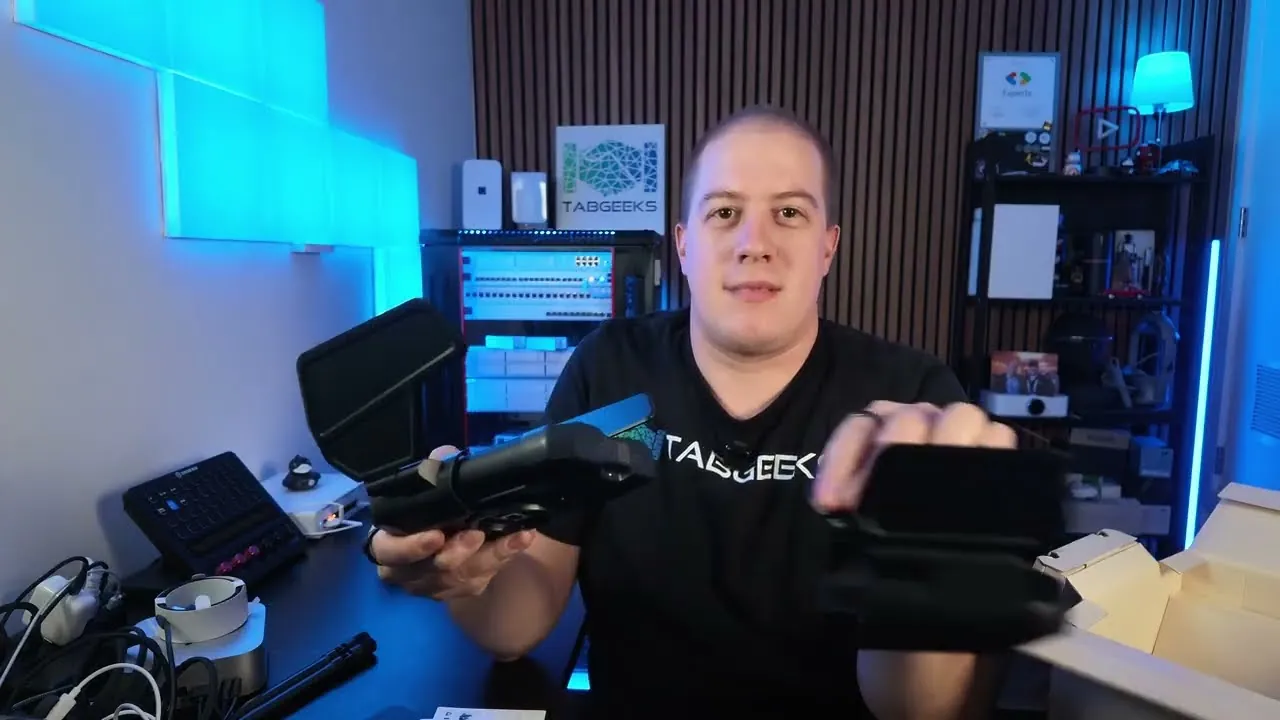
This is Ubiquiti's new U7 Industrial access point, or as I've been calling it, the bat signal. It's headed for the community center I've been building out, which is about to be a major construction zone for months, outside in the Southern California sun. That's exactly where rugged gear earns its keep.
Before it goes up, I brought it back to the studio, which I'm currently calling the Batcave, to unbox it, walk through the mounting and antenna options, adopt it in UniFi Network and run some speed tests.
The bottom line: it isn't built to be the highest-performance AP. It's built to be the most rugged performance, and on stock settings it still put up about 900 Mbps both ways over Wi-Fi 7.
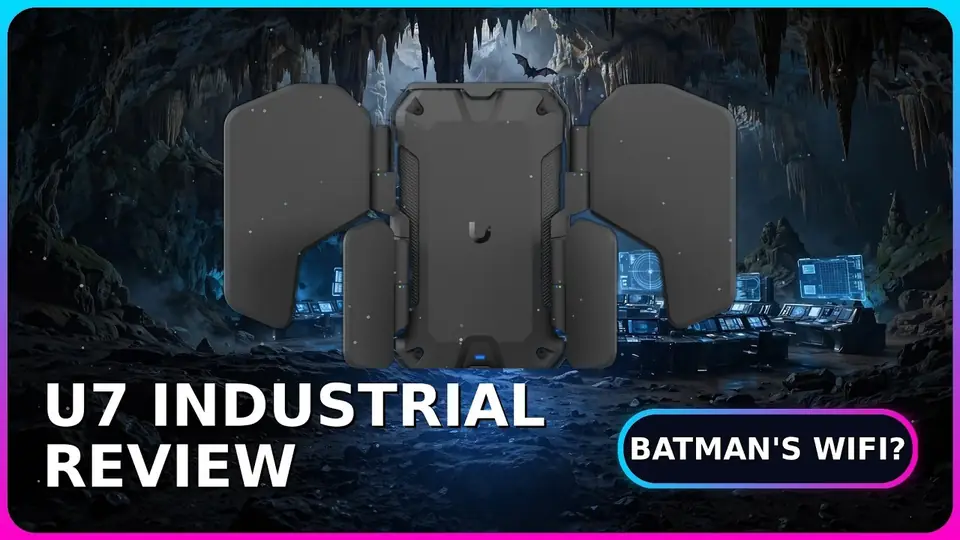
Prefer to watch? The full video is right here. 12:17 · Watch on YouTube
Jump to a section in the video
Why I need something this rugged
Two reasons: dust and heat. The site has been dusty and chaotic, and the last week literally hit 100 degrees. We went from some of the worst humidity in the country to some of the hottest temperatures in a matter of two weeks.
For context, the Cloud Gateway Industrial has been running the network there in a room with zero air conditioning and zero airflow, and it has had no problems all summer. So hot, in fact, that I don't even want to go in there to work. Once the power is back on, I have an entire 42U rack to fill.
What's in the box
The AP itself has a new mounting system on the back with a push button release, a 2.5 GbE port on the bottom, two holes on top for external antennas, a signal indicator on the side, mounting screws on both sides for the directional antenna, a QR code and a reset button.
Underneath are the two omni antennas, which look like chopsticks. I believe they're the same ones that came with the Cloud Gateway Industrial and several other Ubiquiti products. The hardware kit has a beefy wall mount with a rubber grommet for water protection and an interesting screw-in grommet cover, a very beefy pole mount with a pole tie, all the screws, the grommets in different sizes and Ubiquiti's wrenches.
Three antenna modes, including the bat wings
The quick start card lays it out: blast 2.4 and 5 GHz everywhere, focus a beam forward, or go 360 degrees with the omni antennas. There's no 6 GHz on this one, which I believe follows the rest of the Industrial lineup. It is Wi-Fi 7, though.
The bat wings are two parts that slot together and onto the AP, held by screws top and bottom. The nifty part: there's a lift-up twist tab, so you can hand tighten them on a ladder without a screwdriver. The wings have two positions, wide or focused. You can also skip the wings entirely and screw on the omni antennas for 360 degree coverage, bending them where you need them.
“This isn't meant to be the highest performance, it's meant to be the most rugged performance.”
Adoption and settings
I plugged it into the studio switch, got a nice white light on the front and adopted it on my Dream Machine Pro Max. After the update, you get the usual channel overview, transfer retries and model info. Insights are blank on a brand new device.
The important setting is under radios: indoor versus outdoor and the antenna mode. Pick Omni for the chopstick antennas, wide angle low gain for the bat wings open, or high gain narrow for the bat wings focused. You can also turn off the LED and toggle SNMP. On first 5 GHz setup it runs a DFS scan, which can affect client connectivity until it finishes. It was drawing 6.71 W during setup.
Speed tests on stock settings
I temporarily disabled my U7 Pro Wall so my iPhone would connect to the Industrial, then tested from about 3 ft away on my 2 gig synchronous Frontier line.
Speed tests at 3 ft, stock settings
| Test | Result |
|---|---|
| Speed test app | About 900 Mbps down, 900 Mbps up |
| WiFiman, phone to gateway | About 800 Mbps down, 900 Mbps to 1 Gbps up |
| Rated max, 5 GHz | 4.3 Gbps |
| Rated max, 2.4 GHz | 688 Mbps |
Client path ran through a USW Pro XG 8 PoE and Pro HD 24 PoE to the Dream Machine Pro Max. Rated rates assume perfect conditions.
I didn't change any settings, because I wanted to show it out of the box. In a better environment with tuned settings, you can push those numbers up. Your mileage will vary with your antennas, range and setup, so do your own testing.
Built like a suit of armor
It has a die-cast metal enclosure with an IP67 rating, so it can withstand pretty much anything. Ubiquiti calls it a suit of armor for your wireless network, which only continues the Batman theme. Great minds think alike.
My one concern is heat. Black in direct sunlight tends to get very hot, and the back was already warm to the touch just from booting and updating in the studio. I'll be watching how it holds up and may do an update once it has been on the building for a while.
Bottom line
If you need Wi-Fi in a dusty, hot or wet environment, like a construction site, warehouse or outdoor space, the U7 Industrial is a very rugged option with flexible antenna choices. You give up 6 GHz, but you get Wi-Fi 7, a 2.5 GbE uplink, IP67 protection and about 900 Mbps both ways on stock settings. It's going up at the community center next.
Gear in this story
- Access Point U7 IndustrialSpecs and compare for Access Point U7 IndustrialUbiquiti Store (opens in a new tab)
- Dream Machine Pro MaxSpecs and compare for Dream Machine Pro MaxUbiquiti Store (opens in a new tab)
- Cloud Gateway Industrial (UCG Industrial)Specs and compare for Cloud Gateway Industrial (UCG Industrial)Ubiquiti Store (opens in a new tab)
- Switch Pro HD 24 PoESpecs and compare for Switch Pro HD 24 PoEUbiquiti Store (opens in a new tab)
- Access Point U7 Pro WallSpecs and compare for Access Point U7 Pro WallUbiquiti Store (opens in a new tab)
- Switch Pro XG 8 PoESpecs and compare for Switch Pro XG 8 PoEUbiquiti Store (opens in a new tab)
Ubiquiti Store links are affiliate links. If you buy through them, the channel may get a small commission at no extra cost to you. Affiliate disclosure
Related stories
PoE half a mile away? I tested UniFi long-range Ethernet at 1,000, 2,000 and 3,000 feet
Oct 27, 2026 · 5 min read
How to connect Starlink V5 directly to a UniFi network, no router needed
Aug 3, 2026 · 4 min read
UniFi Dream Machine Beast: the N2 processor makes it next generation
Apr 30, 2026 · 4 min read
Jesse Nowlin
Founder of TABGEEKS, former IT Director and Google Developer Expert. I test networking and pro tech on real job sites, then write up what I find.
Join the community