

Home / Stories / UniFi + Networking
How to connect Starlink V5 directly to a UniFi network, no router needed
The redesigned Starlink V5 power supply has two Ethernet ports, so you can skip the Starlink router and plug the dish straight into your UniFi gateway. I set it up with zero configuration, checked the dish data in UniFi and pulled my fiber to test failover.

Jesse Nowlin
Founder, TABGEEKS · · 4 min read
One of the most common questions on my Starlink videos is how to combine it with the other thing I cover all the time: Ubiquiti. Whether you want Starlink as a backup or as your primary connection, the goal is the same. Wire it straight into your UniFi gateway, from a small Cloud Gateway up to a full 42U rack, and let UniFi handle it.
The new Starlink V5 makes that easier than ever. Its redesigned power supply has two PoE Ethernet ports, one for the dish and one for your network, so you don't need the Starlink router in the middle. I plugged it into the UDM Pro Max in my test rack, did zero configuration, ran speed tests and then pulled the plug on my fiber to see how clean the failover was. It switched over in one hop.
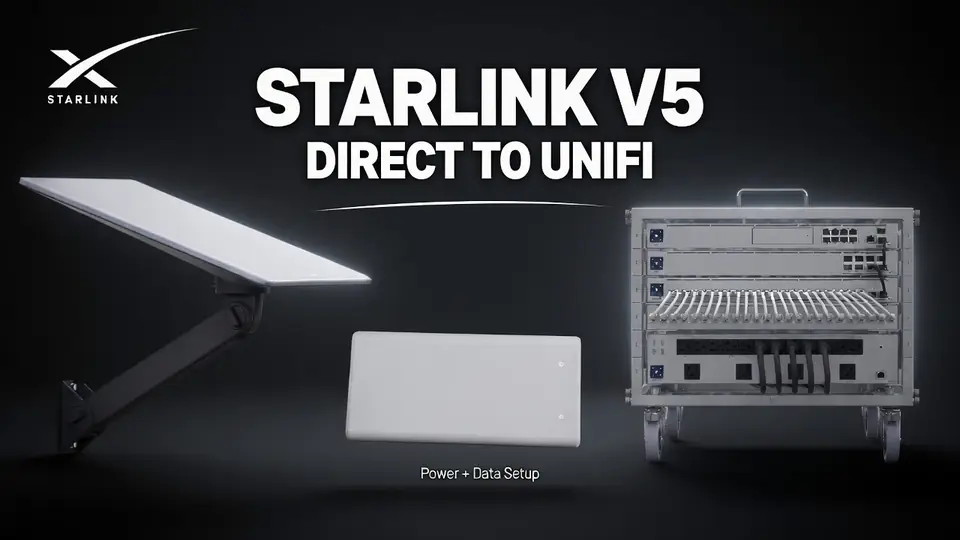
Prefer to watch? The full video is right here. 16:28 · Watch on YouTube
Jump to a section in the video
Why businesses are adding Starlink as a backup
I am seeing this in residential areas and businesses, even in metro areas with plenty of internet options. The Palisades fires showed everyone that a disaster can take down fiber, cable and even the cell networks at the same time. The people who still had connectivity were the ones with Starlink. So a lot of businesses around here are putting dishes on the roof as a backup.
I also know properties that just don't have good options. They have Spectrum, but Spectrum has issues, so they go straight to Starlink. Starlink is getting close to on par with cable or even 5G home internet, and it is easy: pop it in, point it at the sky with no obstructions, and you are good to go.
What changed with the V5 power supply
The V5 power supply has two Ethernet ports on the end, both PoE. One goes to the dish. In the standard kit, the other goes to the Router Mini. For a UniFi setup, that second cable goes straight into your gateway or rack instead. Holding the brick facing you, the left port goes out to the dish and the right port goes to the rack. Only the dish port carries power, which is why its light is lit and the rack port's is dark.
This isn't brand new for everyone. I understand the power brick in the Standard V4 kit has both ports too. Mine is an older kit that came with the Router 3, and to do this with that setup you had to run the dish through the Router 3 in bypass mode and come out of the router into your network. The V5 brick skips that step entirely.
Plugging it into the UDM Pro Max
I set the dish up outside first and let it go through its positioning phase. Then I unplugged the cable from the Router Mini and plugged it into my UDM Pro Max. My open ports are SFP, so I used a multi-gig 10 gig SFP+ to RJ45 adapter from the Ubiquiti store to take a regular Ethernet cable.
Within moments, internet port two picked up an IP address and showed Starlink, right behind my Frontier fiber on WAN one. I did zero configuration. One click in, and it was done. This works the same way across UniFi gateways, big or small.
The part I really like is that UniFi pulls in data from the dish itself. On the WAN two page I could see obstruction data (0%, which is what I like to see), dish latency (40 ms at first) and uptime, which read 0.11% only because I had just plugged it in.
Speed tests over satellite
The built-in speed test, from my rack out to the dish, up to space, down to the data center and back, showed about 220 Mbps down and 45 to 47 Mbps up. On the next run, dish latency dropped to 22.9 ms but the speed dipped, which is normal as satellites pass overhead. A third run hit 250 Mbps down, a new high since I started testing.
| Test | What I saw |
|---|---|
| UniFi speed test, run 1 | About 220 Mbps down, 45 to 47 Mbps up |
| UniFi speed test, run 3 | About 250 Mbps down |
| Dish latency | 40 ms, then 22.9 ms |
| Obstructions | 0% |
| Ookla on Starlink | 80 to 90 Mbps climbing, then about 200 Mbps on a retest |
Results from one location on one day. Starlink speeds swing as satellites pass overhead.
Starlink speed and latency are all over the place, and that is old news to anyone who uses it regularly. For browsing, you really don't notice. Is it my 2 gig synchronous fiber? No. But once Starship flies more regularly, I expect gigabit Starlink, and the rugged high-performance business dish is already rated above a gigabit. I look forward to testing that.
The failover test: pulling the fiber
I started a continuous ping to Google in Terminal, then unplugged my Frontier fiber. It was an instant disconnect, and the ping missed one hop. That's it. UniFi showed WAN failover active, Frontier went gray, and Starlink and my T-Mobile backup stayed green. Failover follows the order you set in WAN mode, so if you want 5G to be your first backup instead, change the order there.
“Instant disconnect. Wow. What is that? One hop. One hop. That's it.”
Ookla showed me on SpaceX Starlink, routing through a Los Angeles server. When I plugged the fiber back in, there was a small blip as UniFi switched back, and ping times dropped from 20 to 90 ms back to around 6 ms. The dashboard took a page refresh to catch up, but the outage was a non-issue.
Bottom line
With the V5 power supply, adding Starlink to a UniFi network is as simple as it gets: power brick to dish, second port to your gateway, done. No router, no bypass mode, and UniFi gives you the dish telemetry alongside your other WANs. If your fiber, cable and cellular all go down, you stay online.
Gear in this story
- Dream Machine Pro MaxSpecs and compare for Dream Machine Pro MaxUbiquiti Store (opens in a new tab)
- SFP+ to RJ45 AdapterSpecs and compare for SFP+ to RJ45 AdapterUbiquiti Store (opens in a new tab)
- Starlink V5 (Standard kit)
- Starlink (referral, 1 month free)starlink.com (opens in a new tab)
Some of these store links are affiliate links. If you buy through them, the channel may get a small commission at no extra cost to you. Affiliate disclosure
Related stories
UniFi Dream Machine Beast: the N2 processor makes it next generation
Apr 30, 2026 · 4 min read
The $79 UniFi Travel Router is here, and it brings your cameras with you
Dec 23, 2025 · 4 min read
UniFi UPS 2U review: a rackmount battery backup that lives in your UniFi console
Oct 30, 2025 · 4 min read
Jesse Nowlin
Founder of TABGEEKS, former IT Director and Google Developer Expert. I test networking and pro tech on real job sites, then write up what I find.
Join the community