

Home / Stories / UniFi + Networking
Replacing old Google Wifi with a UniFi Express 7 mesh 3-pack
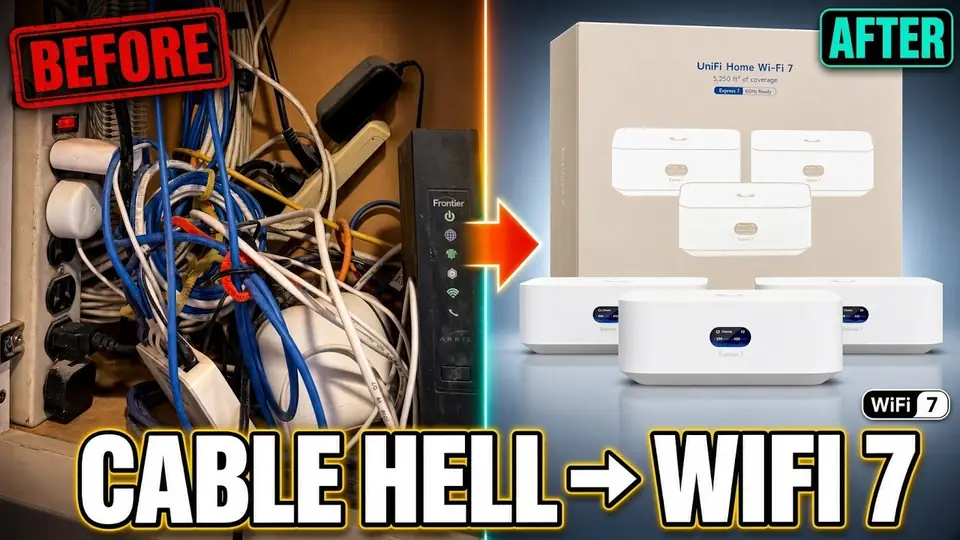
I upgraded a home from aging Google Wifi pucks to Ubiquiti's Express 7 whole home Wi-Fi pack, using the built-in screen to place the mesh unit and a wired link to light up a detached office.

Jesse Nowlin
Founder, TABGEEKS · · 4 min read

This house was running on Google Wifi pucks, first and second generation, that were pretty solid in their day. Whoever built the place had the foresight to run every cable back to one closet, which is super helpful. The problem is that the closet was never fully built out.
I brought Ubiquiti's new Express 7 whole home Wi-Fi pack to fix it. One UX7 went into the closet as the gateway, one became a wireless mesh point in the main house, and the third went to a detached back office and guest room over a wired link. I already reviewed the Express 7 on its own, so this one is all about the real-world install.
The result: a cleaner closet, Wi-Fi that covers the house and the back office, and full speed on their fiber plan, all running like a dream.
Prefer to watch? The full video is right here. 9:49 · Watch on YouTube
Jump to a section in the video
What's in the 3-pack
I wasn't planning a full unboxing, but the box is laid out nicely enough to show off. You get three UX7s, their power supplies and some really nice Ubiquiti patch cables, about 12 in long, give or take. I'm glad they threw those in. Under a flap at the end are the power cords.
The UX7s are powered by USB-C, so technically a regular USB-C charger works. It's always a good idea to use Ubiquiti's official chargers, though.
What I was working with
The internet was a Frontier fiber connection with a Frontier router and modem combo. Next to it was a Netgear unmanaged switch with things plugged in that weren't even doing anything, a Google Wifi puck stuffed in the closet just handling Wi-Fi, and a rat's nest of cables, a lot of it put in and never finished.
The rest of the network plugged straight into the back of the Frontier box. The Google pucks didn't even have the network coming out of them. They were just broadcasting.
Setup and speed test
While the first UX7 set up, I walked around the house and unplugged the old Google access points. The speed test came in at 500 over 500, which is exactly what they're paying for.
“If you've watched this channel before, we love Ubiquiti because of how powerful it is and yet still easy to use.”
Using the screen to place the mesh unit
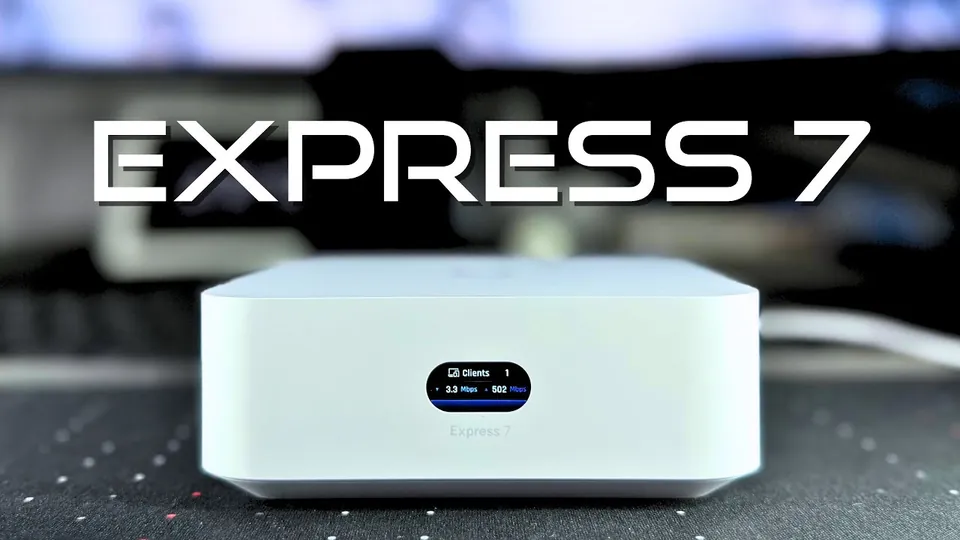
This is my favorite trick with the Express 7. I plugged the second unit into a USB-C adapter and walked it around the house. The built-in display shows the mesh signal strength in real time, so you can see exactly where it gets weak. It drew about 2 W while booting and about 5 W later on.
The signal dropped off rather significantly as I went down the hallway and around a wall. The spot next to the bedroom was too weak, so I ended up placing it where one of their old pucks had been.
Wiring up the back office
The back office doubles as a guest room, so it needs really good Wi-Fi. They thought a cable ran back there from the main house, and it did. There was a working Ethernet jack, feeding a TRENDnet router under the desk that broadcast a separate Wi-Fi network for the back office. I took that over with the third UX7, which also covers the patio between the main house and the office.
First, cleanup. There was a TP-Link switch with nothing plugged into it, presumably so they had a plug for a laptop. The UX7 has a network jack on the back, so the switch wasn't needed. I unplugged all of it, one cable at a time: goodbye, deleted. It's amazing how much better things look when you remove everything you don't actually need. I reused the highest quality cables for the new run, and I still need to come back with Velcro strips to finish it properly.
Adoption and results
The third UX7 showed up as a new device, I adopted it onto their existing network, and it ran its updates. In the end all three were connected, two wired at gigabit and one meshing.
That gigabit link is a limit of their existing network backbone, not the devices. The UX7s can be plugged in at 10 gig. Maybe I'll convince them to upgrade the house to 2.5 or 10 gig someday.
Bottom line
For a home stuck on aging mesh pucks, the Express 7 3-pack is a straightforward upgrade. The built-in screen makes mesh placement easy without any guesswork, USB-C power keeps it flexible, and if you have even one Ethernet run to a far room, you can wire a unit in and cover spaces mesh alone would struggle with. It runs like a dream.
Gear in this story
Ubiquiti Store links are affiliate links. If you buy through them, the channel may get a small commission at no extra cost to you. Affiliate disclosure
Related stories
UniFi Express 7: a pocket gateway with 10G WAN and Wi-Fi 7
Feb 25, 2025 · 3 min read

UniFi AI Port: adding face and plate recognition to older cameras
Dec 12, 2024 · 4 min read

UniFi Device Bridge IoT review: a $49 fix for wired-only devices
Nov 20, 2025 · 3 min read
Jesse Nowlin
Founder of TABGEEKS, former IT Director and Google Developer Expert. I test networking and pro tech on real job sites, then write up what I find.
Join the community