

Home / Stories / UniFi + Networking
UniFi Express 7: a pocket gateway with 10G WAN and Wi-Fi 7
The UniFi Express 7 is a gateway, wired AP and mesh AP in one small box, now with a 10 GbE WAN port and Wi-Fi 7. I set it up as a standalone network and pushed it on a 2.5 gig fiber line.

Jesse Nowlin
Founder, TABGEEKS · · 3 min read
The original UniFi Express was a handy little box with some real limits. The new UniFi Express 7 is a major upgrade: it's a gateway, wired AP and mesh AP, now with a 10 gigabit Ethernet WAN port and a 6 stream, 6 GHz Wi-Fi 7 access point built right into the top. It's the fastest way I know to get a UniFi network and Wi-Fi up and running.
I set it up from scratch as a standalone system, ran speed tests on the 2.5 gig fiber line in my test rack, and hooked a 2.5 GbE switch to its LAN port to see both uplinks working.
My take: this is the device I keep in my bag at all times. On a job site or in an office where I need a quick network or an extra AP, it has seriously saved me on several occasions, and this version removes most of the reasons not to use it.
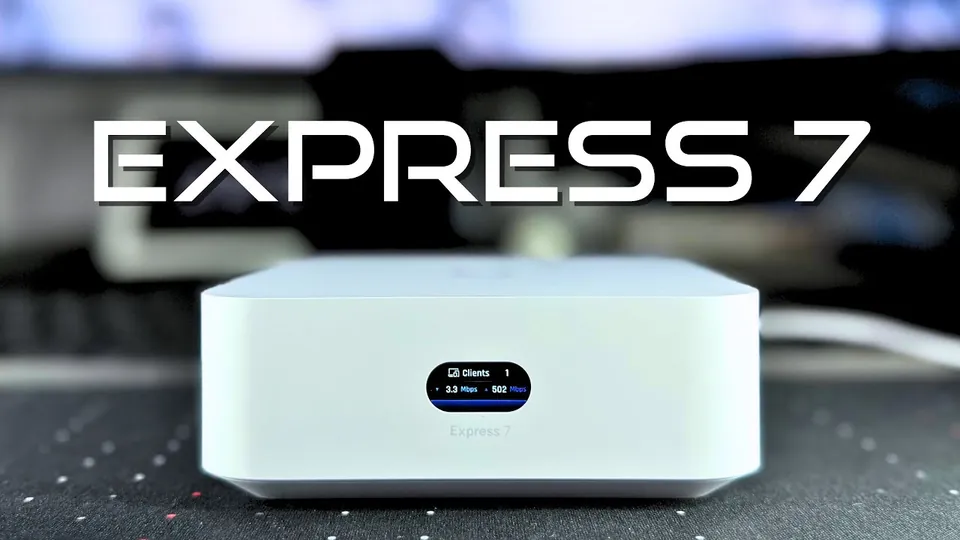
Prefer to watch? The full video is right here. 5:49 · Watch on YouTube
Jump to a section in the video
What changed from the original Express
The ports are the headline: 10 GbE WAN, 2.5 GbE LAN and a built-in Wi-Fi 7 AP, all powered over USB-C. But the bigger fix is capacity. The original Express topped out at 50 clients and four UniFi devices, which made it hard to recommend beyond a tiny setup.
Express vs Express 7
| UniFi Express | UniFi Express 7 | |
|---|---|---|
| Clients | Up to 50 | Over 300 |
| UniFi devices | Up to 4 | Over 30 |
| WAN | Not covered | 10 GbE |
| LAN | Not covered | 2.5 GbE |
| Wi-Fi | Not covered | 6 stream, 6 GHz Wi-Fi 7 |
| Power | Not covered | USB-C |
As stated in the video. The original Express ports and Wi-Fi were not compared.
Keep one thing in mind: the Express 7 still only runs the Network app. You can't install Protect, Access or the other apps that normally come with UniFi gateways. If you need cameras or door access, you need a bigger gateway.
Setup
Just like the previous generation, the screen rotates if you flip the device, so it works however you mount it. When it's ready for adoption, the app asks for a setup type, because the Express 7 can either mesh into an existing system or run as its own gateway. I chose a new system since I was testing it standalone, named it, set a Wi-Fi password and turned on analytics.
While it set up, I noticed two settings worth calling out. There's a new call quality enhancement toggle, which is QoS for the more traditional networking folks. There's also Enhanced PoE+ Interoperability, which is meant to keep things stable on PoE switches and long cable runs by reducing AP power consumption.
Speed tests
My test rack has a 2.5 gig fiber line going into it, and the Express 7 got almost 2 gig down and 2 gig up right away. That's fantastic for something this small.
To show off the 2.5 GbE LAN port, I connected a USW Flex 2.5G 8 PoE switch to the only other network port on the back. The chain was ISP, then the Express 7, then the Flex. UniFi flagged the connection as slow at first, which is just because it was brand new and I'd been testing it. The speed test told a different story: breaking 2 gig on download, with upload readings around 1,700 and 1,600 after a finicky start.
“Ten gig WAN and 2.5 gig LAN on something this small? I love it.”
The UniFi interface
Anyone who has used UniFi will feel at home. It runs the full network suite on this tiny Wi-Fi 7 box. Under UniFi Devices, the Express 7 shows its port manager, what's plugged in, the channels it's broadcasting on, IP address, WAN1, AirStats, channel usage and an environment scan, plus insights and settings.
Because it's an access point as well as a gateway, you also get radio strength and channel width controls, plus the usual locate and restart.
Bottom line
The UniFi Express 7 was $199 and shipping at launch. For a pro who sets up temporary networks, a small office that only needs the Network app, or anyone who wants a capable mesh AP that can also be a gateway, it's tiny but powerful. If you need Protect or Access on the same box, look at a larger gateway instead.
Gear in this story
- UniFi Express 7 (UX7)Specs and compare for UniFi Express 7 (UX7)Ubiquiti Store (opens in a new tab)
- UniFi Switch Flex 2.5G PoESpecs and compare for UniFi Switch Flex 2.5G PoEUbiquiti Store (opens in a new tab)
Ubiquiti Store links are affiliate links. If you buy through them, the channel may get a small commission at no extra cost to you. Affiliate disclosure
Related stories
Replacing old Google Wifi with a UniFi Express 7 mesh 3-pack
Sep 2, 2026 · 4 min read

UniFi AI Port: adding face and plate recognition to older cameras
Dec 12, 2024 · 4 min read

UniFi Device Bridge IoT review: a $49 fix for wired-only devices
Nov 20, 2025 · 3 min read
Jesse Nowlin
Founder of TABGEEKS, former IT Director and Google Developer Expert. I test networking and pro tech on real job sites, then write up what I find.
Join the community