

Home / Stories / UniFi + Networking
UniFi SuperLink: Ubiquiti's IoT future, tested in a craft brewery
Worried Ubiquiti was leaving the IoT game? It just announced SuperLink. I took the new SuperLink Gateway to a working craft brewery to see how far today's all-in-one sensors can reach through tanks, walls and pinball machines.

Jesse Nowlin
Founder, TABGEEKS · · 4 min read
Were you worried Ubiquiti was exiting the IoT game? Fear not. Ubiquiti just announced SuperLink, an all-new wireless protocol designed for its upcoming Protect sensor family, with ultra-low latency, impressive scalability and multi-kilometer range.
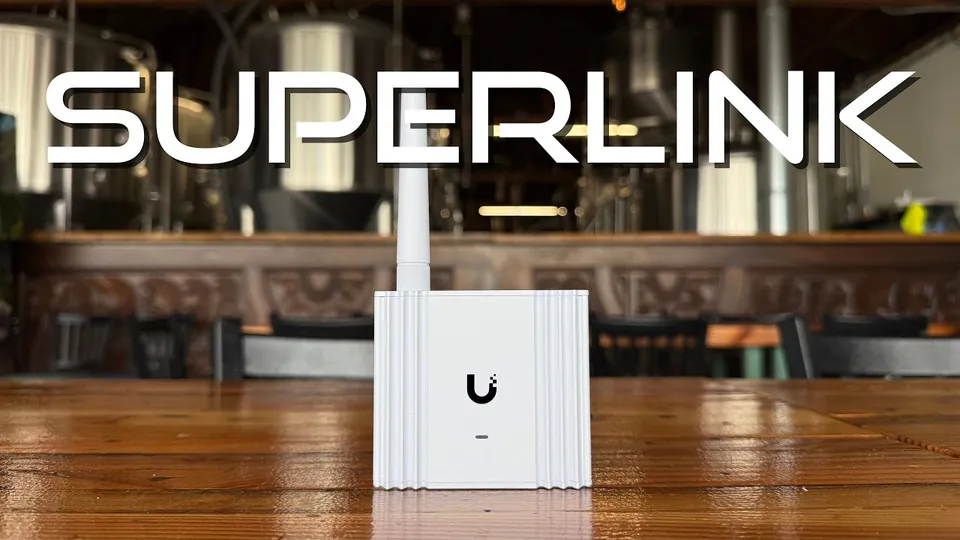
The first piece is the SuperLink Gateway. Ubiquiti sent me one, and I installed it at one of my clients, the Long Beach Beer Lab, a working craft brewery full of metal tanks, walls and pinball machines, to see how far today's all-in-one sensors can reach.
Prefer to watch? The full video is right here. 11:42 · Watch on YouTube
Jump to a section in the video
What SuperLink is
Ubiquiti says the SuperLink Gateway can connect up to 96 SuperLink sensors at up to a 2 km range. It's designed for local operation and ultra-low latency, and it's optimized for battery life, so those sensors should sip power and stay online for as much as a year or more, depending on the device. I believe it's going to be the future of Ubiquiti's IoT platform.
Today, the gateway also connects up to seven of the existing all-in-one sensors over Bluetooth Low Energy. That solves a real problem: the UniFi Wi-Fi 7 access points don't have a Bluetooth Low Energy radio, so those sensors had nowhere to connect.
SuperLink Gateway, today vs. coming
| Feature | Today | Coming |
|---|---|---|
| Sensors per gateway | Up to 7 existing all-in-one sensors | Up to 96 SuperLink sensors |
| Connection | Bluetooth Low Energy | SuperLink protocol |
| Range | Extended Bluetooth range | Up to 2 km, per Ubiquiti |
As stated in the video, February 2025.
The sensors on the way
Ubiquiti briefly showed off the coming lineup: smoke and air quality sensors, motion and glass break, environmental sensors for leaks, temperature and humidity, plus a siren, alarm hub, relay, entry sensors and more. Ubiquiti, you are such a tease. For anyone already in the ecosystem who wants IoT sensors, this is a dream come true.
It all ties into the UniFi alarm manager, which lets you build if-this-then-that alerts. If a temperature goes above a certain amount, send an alert by webhook, to Slack or as a push notification.
Hardware tour and setup
The gateway has a solid metal build and a removable antenna on top. On the bottom is USB-C for power, a network jack that also takes PoE and a reset button. If you power it by USB-C, you still need a network cable for connectivity. The back has rails for wall mounting and DIN rail compatibility.
Adoption is just like any other UniFi device. It came online with an excellent connection on firmware 1.3.3, with the usual settings for name, LED, locate, restart and remove.
To factory reset an all-in-one sensor, press and hold the button on the front for several seconds until it flashes and turns white. There's no pin hole in the back, so don't go looking for one. I adopted one as a taproom fridge door sensor with temperature and humidity.
Range test through a brewery
With the access points, the all-in-one sensor's range was 15 meters, or about 50 feet, on paper. To be clear, this test isn't the 2 km SuperLink range. That's only for the coming SuperLink devices. This is the gateway's Bluetooth Low Energy radio, which I'm told has extended range. I've had issues connecting these sensors to access points in the past, so I was curious.
Over 50 feet away, on the other side of the brewery, the connection still read good, and the door sensor reported open and closed correctly. Moving to the far corner, with the tanks and a row of pinball machines between us, it still read good. That's impressive. I didn't think it would be this good through the tanks.
Around back by the canning line, with the tanks, a wall and all that liquid in between, the connection dropped to poor. Even so, the door sensor still reported open and closed. With an access point, I don't think it would have gone 50 feet in that spot. Back in the far front corner of the taproom, it reconnected on its own.
“That's actually impressive. I didn't think it was going to be this good through the tanks.”
One gateway is probably enough
A single SuperLink Gateway covered this whole space, which will probably be enough for most of you. If you have a bigger facility, you can add as many gateways as you want, each handling up to seven of the current sensors.
The bigger takeaway: sensors and access points are no longer married. If you've held off upgrading to Wi-Fi 7 because those access points lack the Bluetooth radio your sensors need, you can upgrade and connect your existing sensors to a SuperLink Gateway instead.
What I'd like to see
The brewery wants temperature monitoring inside its huge walk-in fridges, which store pallets of beer and supplies, because beer needs to stay at the right temperature. The all-in-one sensor handles temperature today, and I expect the SuperLink sensors to do even better.
I'd also love an outdoor version of the SuperLink Gateway. I have clients in the mountains and on farms with hundreds of acres to monitor. An outdoor gateway on a barn could track doors, temperature and smoke locally, without depending on internet access that may be limited or missing.
Bottom line
SuperLink looks like the future of Ubiquiti IoT. Today, the gateway is already useful for bridging existing all-in-one sensors with better range than an access point. I'm very much looking forward to testing the rest of the lineup as it rolls out.
Gear in this story
- SuperLink GatewaySpecs and compare for SuperLink GatewayUbiquiti Store (opens in a new tab)
- Protect All-In-One SensorSpecs and compare for Protect All-In-One SensorUbiquiti Store (opens in a new tab)
- Long Beach Beer Lablbbeer.com (opens in a new tab)
Some of these store links are affiliate links. If you buy through them, the channel may get a small commission at no extra cost to you. Affiliate disclosure
Related stories

UniFi Siren PoE and Environmental Sensor: SuperLink is finally rolling out
Aug 28, 2025 · 5 min read

UniFi AI Port: adding face and plate recognition to older cameras
Dec 12, 2024 · 4 min read

UniFi Device Bridge IoT review: a $49 fix for wired-only devices
Nov 20, 2025 · 3 min read
Jesse Nowlin
Founder of TABGEEKS, former IT Director and Google Developer Expert. I test networking and pro tech on real job sites, then write up what I find.
Join the community