

Home / Stories / UniFi + Networking
UniFi Device Bridge IoT review: a $49 fix for wired-only devices
Ubiquiti's tiny Device Bridge IoT takes any Ethernet-only device and puts it on your Wi-Fi. I adopted it, tested speed on a Mac Mini and walked through the client jobs where it would have saved me a cable run.

Jesse Nowlin
Founder, TABGEEKS · · 3 min read
The UniFi Device Bridge IoT is adorably tiny, a little taller and narrower than a SuperLink sensor. It does one job: take any device that only has an Ethernet port and put it on your existing Wi-Fi network, no cable run required. It costs $49.
I unboxed it, adopted it into UniFi Network, went through its settings and ran a speed test from a Mac Mini plugged into it. I also thought through real client jobs where it would have saved me a lot of time and wire. My verdict: for low-bandwidth devices that just need to be online, it is perfect.

Prefer to watch? The full video is right here. 6:48 · Watch on YouTube
Jump to a section in the video
Hardware and what's in the box
On top there is an Ethernet port and a thread for an external antenna. On the bottom are two power options, USB-C and DC power, plus a reset button. In the box you get a stubby antenna that screws onto the top, DIN rail mounting capability, a couple of mounting attachments and screws, a mounting template and reading material. Everything is packed really compactly.
Setup and adoption
Plug a device into the Ethernet port, power the bridge over USB-C or DC, and it connects to your Wi-Fi. After it booted, I had a white light and four status lights for the network connection. It showed up in UniFi Network, I clicked adopt, and it connected via mesh with full bars to the nearby access point.
The device page shows its uplink parent, a port manager with its single port, model, IP and MAC address, firmware version, uptime, memory usage and load average, plus stats for the mesh parent. You can set uplink priority, which makes sense when one AP is across the room and another is much farther away. You can choose DHCP or static IP, and switch the front LEDs off. Custom antenna gain settings only appear if you have the professional installer option enabled in your system settings.
Where this would have saved me
I kept thinking of jobs where I needed this.
One client had a sump pump in a closet with no network. They bought a smart monitor to watch the water level, because if it gets too high it overflows and floods the area, and it had flooded a number of times. The problem was the monitor only connected over Ethernet, so I had to run a cable a decent distance. With this, I could have plugged it in and been off to the races, for a device that uses a tiny amount of data but critically needs to be online.
A doctor's office had a legacy machine on a rolling cart. Every time they rolled it into a room, they had to find a cable or run one from next door. They probably should have updated the machine, but not everyone has the budget. For about 50 bucks, I could have mounted this on the cart, powered it from the cart's battery backup, and it would always be on Wi-Fi.
The same idea applies to large-format industrial printers in print shops. Many are older and have no Wi-Fi. Without something like this, you are carrying files over on a USB drive.
2.4 GHz only, and the speed
It is 2.4 GHz only. That is a trade-off for speed, but 2.4 GHz gets through walls, including concrete, much more easily, and this is meant for lower-bandwidth devices that need connectivity, not a ton of it.
I plugged in my Mac Mini, which picked up an IP over DHCP right away. The network showed a Fast Ethernet link, so it should max out at 100. The first Cloudflare speed test showed 50 Mbps down and 36 up.
Device Bridge IoT speed test
| Test | Result |
|---|---|
| Link | Fast Ethernet, should max out at 100 |
| Download | 50 Mbps |
| Upload | 36 Mbps |
Initial Cloudflare test from a Mac Mini, as shown in the video.
“50 over 30 or even 50 over 50 is really more than adequate for the overwhelming majority of use cases that you would use this for.”
Where it fits in the Device Bridge lineup
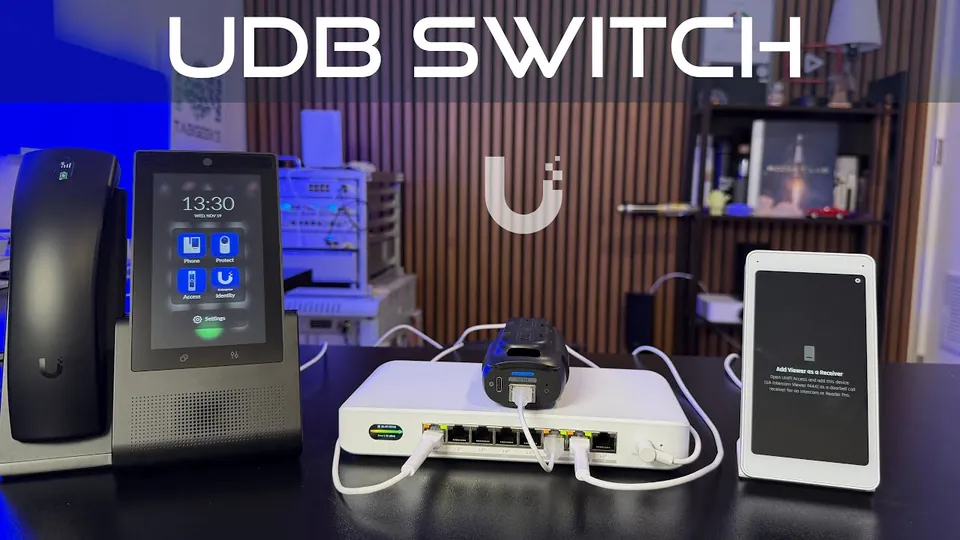
The Device Bridge IoT joins the Device Bridge Pro, the regular Device Bridge, which also provides PoE to a single device while bringing it network over Wi-Fi, and the Device Bridge Switch, which launched the same day and which I also reviewed.
Bottom line
At $49, the UniFi Device Bridge IoT is an easy add to any install kit. It is tiny, sips power, adopts like any other UniFi device, and solves the annoying problem of a wired-only device sitting somewhere you don't have, or can't run, a cable. Just don't expect it to be a fast connection. That isn't the job.
Gear in this story
- UniFi Device BridgeSpecs and compare for UniFi Device BridgeUbiquiti Store (opens in a new tab)
- Device Bridge IoTSpecs and compare for Device Bridge IoTUbiquiti Store (opens in a new tab)
- Device Bridge SwitchSpecs and compare for Device Bridge SwitchUbiquiti Store (opens in a new tab)
- Device Bridge ProSpecs and compare for Device Bridge ProUbiquiti Store (opens in a new tab)
Ubiquiti Store links are affiliate links. If you buy through them, the channel may get a small commission at no extra cost to you. Affiliate disclosure
Related stories
UniFi Device Bridge Switch: a wireless PoE switch with Wi-Fi 7 and a 10G port
Nov 20, 2025 · 3 min read

UniFi AI Port: adding face and plate recognition to older cameras
Dec 12, 2024 · 4 min read
How to connect Starlink V5 directly to a UniFi network, no router needed
Aug 3, 2026 · 4 min read
Jesse Nowlin
Founder of TABGEEKS, former IT Director and Google Developer Expert. I test networking and pro tech on real job sites, then write up what I find.
Join the community