

Home / Stories / UniFi + Networking
Installing Ubiquiti's vape and air quality sensor and AI Speaker, and making them work together
Part two of Ubiquiti's big hardware drop: the PoE vape detection and air quality sensor and the indoor AI Speaker. I walk through both, mount them in a community center build and wire up an automation that turns a bad air reading into a spoken alert.

Jesse Nowlin
Founder, TABGEEKS · · 4 min read
Ubiquiti took the wraps off a ton of new products this morning, so I split my coverage into two parts. Part one covered the G6 Mini Dome camera and the G3 Reader Fingerprint. This is part two: the new Vape Detection and Air Quality Sensor and the indoor AI Speaker.
I had the sensor running in my studio for a while before launch, which turned out to be useful. There is a water heater behind the door, so tracking things like CO2 matters, and it was good to see how the room's temperature and air quality change over time. Then I mounted both devices in a room of the community center I am building out and set up an automation: when the sensor detects bad air, the speaker tells people to evacuate. It works, with a little tuning still to do.
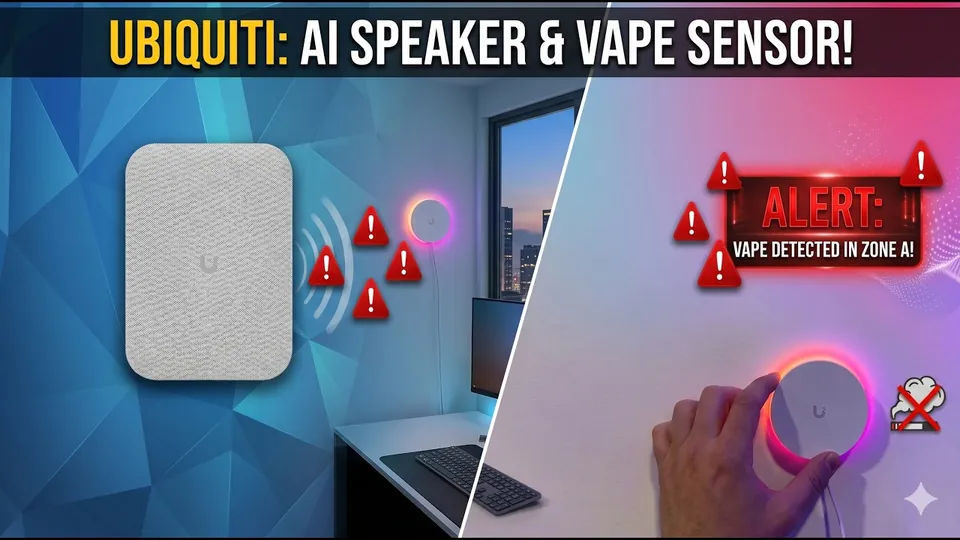
Prefer to watch? The full video is right here. 11:49 · Watch on YouTube
Jump to a section in the video
The vape and air quality sensor
Out of the box, the sensor has vents on the sides so it can actually sample particulates in the air. Around the back is a grip seal for whatever surface you mount it to, a PoE port in the corner, a factory reset button and cable routing that can go up or down. You also get a mounting template and a simple mount that looks a bit like a funky 90s era bat symbol.
In the app it reports a lot. In my studio it showed CO2 at 917, right in the middle of the scale, vape at zero because I don't vape or smoke, 84.5 degrees because it sits behind my test rack, and 34% humidity. My battery-powered SwitchBot CO2 monitor read 891 and 912 ppm in two spots, so the numbers lined up. I would guess the Ubiquiti one is more accurate.
What the sensor tracks
| Metric | Notes |
|---|---|
| CO2 | 917 in my studio during testing |
| Vape and smoke | Zero for me |
| Temperature | 84.5 degrees behind my rack |
| Humidity | 34% |
| VOC and tVOC | Volatile organic compounds |
| Air quality | AQI history |
| Particulate matter | PM 1.5, 2.5, 4.0 and 10.0 |
Readings from my studio during testing.
History, alerts and the status light
The history graphs are the most useful part. My temperature graph showed the room swinging from about 77 degrees up to 100. The AQI graph had one ugly day, CO2 has stayed fairly normal, and vape showed a couple of spikes I can't explain since I don't vape. Maybe someone walked by vaping.
In settings you can pair it with a camera, set brightness and night mode, and choose whether the light on the bottom reflects CO2 or general air quality. That is a nice touch on a wall. You can see at a glance whether you are in the good, moderate or red zone. In Sensor Manager you set your own safe zones and what happens when a reading crosses them. You could set off a siren, but those are super loud, so watch for false positives. The AI Speaker is a gentler option.
The AI Speaker
The AI Speaker is solid, not too thick, not too thin. It has a locking turn pin on the side that pops out to lock it into the wall mount, Ethernet on the bottom with a routing channel for the cable, and two stretchy straps on top to help get it in and out of the mount. Like Ubiquiti's other AI speakers, it can play pre-recorded messages or pass your live voice through.
The wall mount is very simple and even has a bungee clip that attaches to the back of the speaker, so the two stay connected if anything gives way. Once the pin is locked, it is not going anywhere. If you want it flat against the wall, there is also a flush mount that goes into a hole cut in the drywall between studs. I really like the design. It makes setup super easy.
Installing them in the community center
The room is a construction zone, which made it a good place for the air sensor. Air quality read 507 with the door open. I am leaving the sensor there to track how much dust gets in, then we will seal the room up. Pay no attention to the temporary switch setup; I ran out of PoE on the industrial switch and grabbed the only other switch I had.
For the speaker, I plugged in the cable, ran it through the routing grommet, fixed it to the mount and clicked the speaker in. Normally it would be on a finished wall without a dangling wire, but it works for a demo.
How loud it is
My first test was at only 80% volume, and it sounded fine for a small room. At 100%, it is loud. It is perfectly loud enough for a decent sized classroom or community space. Not a social hall, and certainly not a stadium. If you need much louder, look at an outdoor model.
Making the sensor talk to the speaker
To tie it together, I set an automation: when the air quality sensor detects CO2, on an always schedule, play a custom message on the speaker. Then I breathed on the sensor. It went bright red, and the speaker announced an emergency test and told everyone to evacuate. It was a bit too friendly for an emergency, so I will record a more serious message, and I need to tune the timing since this was my first time setting it up.
“All right, well, it's bright red. It's pissed off.”
Bottom line
The ecosystem is really coming together. Sensors, access devices, webhooks and APIs can all trigger each other, and Ubiquiti is coming into its own in this space. For schools, community centers and offices, a vape and air quality sensor that can drive a speaker announcement is a practical combo. This is one room of a much larger build, and I will be adding more as I build out the whole stack in this community center.
Gear in this story
- Vape Detection and Air Quality SensorSpecs and compare for Vape Detection and Air Quality SensorUbiquiti Store (opens in a new tab)
- AI SpeakerSpecs and compare for AI SpeakerUbiquiti Store (opens in a new tab)
- Camera G6 Mini DomeSpecs and compare for Camera G6 Mini DomeUbiquiti Store (opens in a new tab)
- Access G3 Reader FingerprintSpecs and compare for Access G3 Reader FingerprintUbiquiti Store (opens in a new tab)
- AI Speaker Flush MountSpecs and compare for AI Speaker Flush MountUbiquiti Store (opens in a new tab)
Ubiquiti Store links are affiliate links. If you buy through them, the channel may get a small commission at no extra cost to you. Affiliate disclosure
Related stories
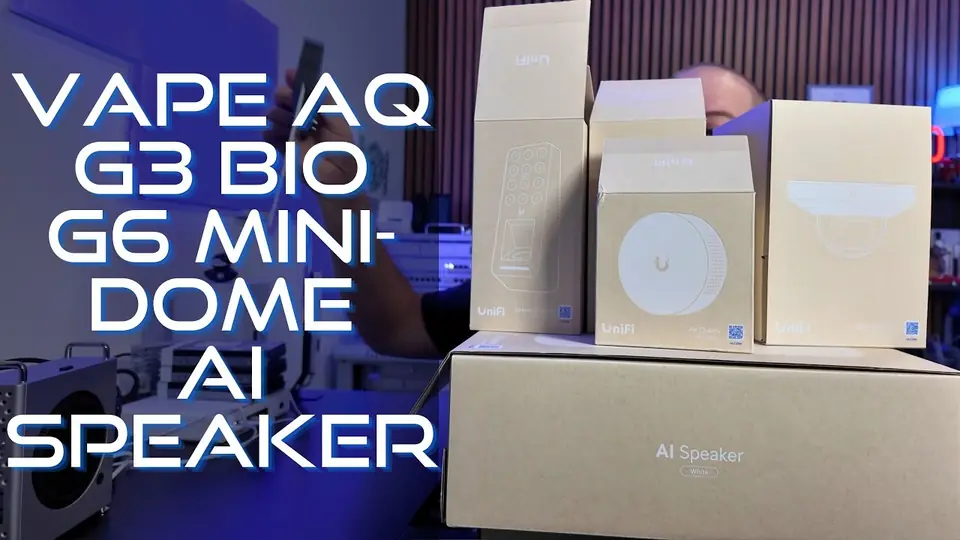
UniFi G6 Mini Dome and G3 Fingerprint Reader: hands-on and installed
Jun 8, 2026 · 4 min read

UniFi AI Port: adding face and plate recognition to older cameras
Dec 12, 2024 · 4 min read

UniFi Device Bridge IoT review: a $49 fix for wired-only devices
Nov 20, 2025 · 3 min read
Jesse Nowlin
Founder of TABGEEKS, former IT Director and Google Developer Expert. I test networking and pro tech on real job sites, then write up what I find.
Join the community