

Home / Stories / UniFi + Networking
Ubiquiti 5G Backup: a speed-capped $99 antenna with a superpower
Ubiquiti's $99 5G Backup is not a cheap 5G Max. It is speed capped by design, and that cap comes with a superpower called 5G RedCap. Here is what it does, how it sets up and who it is for.

Jesse Nowlin
Founder, TABGEEKS · · 4 min read
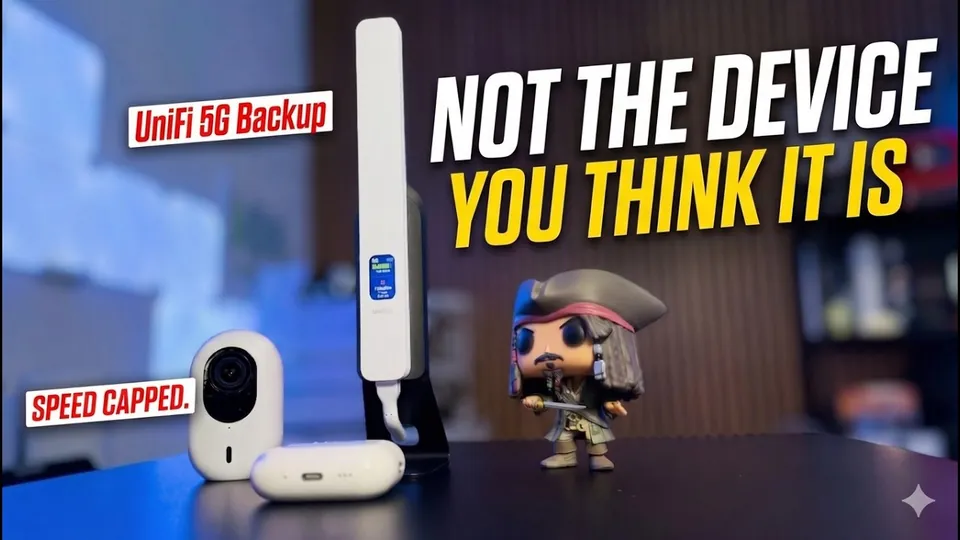
This is not the product you think it is. Yes, it is 5G. Yes, it is a backup. But Ubiquiti's 5G Backup is also speed capped, and that cap is tied to a superpower that makes it a smart buy for a lot of businesses.
It is a small, thin, $99 5G antenna you can plug in anywhere on your UniFi network. I adopted it on my desk switch, ran a speed test, dug into the settings, and explained why the 5G RedCap technology inside matters more than raw speed. If you want a primary 5G connection, buy a 5G Max. If you want a cheap, reliable failover that stays connected when towers are swamped, this is it.
Prefer to watch? The full video is right here. 10:21 · Watch on YouTube
Jump to a section in the video
What's in the box and how it mounts
Because it is PoE and works anywhere on your network, you can put it in a window or wherever in the building gets the best 5G signal. The SIM slot is on the bottom, and the screen wakes up as soon as PoE kicks in.
You get a nice table stand with a hole for the cable, a metal mounting bracket with an adhesive back plus a spare sticker, and mounting screws. Everything is magnetic, whether it is on the table stand, the bracket or my rack. It just clips on. Really simple.
Adoption and SIM requirements
It showed up in UniFi right away, and I clicked adopt. The SIM was detected as T-Mobile at minus 96 dBm, a happy green. The device is certified with AT&T and T-Mobile. The details page showed device version, uptime, the parent device (my Pro XG 8 PoE switch) and data already used on the plan, which seems to come from the carrier since I had only just adopted it.
The big gotcha, same as Ubiquiti's other 5G gear: home internet and regular phone SIMs will not work. You need a data-only plan. I wish that weren't the case, because T-Mobile's 5G home and small business plans are unlimited. The day they work outside T-Mobile's own modems, I would happily pay 50 or 60 bucks a month to run one through UniFi. There is one physical SIM slot, and eSIM is supported, but not both at the same time.
UniFi flagged CGNAT on the WAN, which is normal for T-Mobile. T-Mobile has also deprecated IPv4 for these, so from here on it is IPv6.
Speed test and what 5G RedCap means
In my studio, away from a window and behind a lot of insulation, I got about 30 to 38 Mbps down and about 5 up. Your results will depend on placement and how close you are to the tower. But even in perfect conditions, this device tops out at 220 Mbps down and 120 up.
That is because it is built on 5G RedCap, short for reduced capability. RedCap is designed so a device can connect and stay connected even when the tower is swamped. It is meant for mission-critical traffic: a business's backup internet, security cameras, payment terminals, meetings and transactions. It also falls back to 4G if 5G is overloaded or down, so operations continue, just slower.
5G Backup at a glance
| Spec | As stated |
|---|---|
| Price | $99 |
| Max throughput | 220 Mbps down, 120 Mbps up |
| Technology | 5G RedCap, falls back to 4G |
| Carriers certified | AT&T and T-Mobile |
| SIM | One physical SIM or eSIM, data-only plans |
| Power | PoE |
| My indoor test | About 30 to 38 Mbps down, about 5 up |
“Yes, it's 5G. Yes, it's backup, but it's also speed capped. But it also has a superpower.”
Where it shines
Think festivals and massive conferences where everyone is on the same towers and you still need to run transactions. Or disaster areas. I have worked with the ITDRC, the Information Technology Disaster Resource Center, which deploys networks after disasters. Cell service there is usually a tower on the back of a truck, overloaded by tens of thousands of people. If you are providing relief, you need to get on that tower, and this kind of technology helps make that happen.
For everyday businesses, it is a no-brainer when the data is cheap. Google Fi will add a free data-only SIM to your plan, and business plans offer add-on SIMs with something like a 50 GB allotment for roughly 30 to 50 dollars a month. My fiber is reliable, but neighbors a block over on cable go down frequently. In the era of SaaS, restaurants, breweries, small offices and people working from home all run online. When the internet goes down, you can't do your job.
Settings worth knowing
The settings page lets you choose SIM or eSIM, allow roaming (which can cost more), set a data limit and enter custom APNs, which I understand some countries require. Mine connected and configured itself automatically.
In the internet settings, choose failover only, where it takes over when your main line dies, or load balancing across connections. Policy-based routes can push specific traffic, like transactions, over this link regardless. I leave it on failover only and set the failover order.
Bottom line
Could you use it as a primary? Sure, but I don't recommend it. For full 5G speeds, get the 5G Max, the 5G Max Outdoor or the Dream Router 5G Max. For rock-solid backup, this is the one. For true redundancy, add a third connection with Starlink. At $99, you plug it in, add a SIM and it becomes your failover. I love it, and I am recommending it to all of my clients.
Gear in this story
- Dream Router 5G MaxSpecs and compare for Dream Router 5G MaxUbiquiti Store (opens in a new tab)
- UniFi 5G BackupSpecs and compare for UniFi 5G BackupUbiquiti Store (opens in a new tab)
- UniFi 5G MaxSpecs and compare for UniFi 5G MaxUbiquiti Store (opens in a new tab)
- UniFi 5G Max OutdoorSpecs and compare for UniFi 5G Max OutdoorUbiquiti Store (opens in a new tab)
- Switch Pro XG 8 PoESpecs and compare for Switch Pro XG 8 PoEUbiquiti Store (opens in a new tab)
Ubiquiti Store links are affiliate links. If you buy through them, the channel may get a small commission at no extra cost to you. Affiliate disclosure
Related stories

UniFi AI Port: adding face and plate recognition to older cameras
Dec 12, 2024 · 4 min read

UniFi Device Bridge IoT review: a $49 fix for wired-only devices
Nov 20, 2025 · 3 min read
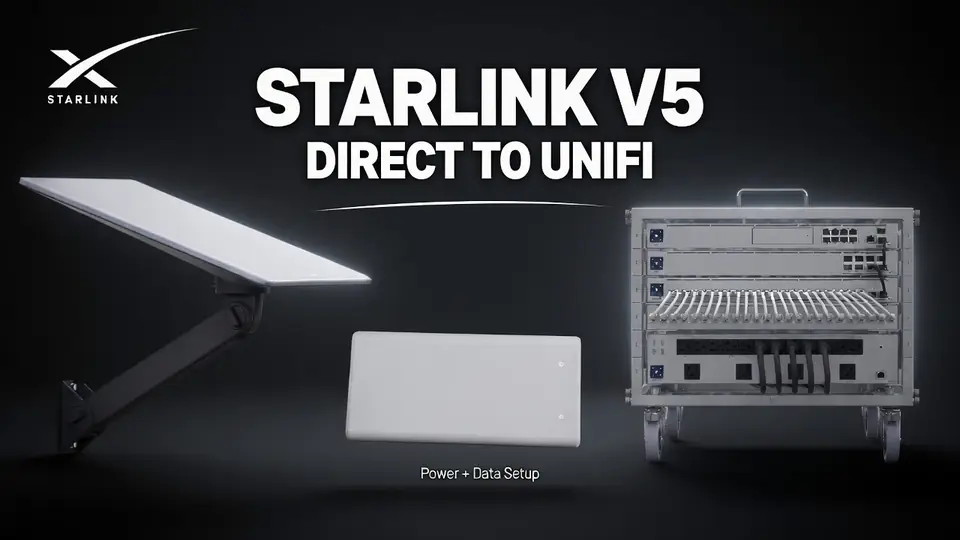
How to connect Starlink V5 directly to a UniFi network, no router needed
Aug 3, 2026 · 4 min read
Jesse Nowlin
Founder of TABGEEKS, former IT Director and Google Developer Expert. I test networking and pro tech on real job sites, then write up what I find.
Join the community