

Home / Stories / UniFi + Networking
UniFi UNVR G2 Pro: 50 4K cameras and built-in AI, no AI Key required
Ubiquiti redesigned its rackmount NVR from the ground up, tripled camera capacity and built in edge AI. I unboxed the UNVR G2 Pro and ran my G6 camera test rig on it.

Jesse Nowlin
Founder, TABGEEKS · · 4 min read
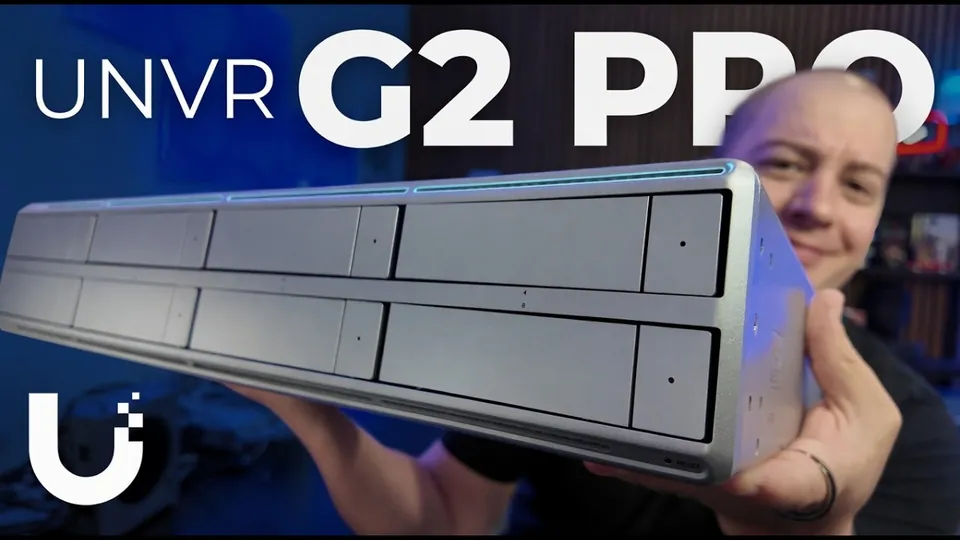
For the last few videos I filmed in the studio, I kept my desk higher than usual. Underneath it, in the rack, was the new UniFi UNVR G2 Pro. It was heavy, I wanted to keep using it, and I couldn't show it on camera yet. Now I have a brand-new one to unbox.
This is not a spec bump. The G2 Pro is a second-generation redesign with a new chassis, triple the camera capacity, a built-in viewport, and for the first time, built-in edge AI for vector search and re-identification. That means you don't necessarily need an AI Key anymore. I have been running my G6 test rig on it, and it isn't breaking a sweat.
Prefer to watch? The full video is right here. 10:44 · Watch on YouTube
Jump to a section in the video
A complete redesign, inside and out
The front has new chamfered edges and a redesigned drive bay, now black instead of silver, with the Ubiquiti logo at the bottom and the usual drive installation instructions. There is no front screen, because the space goes to drive bays.
Around back you get the built-in viewport, a 2.5GbE NIC, a 10G SFP+ port, redundant power support, a couple of fans and Ubiquiti's lockable power cord. In the box there are rails, which you will want because this is a heavy unit with drives in it, plus slightly redesigned rack ears with curved edges that wrap around the new body, a nicely packed power cable, a large assortment of screws and mounting hardware, and feet if you want it out of the rack.
Camera capacity: triple the last generation
The capacity jump is the headline. I have a community center project starting construction soon that will have just under 50 4K cameras, so that is exactly where this unit is headed.
UNVR G2 Pro vs UNVR G2
| Spec | UNVR G2 Pro | UNVR G2 |
|---|---|---|
| Size | 2U | 1U, half size |
| RAM | 16GB | 8GB |
| HD cameras | 100 | 50 |
| 2K cameras | 70 | 35 |
| 4K cameras | 50 | 25 |
As stated in the video. If you need more 4K cameras or more drive space, go Pro.
Other numbers I went over: the HDMI viewport is limited to 16 streams, as usual. If you run UniFi Access on it, it can handle up to 150 or possibly more Access hubs. The AI detection is rated for up to 1,000 detections an hour.
A new Qualcomm processor
There is an all-new processor, a Qualcomm Kryo CPU built on ARM Cortex technology at 4 nanometers. It has a single prime core at 3.2 GHz, four performance cores at 2.8 GHz and three efficiency cores. That split lets general processing and specialized work like AI run on the same chip, without spending extra time moving data across the circuit board. I believe it is the first time we are seeing something like this on a Ubiquiti device.
Running my G6 test rig
On my test rig I have the G6 180, the G6 Turret, the G6 PTZ, an AI Pro with the AI Pro Enhancer, the G6 Bullet and the G6 Pro 360. The camera capacity meter barely moved. Once it is my main NVR, I expect it to run 25 or so cameras with a few more hard drives added. The community center will push it much harder, and I'll do a follow-up when that infrastructure is online.
The interface is standard UniFi Protect. The unit rolled out with Protect 7.1. On the left, real-time bit rate was fine, and edge AI latency spiked a little here and there as detections were processed. Recent detections were flying in from every camera.
To keep my neighbors' privacy, I limited the view to cars. It was classifying passing vehicles correctly and color search worked as expected, picking up a bright red van across several cameras. One miss was a VW ID. Buzz flagged as red, possibly from a tail light in the frame. Vehicle brand search works too. The release notes say vehicle tracking is available in Protect 7.1, but I didn't see it on my setup, and I think it may be limited to the bigger G6 and possibly G5 cameras.
Built-in AI, without an AI Key
If you have used an AI Key before, the Intelligence page will look familiar. It shows processing over the past 24 hours, edge AI latency and utilization. In the last 24 hours I had over 10,000 hits with no AI Key installed. You can assign the AI to specific cameras or leave it on all of them.
There are limits. Speech to text, I believe, still needs an AI Key, so you may still want one, or be glad you already have one. An existing AI Key works in cooperation with the G2 Pro.
The built-in viewport
I plugged a monitor straight into the HDMI port with a not-so-long cable, and the live view came right up with all six cameras. You can show up to 16 there, with no extra Viewport hardware.
“If you're used to Protect, then you're going to be used to the interface that runs on this, and it just runs.”
Bottom line
This is a significantly more powerful UNVR. It is not the top of the pile, which still belongs to Ubiquiti's enterprise gear. But for a larger deployment that isn't stadium scale, it is the way to go. Adoption was painless, it runs every camera I have thrown at it, and built-in AI means one less box in the rack. If you need fewer 4K cameras, the 1U UNVR G2 does half the capacity.
Gear in this story
- Network Video Recorder G2 ProSpecs and compare for Network Video Recorder G2 ProUbiquiti Store (opens in a new tab)
- Network Video Recorder G2Specs and compare for Network Video Recorder G2Ubiquiti Store (opens in a new tab)
- AI KeySpecs and compare for AI KeyUbiquiti Store (opens in a new tab)
- Redundant PowerSpecs and compare for Redundant PowerUbiquiti Store (opens in a new tab)
- Camera G6 180Specs and compare for Camera G6 180Ubiquiti Store (opens in a new tab)
- Camera G6 TurretSpecs and compare for Camera G6 TurretUbiquiti Store (opens in a new tab)
- Camera G6 PTZSpecs and compare for Camera G6 PTZUbiquiti Store (opens in a new tab)
- Camera AI ProSpecs and compare for Camera AI ProUbiquiti Store (opens in a new tab)
- AI Pro EnhancerSpecs and compare for AI Pro EnhancerUbiquiti Store (opens in a new tab)
- Camera G6 BulletSpecs and compare for Camera G6 BulletUbiquiti Store (opens in a new tab)
- Camera G6 Pro 360Specs and compare for Camera G6 Pro 360Ubiquiti Store (opens in a new tab)
Ubiquiti Store links are affiliate links. If you buy through them, the channel may get a small commission at no extra cost to you. Affiliate disclosure
Related stories
Moving 19 TB from the UNAS Pro to the UNAS Pro 8, then growing the pool to 56 TB
Feb 25, 2026 · 5 min read

UniFi AI Port: adding face and plate recognition to older cameras
Dec 12, 2024 · 4 min read

UniFi Device Bridge IoT review: a $49 fix for wired-only devices
Nov 20, 2025 · 3 min read
Jesse Nowlin
Founder of TABGEEKS, former IT Director and Google Developer Expert. I test networking and pro tech on real job sites, then write up what I find.
Join the community