

XREAL One Pro unboxing and first impressions vs the XREAL One
I bought the XREAL One Pro with my own money and put it next to the XREAL One I have used for months. Flatter prisms, less glare and a wider field of view make a real difference for work.

Jesse Nowlin
Founder, TABGEEKS · · 5 min read
The XREAL One Pro is finally here, and I wanted to get my first impressions out quickly because so many people have questions. First, the disclaimers. I bought these with my own money. XREAL did not send them. I recently interviewed their head of PR, Ralph, and they did send me the XREAL Eye, which I'll review separately. Nobody is paying me, and XREAL won't see this before it goes up.
I have used my XREAL One several times a week for months, mostly for work. My favorite use is ultra wide desktop mode, since my daily driver is a 49 inch Samsung Odyssey ultra wide. So that is how I tested the One Pro: next to the One, plugged into my Mac.
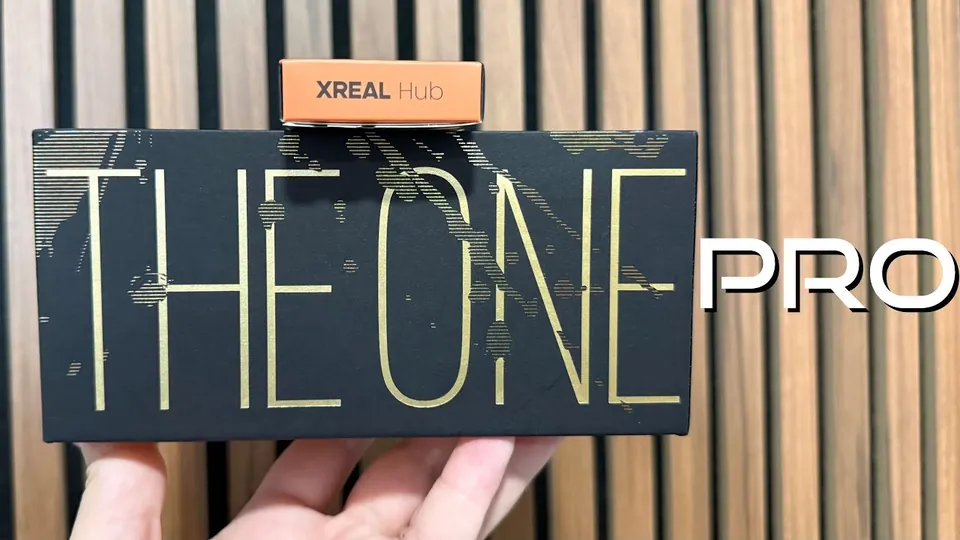
Prefer to watch? The full video is right here. 27:07 · Watch on YouTube
Jump to a section in the video
What's in the box
You get the glasses, a USB-C cable that looks the same as the previous generation's, with an angled end for the glasses and a regular USB-C end for the computer, plus large and small nose pads (medium comes fitted), a prescription lens frame, a nicely stamped XREAL cleaning cloth, the manual with a support QR code, and safety and warranty materials.
The case has changed. XREAL went back to a slanted design with a lip that drops down so the glasses face you, instead of the One's case that opens across the side. It is a smaller pill shape, which I appreciate. I'm honestly not sure which style I prefer. The front cover also pops off if you want to wear them without it.
Flat prisms change everything
The first thing you notice is that the One Pro is narrower and the prisms are flat. They are rectangular with rounded corners, a little squircle-ish. Next to the big birdbath prisms on the One, it is a massive improvement.
That matters for glare. With the One, especially in a white shirt, I see reflections. Sitting in my studio, I could see the table reflected in the bottoms of the lenses, which is distracting. With the One Pro, that reflection simply isn't there.
They feel lighter and much more comfortable, and they look far more like a normal pair of glasses rather than a piece of hardware. I didn't enjoy wearing the One as sunglasses. I could maybe see myself wearing these as sunglasses, although I prefer wraparounds that block light.
XREAL One Pro vs XREAL One, at a glance
| XREAL One Pro | XREAL One | |
|---|---|---|
| Optics | Flat, rounded rectangle prisms | Larger birdbath prisms |
| Glare | No desk reflection in my studio | Noticeable reflections |
| Fit | Narrower, lighter feeling | Bulkier |
| "Powered by Bose" label | Printed on the arm | Not printed on my unit |
| Case | Smaller, slanted with a lower lip | Opens across the side |
My impressions after a short time with both
The speakers are downward firing on the arms, the USB-C input sits on the left arm, and the buttons match the One: a red X button and volume rocker on the bottom, and a quick button on top. You can also adjust the arm angle to fit.
Ultra wide on a Mac
I had already used the XREAL Beam Pro for initial setup and updates. Plugged into the Mac, movement felt snappier right away. In follow mode, the menu showed a max screen size of 222 inches, with screen distance adjustable from 2 to 10 meters. Anchor mode pins the screen in space. In ultra wide mode, the menu showed 356 inches and later 499 inches, and I'm not sure why.
The tutorial covers the controls: long press X to recalibrate the screen, double click X for the menu, the rocker for brightness with a long press for electrochromic dimming, and the top quick button for ultra wide mode. The Mac saw a 3840 by 1080 display.
The field of view is wider, though not massively. It is still 1080p, so I can see pixelation on white backgrounds with text, and a bit of blur and ghosting when I move my head quickly. It is 120 Hz, so it doesn't look bad, and text comes back into focus quickly. Switching back and forth, I could see significantly more of the screen with the Pro, and it felt more natural. I also felt a lot less eye strain reading text.
Being super hypercritical, I saw a faint blue outline at the far edge of the view, only against stark white backgrounds, like old 3D theater glasses.
Final Cut Pro is where it shines. Clips on one side, the timeline across the middle and the viewer in front of you, very similar to my Samsung Odyssey. For video editors, this is the way to go.
Audio and dimming
The Bose speakers sound good for glasses. They are a little tinny, which you can hear on hi-hats in a Rush track, and you hear the room too, since they fire downward. One tip: if you're anchored and rocking your head to music, the screen drifts off into darkness.
There are three dimming levels plus transparent. I keep it on the darkest for work so the screen is as bright as possible. Facing a very bright studio light, I could barely tell it was on. The screen is noticeably brighter than the One, one reason I upgraded.
“As it is right now, I am very much enjoying these, very happy with these.”
Community questions
I don't wear prescription lenses, so I can't speak to how they feel. The insert clips into two mounting points at the top of the frame, sits up against the prisms, and has little bumpers so it doesn't scratch them. It looks like a very tight fit.
Visual clarity is better across the whole screen than the One, but not as good as my MacBook display. Higher resolution panels are a matter of cost, weight and heat, which Ralph discussed in my interview with him. Higher pixel density at 1080p is another route.
For coding and desktop work, ultra wide is the best way to use these, with multiple browser windows open in front of you on a plane or in a waiting room. For extended wear, they are lighter than the One, but as someone who only wears sunglasses, I still feel the weight on the bridge of my nose after a while. Try the different nose pads and positions.
Bottom line
The XREAL One Pro is a clear step up from the One for work: flat prisms that kill glare, a wider and more natural ultra wide desktop, a brighter screen, and a lighter, more normal look. It is still 1080p, with some pixelation and edge artifacts. Shipping has had bumps, and XREAL is posting updates on its Reddit. I'll do a follow-up after longer testing, plus a full XREAL Eye review.
Gear in this story
- XREAL One Proxreal.pxf.io (opens in a new tab)
- XREAL One
- XREAL Beam Pro
Some of these store links are affiliate links. If you buy through them, the channel may get a small commission at no extra cost to you. Affiliate disclosure
Related stories
Hands-on with the new Meta Ray-Ban Gen 3: Aviators, a camera-free option and a smaller camera
Sep 25, 2026 · 4 min read
Unboxing XREAL Aura: Android XR in a case that fits your backpack
Jun 24, 2026 · 5 min read

XREAL's Project Aura, X1S chip, Neo battery and Enterprise push: my interview with Ralph
Jun 12, 2025 · 4 min read
Jesse Nowlin
Founder of TABGEEKS, former IT Director and Google Developer Expert. I test networking and pro tech on real job sites, then write up what I find.
Join the community