

Home / Stories / UniFi + Networking
UniFi U7 Mesh tested: how far can a Wi-Fi 7 mesh link go?
The U7 Mesh finally brings Wi-Fi 7 to my favorite, most deployed access point form factor. I unboxed it, tested it next to the rack, then walked a second unit down the street to see how far the mesh link holds.

Jesse Nowlin
Founder, TABGEEKS · · 4 min read
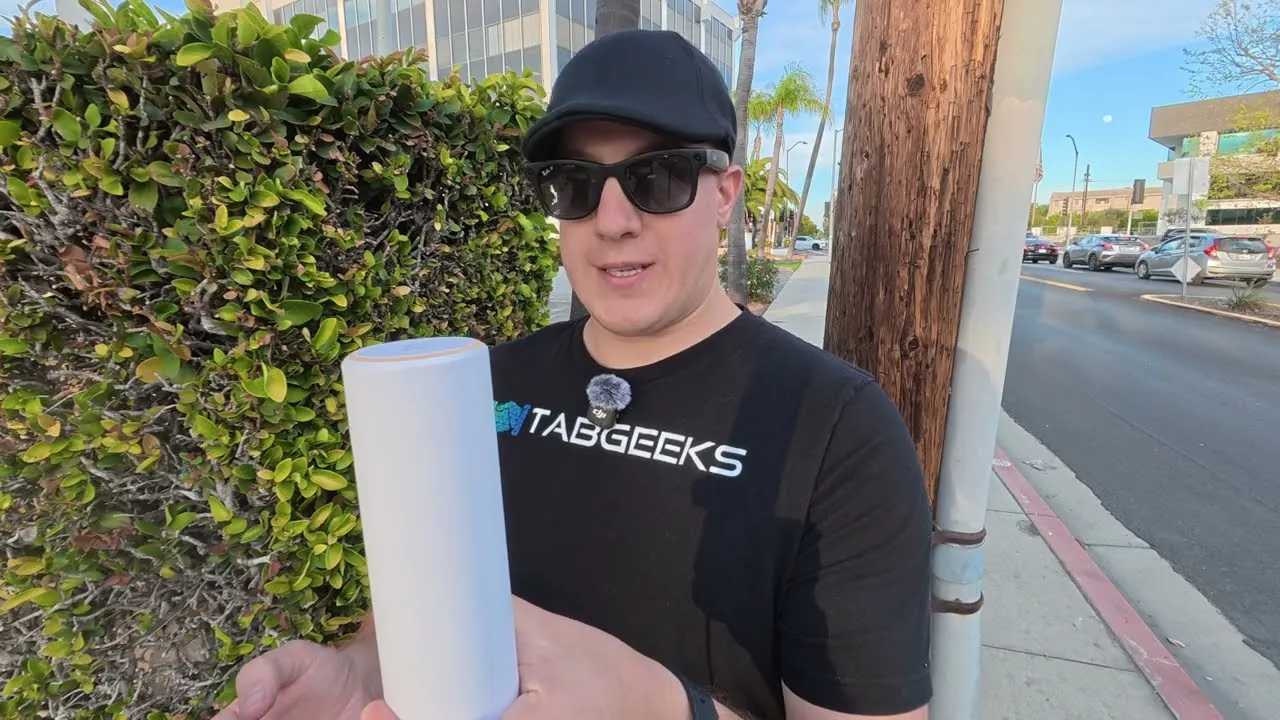
The little soda can access point, the U6 Mesh and the Flex HD before it, is my most deployed AP ever. I've put up hundreds of them, maybe thousands, and somehow I never reviewed one. I love the form factor and the 360 degree signal. All year I've been asking Ubiquiti where the Wi-Fi 7 version was. It's finally here: the U7 Mesh.
I unboxed it, adopted it and ran a speed test next to the rack. Then I mounted one unit on a pole outside, powered a second one off a battery and walked it down the street to see how far the mesh link would go.
The result: at over 1,000 ft, I still had a usable connection. For a roughly $200 AP talking to another $200 AP, that's great.
Prefer to watch? The full video is right here. 21:13 · Watch on YouTube
Jump to a section in the video
What's in the box
You get the AP, a Ubiquiti custom screwdriver with no logo, a power cord, zip ties, a mounting template, a PoE injector with its mount and screws, a bottom cap and a wall and pole mount adapter with a waterproof grommet. On the bottom of the AP is a 2.5 GbE PoE+ in port and a reset button.
A new card in the box says to point the U7 Mesh logos toward one another for the best mesh signal. That's part of the redesign. Aim the bottom of the U logo at the other AP, because that's where the internal mesh antenna points most outward. Ubiquiti calls it a directional super antenna and says it gives 3x the distance of other mesh models.
The LED ring is back
Returning for the first time since COVID is the color LED ring. It shows mesh signal quality: red is poor, green is good, flashing red is disconnected and blue means wired AP mode. I got excited, but you can't actually choose the color yourself. Ubiquiti, the functionality is right there. Let us have some fun with it.
Weatherproofing and specs
Mounted with the outdoor mount, it's rated IPX6, meaning it can take a high-pressure blast of water but isn't meant to be submerged. It should handle pretty much any normal weather, though I expect comments from Michigan.
U7 Mesh specs, as stated
| Spec | U7 Mesh |
|---|---|
| Coverage | 140 m² (1,500 sq ft) |
| Max clients | 200 or more |
| Uplink | 2.5 GbE, PoE+ |
| Max throughput, 5 GHz | 4.3 Gbps |
| Max throughput, 2.4 GHz | 688 Mbps |
| Max power | 13 W |
| Weather rating | IPX6 with outdoor mount |
| Operating range | -22 F to 140 F |
| Mounting | Wall, pole and table stand, all included |
As stated in the video, March 2026.
Indoor speed test
Adopted and wired straight into my USW Pro XG 8 PoE, the ring turned blue. Standing right next to it with WiFiman on my phone, I got just shy of 1 gig down and about 900 up on my 2 gig line. I could probably tune more speed out of it, but I didn't bother. Your results will vary once you're more than a foot away.
The street test
I mounted one U7 Mesh on a pole outside with metal clips, running the cable through the mount's grommet. Then I reset the second unit, powered it from a battery pack through the PoE injector and walked down the block. None of this was scientific. I was hand holding the AP and eyeballing the aim.
Mesh link results, hand held
| Distance | What I saw |
|---|---|
| About 300 ft | Adopted over mesh. About 200 Mbps down, 300 Mbps up, about 10 ms latency |
| About 500 ft | Same or slightly better speed than at 300 ft, LED back to green |
| About 700 ft | 150 to 170 Mbps down with cars passing, about 300 Mbps up |
| About 1,056 ft | No real line of sight, yellow LED, about 5 to 10 Mbps |
Distances are as the crow flies. Single hand-held runs on a residential street, not a lab test.
At 300 ft it adopted over the mesh link with no fuss, and after I assigned a Wi-Fi network, it was broadcasting. At 1,056 ft, without real line of sight, I still had a connection. Not a big one, but a connection. Cellular or a dedicated point-to-point link would do better, but for two APs at this price just pointing in each other's general direction, that's impressive.
Then I turned it around so the directional antenna wasn't facing the other AP. The speed got cut in half, then dropped to barely anything. Turn it back around and boom, it recovered. Aim matters.
“For an AP of this price to be able to do this with another AP at this price just pointing in that direction, this is great.”
Bottom line
The U7 Pro XG is still my favorite AP for design and capability, but for most installed, most versatile and easiest to throw up in a pinch, the U7 Mesh takes the cake. It's more versatile than the previous generation, the directional antenna really works, and it was $200 at launch. I think it's going to sell like hot cakes.
Gear in this story
- Access Point U7 MeshSpecs and compare for Access Point U7 MeshUbiquiti Store (opens in a new tab)
- Access Point U7 Pro XGSpecs and compare for Access Point U7 Pro XGUbiquiti Store (opens in a new tab)
- Switch Pro XG 8 PoESpecs and compare for Switch Pro XG 8 PoEUbiquiti Store (opens in a new tab)
Ubiquiti Store links are affiliate links. If you buy through them, the channel may get a small commission at no extra cost to you. Affiliate disclosure
Related stories
Powering a Starlink Mini from a UniFi Cloud Gateway Industrial
Mar 2, 2026 · 2 min read
Moving 19 TB from the UNAS Pro to the UNAS Pro 8, then growing the pool to 56 TB
Feb 25, 2026 · 5 min read
I took the UniFi Travel Router Long-Range on a cruise: full review
Sep 14, 2026 · 5 min read
Jesse Nowlin
Founder of TABGEEKS, former IT Director and Google Developer Expert. I test networking and pro tech on real job sites, then write up what I find.
Join the community