

Home / Stories / UniFi + Networking
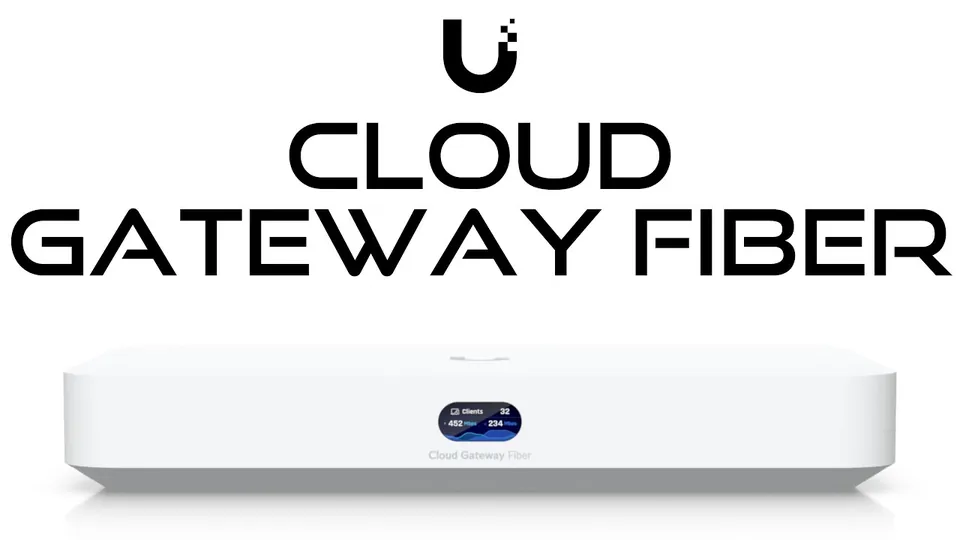
UniFi Cloud Gateway Fiber: the Cloud Gateway Max with 10G and PoE
Ubiquiti took the Cloud Gateway Max, my favorite UniFi product, stretched it out and added 10G SFP+, 10 GbE and PoE. I set it up with a Flex 2.5G switch and a U7 Pro Wall to see how it fits a small, fast network.

Jesse Nowlin
Founder, TABGEEKS · · 4 min read
The Cloud Gateway Max is easily one of my favorite Ubiquiti products, if not my favorite. So what happens if you give it 10G SFP+ ports for LAN and WAN and add PoE? It wouldn't fit, so you'd have to stretch it out a little. That's exactly what Ubiquiti did with the new Cloud Gateway Fiber.
I swapped in the SSD from my Cloud Gateway Max, set it up next to a Flex 2.5G switch and a U7 Pro Wall access point, and ran speed tests on my 2 gig connection. I also walked through the kinds of networks it's built for.
The bottom line: it's a powerhouse built for serious speed in a small footprint, and it runs the full UniFi application suite. It gives up USB-C power, but the built-in PoE makes that easy to forgive.
Prefer to watch? The full video is right here. 9:08 · Watch on YouTube
Jump to a section in the video
Ports and specs
On the back you get SFP+ ports at 10G for LAN and WAN, a 10 GbE Ethernet LAN port and four 2.5 GbE switch ports, one of which provides PoE up to 30 W. There's also a barrel jack for power and a reset pin.
Cloud Gateway Fiber at a glance
| Spec | As stated |
|---|---|
| SFP+ | 10G for LAN and WAN |
| Ethernet | 10 GbE LAN, plus four 2.5 GbE switch ports |
| PoE | One port, up to 30 W |
| IPS routing | 5 Gbps |
| Processor | Quad-core ARM Cortex A73, 2.2 GHz |
| RAM | 3 GB |
| UniFi devices | Up to 50 |
| Protect cameras | 5 in 4K, more at lower resolution |
| Clients | Up to 500 |
| Storage | NVMe slot |
| Power | Barrel jack |
As stated in the video, February 2025.
The 5 Gbps IPS routing puts it ahead of the UDM Pro and SE and on par with the UDM Pro Max, which is a lot of gateway for something this size.
It's roughly the same height as the Cloud Gateway Max, maybe a touch taller, and obviously wider. Side by side, you can see how the extra ports push the layout out. I really need one of those 10 inch racks to show what this would look like in a tiny rack setup.
Networks it pairs well with
This is for smaller networks that want very high speeds but don't need a full-size rack. Pair it with a Flex 2.5G switch, where every port is 2.5 GbE, and a U7 Pro Wall for Wi-Fi 7. The U7 Pro Wall has a 2.5 GbE port and runs on PoE, so one cable off the gateway powers it. You could also pair it with the new Express 7.
Fiber is where it gets interesting. Run fiber from the gateway to a Flex switch with a fiber port in a building further away, or a studio setup like mine, and you get the full 10 gig link coming in, then 2.5 GbE out to your devices. Note that if you're feeding that remote switch with fiber, it needs its local barrel jack power adapter, since it isn't getting PoE.
That also makes it a good fit for distributed properties, like a farm with a couple of outbuildings or a large warehouse that's a big space without much infrastructure. Run fiber to a downstream switch, add an access point and keep going.
“If you want a super fast setup for your small business or your travel kit or whatever it is, this is an excellent way to do it.”
Storage and setup
Mine didn't come with a drive, so I popped the 512 GB SSD out of my Cloud Gateway Max. It's the same sled, so it went right in (after I got it right side up).
Once it was adopted, the speed test came in at about 2 gig down, which is just about what it should be on my connection. Upload varied from run to run, but it should be around 2 gig each time, and a later run came in better. Speed tests depend on when you run them and a lot of other factors.
In the UniFi interface
The device view will look familiar to anyone who has used UniFi: the switch layout, power cycling right from the interface, insights, locate and restart. My demo had the gateway's SFP+ connected to the Flex at 10G and the PoE port powering the U7 Pro Wall, so you can see 10 gig straight out of the gateway while it also powers an access point.
It supports the entire UniFi suite, including Network, Protect, Access and Talk. I only had Protect running, with Access installed but not set up yet. The surprise: Protect could actually read the drive I pulled from the Cloud Gateway Max, old recordings and all, without asking me to reformat. I didn't expect that. It's probably still a good idea to reformat between devices.
Bottom line
The Cloud Gateway Fiber was $249 without storage at launch. If you want 10G and fiber options, PoE for an access point and the full UniFi app suite in a compact box, this is the Cloud Gateway Max on steroids. For a small business, a distributed property or a fast travel kit, it's an excellent choice. Just budget for an NVMe drive if you plan to run Protect.
Gear in this story
- Switch Flex 2.5GSpecs and compare for Switch Flex 2.5GUbiquiti Store (opens in a new tab)
- Dream Machine Pro MaxSpecs and compare for Dream Machine Pro MaxUbiquiti Store (opens in a new tab)
- UniFi Express 7 (UX7)Specs and compare for UniFi Express 7 (UX7)Ubiquiti Store (opens in a new tab)
- Cloud Gateway FiberSpecs and compare for Cloud Gateway FiberUbiquiti Store (opens in a new tab)
- UniFi Cloud Gateway MaxSpecs and compare for UniFi Cloud Gateway MaxUbiquiti Store (opens in a new tab)
- Access Point U7 Pro WallSpecs and compare for Access Point U7 Pro WallUbiquiti Store (opens in a new tab)
- Dream Machine ProSpecs and compare for Dream Machine ProUbiquiti Store (opens in a new tab)
- Dream Machine Special EditionSpecs and compare for Dream Machine Special EditionUbiquiti Store (opens in a new tab)
Ubiquiti Store links are affiliate links. If you buy through them, the channel may get a small commission at no extra cost to you. Affiliate disclosure
Related stories

Ubiquiti's surprise holiday sale: the UniFi deals I picked out
Dec 10, 2025 · 3 min read
UniFi U7 In-Wall install: a slim Wi-Fi 7 AP for smaller rooms
Mar 3, 2025 · 3 min read
UniFi Flex 2.5G PoE hands-on: the small 2.5 GbE PoE switch I was waiting for
Jan 10, 2025 · 3 min read
Jesse Nowlin
Founder of TABGEEKS, former IT Director and Google Developer Expert. I test networking and pro tech on real job sites, then write up what I find.
Join the community