

Home / Stories / UniFi + Networking
UniFi AI Turret review: 4K, plate and face recognition, and microSD edge recording
The AI Turret is Ubiquiti's biggest, beefiest AI camera, and the first with a microSD slot for edge recording. I unplugged its network for hours to see what happens, and tested detections on my driveway test rig.

Jesse Nowlin
Founder, TABGEEKS · · 4 min read
This is the AI Turret, Ubiquiti's brand new, biggest, beefiest AI camera. The short version: a 4K camera with a 110 degree viewing angle, 131 ft of nighttime IR, face and license plate recognition and, for the first time ever, a microSD card slot for what Ubiquiti calls edge recording.
It arrived while I was live streaming, so I had to run and get it, which is why some stickers were already off. Here is the unboxing, the size comparisons, the edge recording test and how detections held up after a few days.
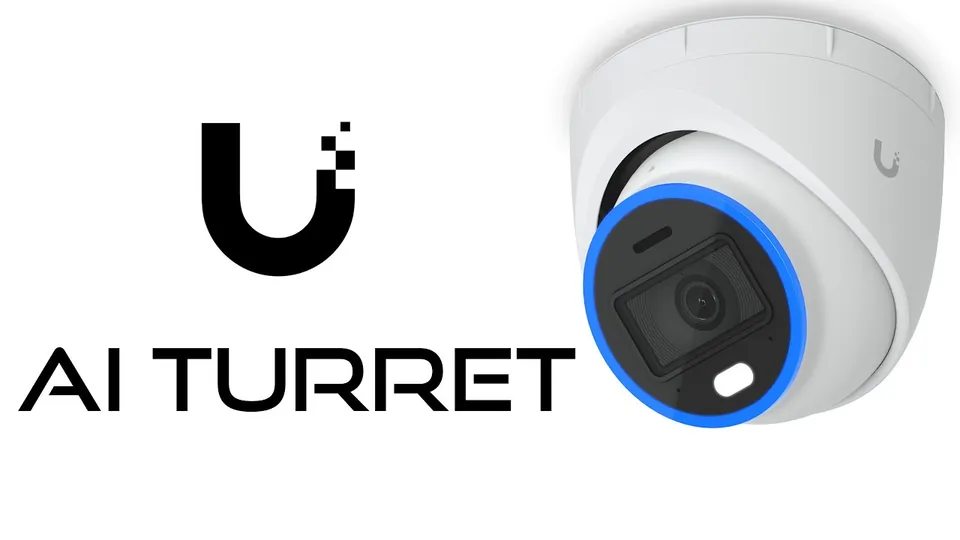
Prefer to watch? The full video is right here. 15:22 · Watch on YouTube
Jump to a section in the video
Unboxing and hardware
This is a solid camera with a foot-long tail. In the box are the getting started guide, a back mount that is really quite solid, a plate for drop ceilings, a mounting cutout with the Ubiquiti level, a waterproof tip that clips onto the end of the tail, hardware bags with screws and anchors, long screws for ceiling mounts, a security key and what looks like an Allen key for the microSD door. To my knowledge, you cannot cut the tail and re-terminate the Ethernet.
On the front are an integrated LED for nighttime color vision, two microphones forming a far-field array, the very wide angle lens and IR on the side. Around back is a new security door held with special hex screws. Behind it are the reset button and the microSD slot. The minimum card is 64 GB, and I put in a 128 GB card I had on hand. Unless a criminal takes the whole camera off the wall and brings a screwdriver, they are not getting to that card. The mounting plate has a latch to secure the cable during wall installs and a rubberized seat for the camera.
It does run hot. On the bench it was pretty hot to the touch, but once installed outdoors, ambient cooling brings it down. Ubiquiti told me that is normal behavior and not cause for concern.
Size and specs compared
It is big. Next to the itty bitty G5 Dome Ultra, I could probably hide two behind it. It is nearly double the size of its little sibling, the G5 Turret Ultra. Next to an AI Bullet, the face is roughly the same size, though the turret style does not stick out from the wall as much.
AI Turret vs AI Pro vs G5 Turret Ultra
| Spec | AI Turret | AI Pro | G5 Turret Ultra |
|---|---|---|---|
| Sensor | 8 MP, 4K | 8 MP, same sensor | 2K |
| Field of view | 110 degrees | 110 degrees | 102 degrees |
| IR range | 131 ft | 82 ft, 131 ft with Vision Enhancer | 98 ft |
| Spotlight | 400 lumens | 600 lumens with Vision Enhancer | None |
| microSD edge recording | Yes, 64 GB minimum | Not stated | Not stated |
| Price | $399 | Not stated | Not stated |
As stated in the video at launch. Prices change.
Edge recording: I pulled the network for hours
Pulling the card, there is a UniFi Protect folder broken into months, then days, then five-minute clips, starting at 00:00 and going 00:05, 00:10 and so on in 24-hour time. If you know when you lost connection, it is easy to find. The footage is regular 4K, just like in Protect, encoded in HEVC, so the clips are small, around 28 to 40 MB, with some up to 70 MB, maybe because more motion means more pixels changing.
On December 3 at 2:45 PM, I pulled the network uplink from the switch powering the camera. It still had PoE but no network at all, and I left it out for several hours. Scrubbing through the 14:40 and 14:45 clips, there was no stuttering, no jitter and no gaps. Cars going by, crisp and clear as day.
The catch: the card does not keep any AI data. No detections, classifications, license plates or faces. I would love to see that reintegrated into Protect later, after the switch, network or NVR comes back, but that is just me speculating. Still, dropping a day of clips into a video editor is easier than downloading footage piece by piece from Protect, whether for a court case or an insurance claim. This is the worst this feature will ever be.
Detections in the real world
My test spot is tough on purpose. My car parked in the frame makes it a challenge to pick up people coming past the bushes, losing them behind the car and catching them on the other side. Protect showed confidence scores for vehicle type and color, like gray sedan at 93%, and it caught just about every car. It missed some coming from the right, where it has less time. It called a stroller a motorcycle, though it did detect the person pushing it. And it picked people back up on both sides of the car.
“No Ubiquiti, that's a stroller, not a motorcycle.”
At night it caught coyotes roaming the street at 1:30 a.m., turned on the spotlight, and sent them on their way. When I pulled up, it easily read my plate, got the car color, and even got my face. It flipped between SUV and sedan, which is understandable given the angle. On a U-turn, it read the plate through glare I am not sure I could see past. With the van out of the frame, detections improved overall.
Bottom line
The AI Turret was $399 at launch and also introduced the Camera Dual Mount, which works with most of Ubiquiti's camera lineup. It is big and runs warm, but you get 4K, long-range IR, a spotlight, solid face and plate recognition and an edge recording slot that kept rolling through hours without network. For an overall camera to beat in UniFi Protect, this is it.
Gear in this story
- Camera G5 Turret UltraSpecs and compare for Camera G5 Turret UltraUbiquiti Store (opens in a new tab)
- UniFi AI TurretSpecs and compare for UniFi AI TurretUbiquiti Store (opens in a new tab)
- Camera AI ProSpecs and compare for Camera AI ProUbiquiti Store (opens in a new tab)
- AI Pro EnhancerSpecs and compare for AI Pro EnhancerUbiquiti Store (opens in a new tab)
- UniFi G5 Dome UltraSpecs and compare for UniFi G5 Dome UltraUbiquiti Store (opens in a new tab)
- UniFi Camera Dual MountSpecs and compare for UniFi Camera Dual MountUbiquiti Store (opens in a new tab)
- UniFi microSD CardSpecs and compare for UniFi microSD CardUbiquiti Store (opens in a new tab)
Ubiquiti Store links are affiliate links. If you buy through them, the channel may get a small commission at no extra cost to you. Affiliate disclosure
Related stories

UniFi AI Port: adding face and plate recognition to older cameras
Dec 12, 2024 · 4 min read

Ubiquiti's surprise holiday sale: the UniFi deals I picked out
Dec 10, 2025 · 3 min read
UniFi G6 Pro 360 review: 5K finally fixes the 360 camera's zoom problem
Oct 6, 2025 · 5 min read
Jesse Nowlin
Founder of TABGEEKS, former IT Director and Google Developer Expert. I test networking and pro tech on real job sites, then write up what I find.
Join the community