

Home / Stories / UniFi + Networking
UniFi G6 Pro 360 review: 5K finally fixes the 360 camera's zoom problem
360 cameras let you pan and zoom with no moving parts, but zooming used to wreck the image. The G6 Pro 360 triples the resolution and adds real weatherproofing. Here is how it held up in my testing.

Jesse Nowlin
Founder, TABGEEKS · · 5 min read
I have been waiting a very long time for the UniFi G6 Pro 360. I have 360 degree cameras deployed at a bunch of locations, and the big advantage is that you see the whole scene and can do PTZ in software with no moving parts to break. The downside has always been that the moment you zoom in, the resolution drops off significantly.
That seems to no longer be the case. The G6 Pro 360 uses a 1/1.6 inch, 12 megapixel sensor, which is why a 5K option now shows up in UniFi Protect. It is three times the resolution of the previous generation, and it is heftier, more solid and far more dust and water resistant. At $499 at launch, it is a major upgrade.
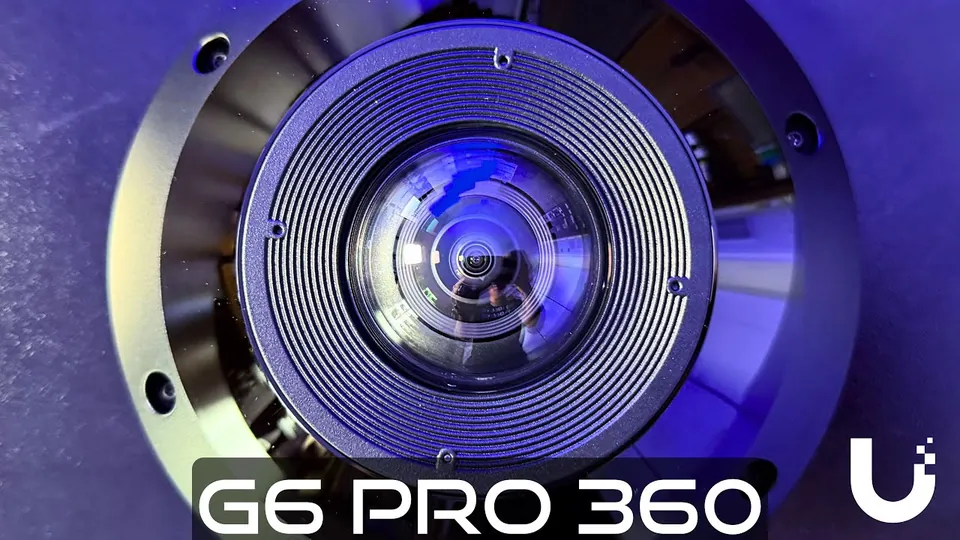
Prefer to watch? The full video is right here. 19:48 · Watch on YouTube
Jump to a section in the video
What's in the box
The camera has the familiar dome on the front, a solid polycarbonate blend on top and a metal backing. It is completely sealed with no pigtail; the cable plugs in inside. A removable tab on the side lets you route the cable out sideways if you are not running it straight into the wall or ceiling.
In the box: a plastic mount that looks more like the ones on UniFi access points, a mounting template with the Ubiquiti level, another mounting plate, a desiccant pack to put inside in case moisture gets in, cable grommets in several sizes, a cable nut, screw packs, a security screwdriver and a wrench with the Ubiquiti logo on it. Nice touch, Ubiquiti. I am a fan.
The top comes off with a few screws. Inside, gold pins connect the two halves to power the IR emitters, and a label shows where the desiccant goes. The PoE port inside is 10/100, not gigabit. There is also a microSD slot on the edge for edge recording, see what I did there.
Specs and the upgrade over the AI 360
G6 Pro 360 vs AI 360
| Spec | G6 Pro 360 | AI 360 |
|---|---|---|
| Sensor | 12 MP, 1/1.6 inch, 3504 x 3504 | 1920 x 1920 |
| Top resolution in Protect | 5K | Not stated |
| Max frame rate | 24 FPS | 30 FPS |
| IR night vision | 50 ft | 30 ft |
| Weather rating | IP66 | IPX4, under cover |
| PoE port | 10/100 | Not stated |
| Price at launch | $499 | Not stated |
As stated in the video. AI 360 figures are from my memory of its specs, as I said on camera.
IP66 is a big deal. IPX4 meant it could handle a splash as long as it was under an overhang. IP66 means dust tight and able to withstand direct hits from powerful water jets, so you can mount it places the AI 360 could not go. Do not point a pressure washer at it, though. Even at one of my most punishing client sites, where pressurized hoses have hit cameras, it is never sustained at pressure washer levels. Your mileage may vary.
Adoption and de-warped PTZ
I adopted it on the UNVR Instant in my test rig. I am at or over that recorder's camera limit, but it is a test environment. It showed up in Protect right away and adopted with one click.
By default you get the circular 360 view. De-warp it and the image goes flat, and you can move around with your keyboard for a PTZ effect, all in software. I zoomed in on my TABGEEKS logo across the studio. Yes, you still lose some resolution, but I was zoomed in significantly.
In settings, recording, detections, zones and lines are the usual Protect options. Frame rate tops out at 24 FPS, slower than the AI 360's 30, which I imagine is for a sharper, crisper image when flattening it out. Encoding offers standard, enhanced and advanced, and resolution goes up to 5K for the first time. Why you would drop it to 2K or HD on a nearly $500 camera, I do not know. Auto-rotate orientation is a nice touch carried over from Ubiquiti's newer cameras.
Keep in mind that de-warping means you are no longer seeing the full 5K. And as someone pointed out to me on X, it is technically 180, not a true 360 like a DJI Osmo 360 or an Insta360 with two back-to-back sensors. In security camera terms, though, a single downward fisheye that covers the whole area is generally called a 360. Mount it high on a wall or on the ceiling to get the whole room.
Day and night testing
For audio, I walked past it at a normal speaking volume from about 10 to 15 feet away, with the camera about 7 feet up. At night, around 10:00 p.m., I tested it on my outdoor rack from about 10 to 12 feet.
There was a problem: with my other test cameras surrounding it, its own IR emitters reflected off everything and created a tremendous amount of glare. That is not a normal setup; you would not have a ring of cameras around it. With all the other emitters off and IR coming only from an AI Pro in the corner, it picked up me walking down the lot at a decent clip.
With every IR emitter off, using only natural light, it was dark enough that I could see my hand but not read text on it. The street light was mostly blocked by a tree. You will not get color in that light, but it still tracked me walking around. A more comprehensive test is coming when I install one in the social hall at the community center I service.
The flush mount
The flush mount option is a thing of beauty. Mounted flush, it gets so small you would hardly notice it. For a doctor's office or anywhere aesthetics really matter, this one will disappear into the ceiling. It comes in black and white.
“Personally, I think this is a major upgrade to the lineup, and Ubiquiti did a great job on updating this.”
Bottom line
The G6 Pro 360 fixes the biggest weakness of 360 cameras with three times the resolution, adds IP66 weatherproofing, 50 foot IR and edge recording, and looks great flush mounted. The trade-offs are 24 FPS, a 10/100 port and IR glare if you put it near reflective surfaces. At $499 at launch, I am looking forward to deploying it at several client sites.
Gear in this story
- Camera G6 Pro 360Specs and compare for Camera G6 Pro 360Ubiquiti Store (opens in a new tab)
- UniFi microSD CardSpecs and compare for UniFi microSD CardUbiquiti Store (opens in a new tab)
- Network Video Recorder InstantSpecs and compare for Network Video Recorder InstantUbiquiti Store (opens in a new tab)
- Camera AI ProSpecs and compare for Camera AI ProUbiquiti Store (opens in a new tab)
Ubiquiti Store links are affiliate links. If you buy through them, the channel may get a small commission at no extra cost to you. Affiliate disclosure
Related stories
UniFi AI Turret review: 4K, plate and face recognition, and microSD edge recording
Dec 13, 2024 · 4 min read

UniFi AI Port: adding face and plate recognition to older cameras
Dec 12, 2024 · 4 min read

UniFi Device Bridge IoT review: a $49 fix for wired-only devices
Nov 20, 2025 · 3 min read
Jesse Nowlin
Founder of TABGEEKS, former IT Director and Google Developer Expert. I test networking and pro tech on real job sites, then write up what I find.
Join the community