

Starlink Mini unboxing: USB-C power in the mountains
The backpack-sized Starlink dish, powered the interesting way, then bridged into a real UniFi outdoor Wi-Fi design.

Jesse Nowlin
Founder, TABGEEKS · · 2 min read
The Starlink Mini is the backpack-sized dish I had been waiting to take into places that have no cellular. I filmed this at Baileys on Palomar around five and a half thousand feet in the San Diego mountains. The wider property already rides Starlink Business into a UniFi network; this video is about the Mini itself, USB-C power, and how far you can push it before you hand Ethernet to UniFi.
Unboxing is simple: the compact dish, cabling, and a form factor that slides into a laptop sleeve or the front pocket of a travel pack. The exciting part is power. Instead of only the proprietary brick, Jesse runs the Mini from USB-C and compares adapter behavior in the field.
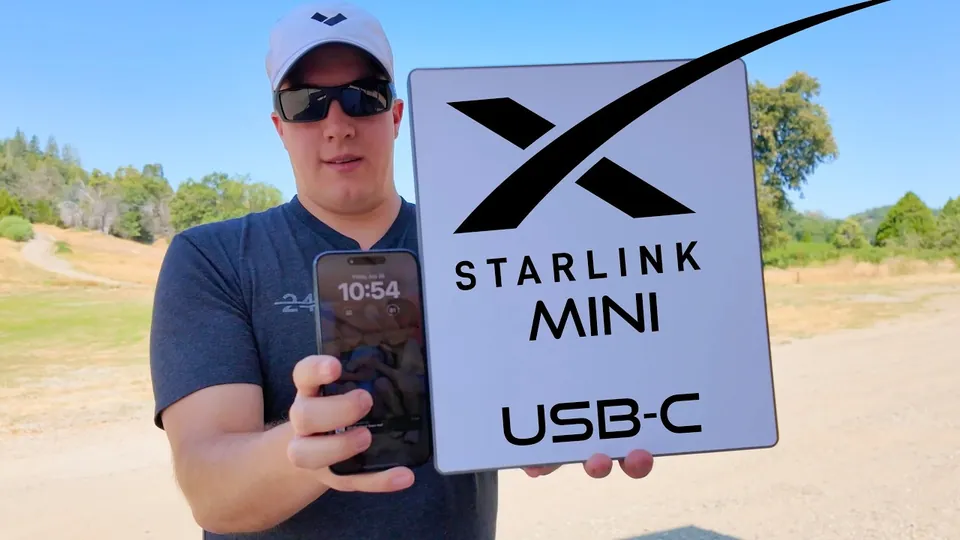
Prefer to watch? The full video is right here. 28:26 · Watch on YouTube
Jump to a section in the video
Power and first lock
USB-C bring-up is the demo people wanted. Once the dish has sky and finishes updates, Starlink may sit in calibration for a while; Jesse plans around that instead of staring at a progress bar for an hour of raw footage. With a working PD path, the Mini becomes something you can run from a power station or high-watt USB-C battery bank instead of hunting wall power on a ridge.
Speeds and Wi-Fi reach
Throughput swings with sky view and network load, the usual Starlink story. On foot, the Mini's own Wi-Fi is fine near the dish and falls off as you walk away; Jesse's walk tests land around on the order of a hundred feet before the phone is clearly starving. That is why the second half of the video exists.
Handing off to UniFi
Ethernet out of the Mini into a Cloud Gateway Max, then a U7 Outdoor on PoE with the sector antenna aimed across the lake, turns a camping dish into a site network. Devices rejoin a real UniFi SSID, Protect and policy travel with the gateway, and the outdoor AP does the long throw the Mini radio was never meant to do. That combo is also why there is a dedicated U7 Outdoor range video from the same location.
Bottom line
Best portable Starlink yet for remote work sites that already speak UniFi. Use USB-C thoughtfully, treat the built-in Wi-Fi as a convenience radio, and put a proper AP in front when coverage actually matters.
Gear in this story
- UniFi Cloud Gateway MaxSpecs and compare for UniFi Cloud Gateway MaxUbiquiti Store (opens in a new tab)
- Access Point U7 OutdoorSpecs and compare for Access Point U7 OutdoorUbiquiti Store (opens in a new tab)
Ubiquiti Store links are affiliate links. If you buy through them, the channel may get a small commission at no extra cost to you. Affiliate disclosure
Related stories

Don't film everything: my framework for covering tech conferences
Jun 12, 2026 · 6 min read
Telly review: what it's like to live with a free 55 inch TV
Feb 13, 2025 · 4 min read
Traveling with Starlink V5: three things to know before you go
Aug 12, 2026 · 4 min read
Jesse Nowlin
Founder of TABGEEKS, former IT Director and Google Developer Expert. I test networking and pro tech on real job sites, then write up what I find.
Join the community