

Home / Stories / AI at work
Google Cloud Next 2026: how to build your agenda, and why to do it now
Your session RSVP is your spot in line, and the popular ones are already full. Here is how the Next session library works, and the Gemini and Workspace sessions on my agenda.

Jesse Nowlin
Founder, TABGEEKS · · 4 min read
Google Cloud Next is less than 30 days away. The schedule has been up for a while, but session registration just went live, and some sessions have already sold out. The ones with people like Demis Hassabis or Google CEO Sundar Pichai, the bigger DeepMind talks and the Gemini-focused sessions go fast. After that, it depends on how big a room each talk gets.
If there is a session you really want, go grab it now. Here is how the RSVP system works, how to find what you want in a library of almost 900 sessions, and what is on my own agenda.
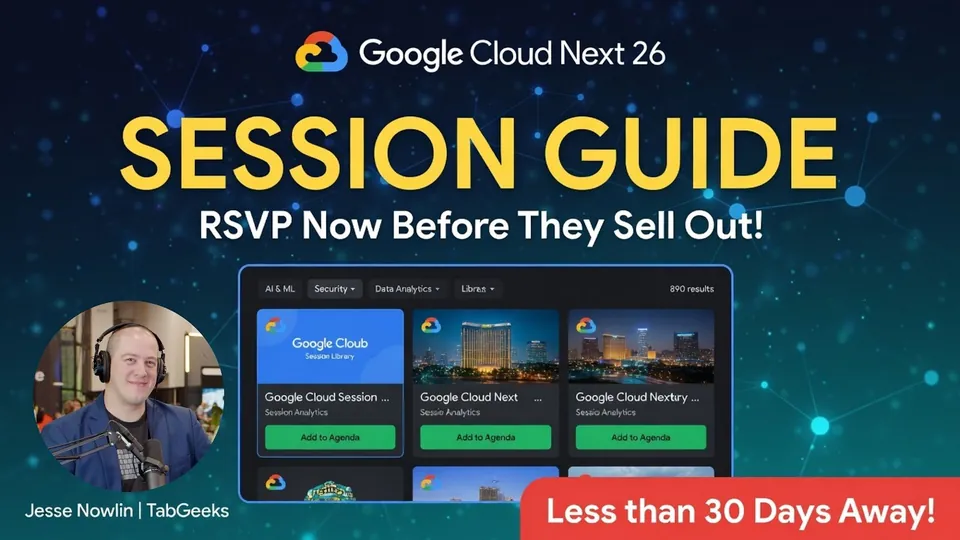
Prefer to watch? The full video is right here. 8:39 · Watch on YouTube
Jump to a section in the video
Your RSVP is your spot in line
When you RSVP for a session, it is connected to your badge. You walk up, scan your badge and they let you in. No waiting in a line. Some of the larger sessions have overflow lines, but if a session is sold out and there is no overflow, that is it. You are not getting in.
I believe you are automatically RSVP'd for the opening keynote and the developer keynote. Still, get there early on the day. The keynotes are in the arena inside Mandalay Bay, which seats 10,000, and I expect upwards of 35,000 people at the event. Not everyone goes to the keynotes, but you should. They set the stage, pun intended, and the energy for the whole conference. I happen to know Boston Dynamics will be doing some interesting things there this year.
Finding sessions in the library
Sign in on the Google Cloud Next website and open the session library. When I recorded, there were 890 results: keynotes, spotlights, breakouts, birds of a feather and all kinds of workshops and talks.
The filters are the key. You can filter by topic, by job role such as executive, IT manager, application developer or DevOps, and by area of interest, industry, learning level and day. If you have already starred sessions, filter to just your starred list and RSVP from there. This has evolved tremendously over the years. It used to be much harder to find what you wanted.
You also do not need to track times yourself. If you try to add a session that conflicts with one you already have, the site asks which one you prefer. To RSVP, open a session and click Add to agenda. The site was a little slow when I recorded, probably under load, so be patient.
My agenda: day one
I mostly focus on generative AI, Gemini and Workspace, so my picks lean that way. This is my first and second pass, not final.
My picks for Wednesday, April 22
| Session | Why I picked it |
|---|---|
| Opening keynote | You should be there |
| What's new with Gemini from Google DeepMind | Likely the Gemini keynote, if you will |
| Workspace Admins Meetup | Noon to 12:45. I will have to figure out lunch |
| Let Your Data Talk with Gemini Enterprise: a low-code guide for lean teams | I am very into vibe coding and generative AI apps |
| What's new in Looker: empowering business users in the governed agentic era | Looker matters to some of my clients |
| Apps, automation and agents: the future of building on Google Workspace | More Workspace |
| Behind Google's strategic bets in AI, with the hosts of Acquired | I enjoy the Acquired podcast's conversations |
Days two and three
My picks for Thursday, April 23 and Friday
| Session | Why I picked it |
|---|---|
| Unlock agentic collaboration and productivity in Google Chat | Workspace |
| Vibe into reality: bring your ideas to life with Firebase and Google AI | The whole Firebase stack just came to Google AI Studio |
| Developer keynote: Get real, agents in the autonomous era | Always a good show |
| What's new with Google Workspace | Likely the Workspace keynote, the big overview |
| Ask more from your agents with Google Antigravity | The Antigravity team is seriously cooking |
| Enable AI-first secure work with Google Workspace and Chrome | Might be salesy, but I like seeing these teams work together |
| Friday: Reimagine email, introducing AI power for Gmail and Google Calendar | I happen to know a lot is coming here |
| Friday: Transform meetings into outcomes using Google Workspace with Gemini | Workspace and Gemini, big fan |
Session titles as shown in the session library when I recorded.
The Workspace keynote covers everything broad that is coming, while sessions like the Chat and Gmail ones go hyper specific. Friday I have nothing until 11:00 a.m., which means I get to sleep in a little.
If your interests are different, there is plenty more. For example, The Journey to Agentic Applications at Spotify is in there. Find it, click Add to agenda and you are set.
Bottom line
Do not wait. RSVP for anything you care about today, use the filters to cut 890 sessions down to your role and interests, and let the site flag your conflicts. Then plan to show up early for the keynotes anyway. I have been to every Next but one since about 2015, in San Francisco and Vegas, and my full know before you go guide covers badge pickup, walking, sunscreen, batteries and the rest.
Gear in this story
- Google Cloud Next session registrationgooglecloudevents.com (opens in a new tab)
Some of these store links are affiliate links. If you buy through them, the channel may get a small commission at no extra cost to you. Affiliate disclosure
Related stories
Google Cloud Next 2026: my know before you go guide
Apr 16, 2026 · 6 min read
Google Workspace Intelligence: Gemini finally gets real work done
May 8, 2026 · 6 min read
Shadow IT on steroids: how to govern AI agents at work
Oct 7, 2026 · 7 min read
Jesse Nowlin
Founder of TABGEEKS, former IT Director and Google Developer Expert. I test networking and pro tech on real job sites, then write up what I find.
Join the community