

Home / Stories / AI at work
What is Gemini Enterprise? The tiers, connectors and agents, explained
After Google Cloud Next I was thoroughly confused about Gemini Enterprise, so I sat down with a solutions architect to sort out how it differs from Gemini in Workspace, what the connectors and agents do, and which tier fits.

Jesse Nowlin
Founder, TABGEEKS · · 6 min read
Google Cloud Next was full of Gemini Enterprise announcements, and I came out of it thoroughly confused. Gemini used to be Bard, before that it was Duet, and Google loves a name change. Every time Google shows off a consumer AI feature, my clients ask when they get it. Now there is a product called Gemini Enterprise that is not the same thing as Gemini in Google Workspace Enterprise. No wonder people are lost.
So I called in Jeremy Sanders, a solutions architect at Promevo and a former sysadmin of eight years, to walk me through it. We covered what Gemini Enterprise actually is, how its connectors and agents work, the security story, how users and licensing work, and how the tiers and pricing break down. The one-line answer: Gemini in Workspace lives inside Gmail, Drive and Docs. Gemini Enterprise is a separate product that connects your AI to everything else.
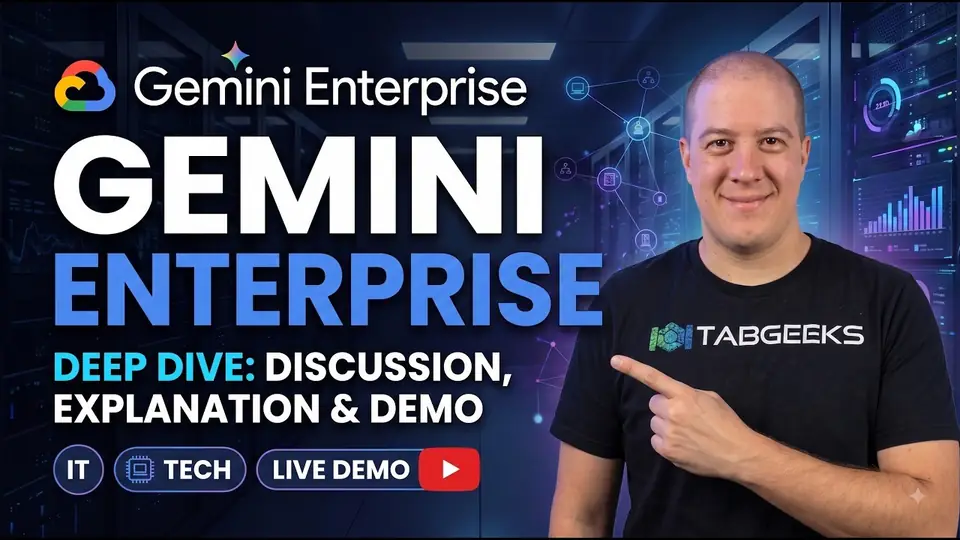
Prefer to watch? The full video is right here. 56:09 · Watch on YouTube
Jump to a section in the video
Gemini for Workspace vs. Gemini Enterprise
Start with consumer. The top consumer plan is AI Ultra. There used to be an Ultra plan for business accounts too, but Jeremy said that SKU was retired around July. Below that, consumer Google One plans give you a bit of AI here and there.
On the business side, Gemini for Google Workspace is what lives in your Gmail, Drive and Sheets. Here is where people trip up: it is natural to assume that Google Workspace Enterprise Standard or Plus includes Gemini Enterprise. It does not. Gemini Enterprise, by that exact name, is a completely different product and SKU. The big difference is third-party connectors: Slack, Jira, Confluence, monday.com, ServiceNow and more. You can't connect those through a Workspace license alone.
“Gemini Enterprise, by name, just Gemini Enterprise, is a completely different product and SKU than what Google Workspace Enterprise Standard or Plus is.”
What it looks like and what it connects to
My first reaction when Jeremy shared his screen: it looks like the Gemini app. That is part of the confusion. The tell is the Gemini Enterprise label at the top. Admins can add shortcuts, announcements and quick links to company tools, and the key difference is the connector menu, where you pick which sources a chat can pull from, such as Confluence, Jira, HubSpot, Salesforce and Slack. Jeremy put the count at over 150 connectors.
Permissions follow each user. When you authorize Jira, you only see what your own Jira account can see, passed through SSO. Jeremy's nightmare example was an employee asking an AI what the CEO's bonus was. With per-user authorization, that doesn't happen. Google Drive covers Docs, Sheets and Slides under one connector, NotebookLM and Vertex AI Studio are in there, and if an app isn't listed but has an MCP server, you can add it as a custom MCP server connector.
Pricing is per license, not per token. What you consume is data indexing, and connectors that use data federation index very little. Jeremy said he has worked with clients of 10,000 plus users and has never been able to hit the indexing limit, even trying.
Agents you can build and schedule
The agentic part is the point. Agent Designer gives you two paths: describe the agent in natural language, or build it by hand. Jeremy typed a quick request for a meeting prep agent that reads his Drive notes when he enters a client name, and it built the agent, its instructions, starter prompts and a flow graph in moments. You still need to review the instructions, because it may guess your role wrong. You can pick the model, enable connectors and add reference files like a template to follow.
Building by hand lets you add sub-agents that each handle a task and report to an orchestration agent. And agents can be scheduled, which is what makes them truly agentic. Gems are not in Gemini Enterprise yet, and a skills feature is coming but has no date. For now, personalization and memory cover some of it, like remembering how you sign your emails.
What it means for IT admins
Most of my audience is IT, so this is where I pushed. Jeremy's view is that IT admins have been pulled to the front of the company to set up AI, and Gemini Enterprise is approachable with a little Google Cloud experience. His example: a proof of concept for a large, Microsoft-only customer, built in about 24 hours with users trained by hour 32.
The workflow he sees most is ticketing in ServiceNow and Zendesk. Ask for the top 15 high priority tickets that are past their SLA, put them in a table, and create a Google Sheet. That replaces an export and copy-paste routine with a two-sentence prompt. Schedule it, and the critical tickets I used to walk through at daily stand-up just show up.
Actions now live under each connector. Using Jira as the example, it can create, change and update, but there is no delete. Admins can switch off any individual action, or every action if you only want enterprise search, though Jeremy wouldn't advise that.
Security and your data
Admins get event log collection, observability and optional prompt logging, plus feature controls like locking the model selector. Model Armor is included. It blocks prompt injection and keeps sensitive data, such as health information at a HIPAA-regulated company, from being ingested. You can also set banned phrases for policy-heavy teams like HR. Jeremy was clear that Gemini Enterprise does not use your data to train models and it is not reviewed by humans.
Users are managed in two places: licenses at the app level and IAM roles in Google Cloud, either Gemini Enterprise user or Gemini Enterprise admin. There is no easy sync with Workspace or Microsoft directories that Jeremy knew of, so larger organizations bulk upload. Google sees Cloud and Workspace as separate products, and this is one place I wish they overlapped.
Federation beats ingestion
The older approach, data ingestion, scrapes and stores your data and resyncs every few hours, so answers can be hours stale. Data federation pulls only metadata and asks the source app in real time. Jeremy said changes show up within about 30 seconds, often seconds. His demo tenant had used 11.9 MB of a 3.66 TB pool.
Some sources still ingest. BigQuery syncs one time or on a schedule of every day or every three days, and it needs Enterprise Standard or Plus. Deep Research now lives in Gemini Enterprise as an agent, NotebookLM Enterprise notebooks can be called from chat, and the main thing missing compared to the consumer app is Gems and a few connectors like Google Maps.
The tiers and pricing
Gemini Enterprise tiers
| Tier | Where it lives | Notable details |
|---|---|---|
| Business | Google Workspace admin console | No Code Assist, limited connectors, list price $21 |
| Standard | Google Cloud | Code Assist, priority model access, 30 GB indexing per user, list price $30 |
| Plus | Google Cloud | 75 GB indexing per user, first to get new models, enterprise agreement pricing |
As read from Google's comparison during the interview. Prices are list prices at the time and change.
Indexing is pooled across users, so a power user draws from people who barely use it rather than hitting a hard cap. Standard and Plus are billed as Google Cloud spend, and you can set up a separate billing ID to track Gemini Enterprise costs. Antigravity isn't included in any tier yet; for business use it currently runs on GCP token consumption, and Jeremy said pooled Antigravity usage is coming to Gemini Enterprise licenses soon.
Bottom line
If your work lives entirely in Gmail and Drive, Gemini for Workspace covers you. If you want AI that reaches into Jira, Slack, ServiceNow or your own MCP servers, runs scheduled agents and enforces enterprise controls, that is Gemini Enterprise. Jeremy's advice is to start with Enterprise Standard and move to Plus if you outgrow it. There is a 30-day free trial, and setup takes some Google Cloud know-how.
Related stories
Shadow IT on steroids: how to govern AI agents at work
Oct 7, 2026 · 7 min read
Your IT stack is bloated: how to simplify and secure it for 2026, with Promevo's Colin McCarthy
Dec 2, 2025 · 7 min read
What is Meta Muse? A week with Meta's new personal AI agent
Sep 23, 2026 · 6 min read
Jesse Nowlin
Founder of TABGEEKS, former IT Director and Google Developer Expert. I test networking and pro tech on real job sites, then write up what I find.
Join the community