

Home / Stories / AI at work
Getting started with ChromeOS management in the Google Admin console
With Brian Kim, cloud architect at Strata Prime, I enrolled a new Chromebook Plus into a test domain and walked through licensing, device actions, policies, change management and ChromeOS Flex.

Jesse Nowlin
Founder, TABGEEKS · · 5 min read
ChromeOS keeps getting more powerful, and it even runs the self-checkout kiosks at many restaurant chains. But managing Chromebooks, Chromeboxes and ChromeOS Flex devices from the Google Workspace Admin console trips up a lot of admins, starting with licensing.
So I brought on Brian Kim, cloud architect at Strata Prime, fellow Google champion innovator and friend of the channel, who advises clients on exactly this. We started a trial license in a test domain, enrolled a new Chromebook Plus that Asus sent me to review, and went through what admins can do from there.
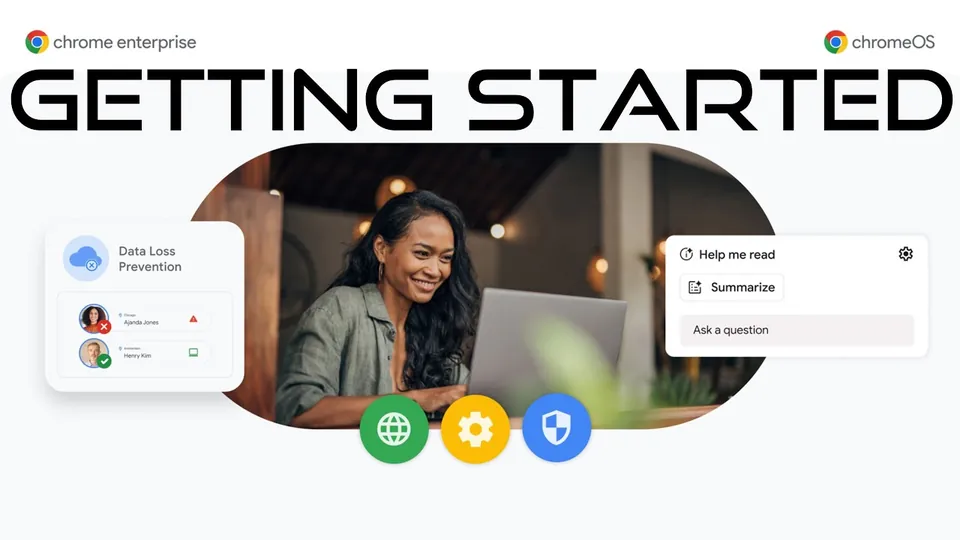
Prefer to watch? The full video is right here. 35:31 · Watch on YouTube
Jump to a section in the video
Licensing: what you need to buy
Your Google Workspace license does not cover device management. You need a Chrome Enterprise Upgrade license, and you can start a trial in the Admin console, as we did with an annual license, or buy through a reseller or distributor. It unlocks the device settings menu under Devices, Chrome, Settings.
Chrome Enterprise license types
| License | How it works |
|---|---|
| Perpetual | Follows the life of the device |
| Annual | Can be assigned and unassigned between devices |
| Kiosk and signage | For kiosks and signage, typically cheaper than a user license |
Some OEMs bundle a license with the device, so check before you buy
Brian's tip: some OEMs bundle a license with the hardware, so check with your distributor or retailer so you don't over-purchase.
The naming is confusing, so here is how he untangled it. Chrome Enterprise Core is free for any Google customer, even without Workspace, and used to be Chrome Browser Cloud Management. Chrome Enterprise Premium, formerly BeyondCorp Enterprise, adds more Chrome policies and GCP side access controls. Chrome Enterprise Upgrade is the license for managing ChromeOS hardware.
Enrolling a device
If you buy from a retailer like Best Buy or Walmart, you will do a manual enrollment, which only needs the email and password of a user with enrollment permission. That is on by default for most domains. To check, look at the enrollment permission in User and browser settings. You can block it, then allow it only for specific org units.
My Asus CX3402CB came already enterprise enrolled with a license and went straight to an enrollment screen when I opened it. I signed in with the test account, and it showed as enrolled in the domain. On an Acer that only showed the normal welcome screen, the trick was to hit Get Started, connect to Wi-Fi, and press Ctrl+Alt+E to bring up enterprise enrollment.
What the device page shows
Once enrolled, the device page shows the form factor, serial number, assigned license and editable fields, which you can also change through the API or a tool like GAM. It shows when the device stops getting updates. Mine runs until 2032. Hardware telemetry like storage, memory and CPU, plus network errors and applied policies, give you a single pane of glass for troubleshooting.
Choosing hardware and checking update dates
Brian prefers a clamshell laptop as a knowledge worker, but tablets suit some roles. Search for the Chrome wayfinding guide. SHI publishes it as a PDF that sorts devices by standard or advanced workloads and use cases like contact centers and shared devices.
Check the auto update expiration before you buy, because similar names can fool you. Samsung's older Chromebook Plus already expired, while the newer Galaxy Chromebook Plus gets updates until June 2032. Chromebook Plus is a fairly new Google designation.
Total cost of ownership
Chromebooks used to win on hardware price alone. Many now use similar CPUs and memory to Mac and PC, so prices have gone up for advanced workloads. The real comparison is management cost: the Chrome license against an MDM like Microsoft Intune for Windows or Jamf or Kandji for Mac. Google has commissioned TCO studies comparing how long it takes to reimage a Windows machine versus factory resetting a Chromebook for the next user.
Admin actions
Device actions in the Admin console
| Action | When to use it |
|---|---|
| Disable | The device is lost or stolen and you want it locked down |
| Deprovision | Retiring the device from your fleet |
| Change upgrade | Switch the device to a different license type, such as kiosk |
| Reset | Restore factory settings remotely |
| Reboot | Restart the device remotely |
Configuring policies
Brian's rule of thumb is to create separate org units for devices and users, so you can keep policies distinct. Watch the icons: a laptop icon marks ChromeOS policies, and others apply to Chrome on desktops or on iOS and Android.
Device settings apply to the whole device. Managed guest session settings apply only when a device runs as a shared public station, say at a library or a car dealership, where people click a button and get a set of web pages or apps without signing in. User and browser settings shape what a managed user sees when signed in.
There are a lot of policies. The Center for Internet Security publishes a ChromeOS benchmark with baseline security settings. Brian's go-to reference is the Chrome Enterprise policy list, searchable by name. One he configures often is the allowed domains for apps, which controls which accounts users can sign into, handy if you worry about personal Gmail. Others include blocking USB storage, screenshots and printing.
ChromeOS data controls add DLP style policies on Chromebooks. Together with Chrome Enterprise, Brian says, they make endpoints easier to secure than Chrome on Mac or Windows.
To keep up, follow the Chrome Enterprise release notes, which summarize browser and ChromeOS changes and deprecated policies in a table. You can also join Google's Trusted Tester program to give feedback on upcoming features.
Managing the change
Google's updated ChromeOS readiness tool installs on Windows and looks at what apps people use. SaaS heavy users are easy to move. Anyone who relies on thick desktop clients may need to wait or have those apps virtualized. The new version is far more streamlined with better graphs, though it oddly carries a partner's branding. Chrome partners may have access, and customers can fill out a form to test drive it.
Change has to come from both the bottom up and the top down. A loaner program works well: when someone's laptop is lost or in repair, they grab a Chromebook, and many don't want to go back. Simply telling people to switch can go fine or go sideways.
“You need to really understand how the users are using their devices.”
ChromeOS Flex
The same Chrome licenses can manage ChromeOS Flex, formerly CloudReady, on older hardware that struggles with Windows or macOS. You boot from a USB drive, start the install, and it downloads updates and installs itself. Brian's warning: not all USB sticks are equal, and some won't boot. I'm working on a video installing Flex on one of the last Intel iMacs.
Bottom line
You need a Chrome Enterprise Upgrade license, perpetual, annual or bundled, to manage ChromeOS hardware. Once devices are enrolled, put them in the right org unit and test policies, starting with the CIS benchmark and the policy list. Brian is active across YouTube, Slack communities and Google forums, and is an expert in this space.
Gear in this story
- Asus Chromebook Plus CX3402CB
- Get started with Chrome and ChromeOS device managementsupport.google.com (opens in a new tab)
- Manage ChromeOS devices in the Admin consoleknowledge.workspace.google.com (opens in a new tab)
Some of these store links are affiliate links. If you buy through them, the channel may get a small commission at no extra cost to you. Affiliate disclosure
Related stories
Shadow IT on steroids: how to govern AI agents at work
Oct 7, 2026 · 7 min read
Your IT stack is bloated: how to simplify and secure it for 2026, with Promevo's Colin McCarthy
Dec 2, 2025 · 7 min read
What is Meta Muse? A week with Meta's new personal AI agent
Sep 23, 2026 · 6 min read
Jesse Nowlin
Founder of TABGEEKS, former IT Director and Google Developer Expert. I test networking and pro tech on real job sites, then write up what I find.
Join the community